Don't worry! The contents here will appear on the published page.
The Payroll Ledger: How It Connects Payroll to Your General Ledger

Do San (Justin) Myung
Expert Accountant & Former Consulting CFO
Do San (Justin) Myung
Expert Accountant & Former Consulting CFO
Justin (Do San Myung) is Expert Accountant at DualEntry with 20+ years of hands-on experience managing general ledgers, financial close processes, and ERP implementations for mid-market and enterprise companies. As a former Consulting CFO and Controller, he has personally overseen month-end closes, SOX compliance programs, and multi-entity consolidations across technology, manufacturing, and services industries. Justin specializes in transforming manual accounting workflows into automated, AI-driven processes.
Learn about our editorial policies.
Last updated
October 14, 2026
Reviewed by
Woosung Chun

Woosung Chun
CFO
Woosung Chun is the CFO of DualEntry with experience in corporate finance, accounting, strategy, and acquisitions. He previously grew from scratch and led the M&A and Finance teams at Benitago, where he completed more than 12 acquisitions in 2 years. He graduated with a BS from NYU Stern. At DualEntry, Woosung writes about AI in accounting, revenue recognition, foreign currency accounting, hedge accounting, and ERP modernization for finance teams navigating complex, multi-entity environments.
Learn about our editorial policies.

Summarize this article
A payroll ledger is one of the most detailed records in accounting. It tracks exactly what each employee is paid, what’s withheld, and what’s ultimately paid out for every pay period.
Unlike the general ledger, which shows totals by account, the payroll ledger works at transaction level, capturing the detail behind payroll expenses, tax liabilities, and cash payments – all the way down to individual employees.[1]
So, why all the levels of detail? Payroll ledgers support financial reporting, help validate tax filings and, when auditors come knocking, offer a clear audit trail as a starting point. If the ledger’s accurate and complete, it becomes much easier to show that payroll expenses, deductions, and liabilities are correctly recorded.[2]
In this article, we’ll go into how this ledger works, why it’s so important, and the best ways to handle it.
Back to basics…
Before we dive deeper, let’s look at what a payroll ledger does and where it fits into the broader accounting structure.
What a payroll ledger is, and what it does
A payroll ledger is a detailed record of employee pay and deductions over a specific period. It tracks gross earnings, taxes, benefits, and net pay of individual employees.
You can view it as a supporting record for an accounting system. While the general ledger gives you totals like wages expense or payroll tax payable, the payroll ledger shares the details of how those numbers were calculated in the first place.
It also plays a key role in accuracy and compliance. By documenting hours worked, salaries, tax withholdings, and deductions, it helps make sure employees are paid correctly [3] – and that any necessary taxes and contributions have been properly calculated and recorded.
From a control POV, the payroll ledger helps teams reconcile payroll activity with both the general ledger and bank payments, making it easier to spot errors or inconsistencies early.
Comparison: Payroll ledger vs payroll journal vs general ledger
Key parts of a payroll ledger

A payroll ledger’s only useful if it contains the right data. Formats vary, but most ledgers follow a consistent structure supporting both payroll processing and accounting.
The core data fields to track
- Employee identifiers: Name or ID, often with department or cost center for allocation
- Pay period details: Start and end dates, pay date, and frequency (weekly, biweekly, monthly)
- Earnings: Salary or wages, overtime, bonuses, commissions (forming gross pay)
- Earnings breakdown: Separate fields for fixed vs variable pay
- Reference fields: Pay-run IDs or batch numbers to link back to system reports and journal entries. Smaller companies may not use these.
Taxes, deductions, and employer costs
Payroll ledgers separate what’s withheld from employees and what the employer owes.
- Statutory withholdings: Income tax and social contributions (including Social Security and Medicare-type contributions in the U.S.)
- Additional deductions: Varies by country; in the U.S. typically includes state/local taxes, court-ordered garnishments, and other required withholdings
- Voluntary deductions: Like retirement contributions, health-insurance contributions, and other benefits; must be carefully itemized to support reporting and audits
- Employer costs: Employer portions of taxes and benefits – expenses for the employer, but not deducted from net pay
Net pay, liability balances, and accounting codes
- Net pay: Gross earnings minus all statutory and voluntary deductions (in short, the amount paid out to employees)
- Liabilities: Outstanding payroll taxes and benefits payable until remitted [4]
- GL coding: Tags for wages, taxes, and benefits; supports posting and reconciliation
- Cost allocation: Department or project codes; supports analysis of payroll spend
How payroll ledgers flow into the general ledger
From detailed payroll lines to GL journal entries
Payroll starts with employee-level data. Each pay run captures earnings, taxes, and deductions in the payroll ledger, then groups them into category totals. A single journal entry is created per run, keeping the GL clean while full detail is kept for future audit and review.
Example: 3‑employee payroll ledger to GL posting
Payroll ledger (biweekly)
Journal entry
- Debits:
- Wages Expense: 12,000
- Employer Payroll Tax Expense: 919
- Credits:
- Federal Tax Payable: 1,850
- Social Security Payable: 1,488
- Medicare Payable: 350
- Benefits Payable: 600
- Cash: 8,631
Expenses go to the income statement. Taxes and benefits remain as balance sheet liabilities until paid. Cash decreases by the net pay amount.
Payroll’s impact on financial statements
Payroll reduces operating profit via wages, taxes, and benefits on the income statement. Unpaid amounts sit as current liabilities on the balance sheet until settled. Without a tight connection between payroll records and the GL, these balances become unreliable. Regular reconciliation between the two is essential for accurate reporting and a clean close.
Building a solid payroll ledger
Here’s how to set up a payroll ledger that’s accurate, scalable, and easy to reconcile.
The right format: spreadsheet, template, or software?
Many smaller organizations start with spreadsheets – which are flexible and inexpensive, but also come with risks. Think formula errors, version control issues, and limited access controls.
As payroll gets more complex, more organized accounting systems and payroll software become more practical. These tools can generate payroll registers and journal entries automatically, reducing manual work and improving consistency. Finding the right setup ultimately depends on employee volume, transaction complexity, and reporting needs, especially if costs need to be tracked by department or project.
Ledger structure
A well-structured payroll ledger should include:
- Employee details (ID, name, department)
- Pay period information (dates, pay run ID)
- Separate columns for gross pay, each tax, each deduction, and employer contributions
- Net pay and payment references (check or direct deposit)
- Status fields and notes for adjustments or exceptions
This structure makes reconciliation easier and supports a clear audit trail.
Mapping payroll to the GL
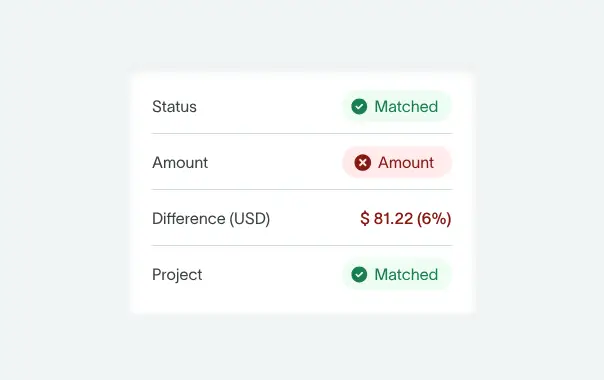
Each payroll component needs a clear link to the chart of accounts. Earnings map to expense accounts (e.g. wages, overtime), taxes and deductions map to liability accounts, and benefits map to both expense and payable accounts. Adding dimensions like department or project supports more detailed reporting.
Accurate mapping matters because errors flow straight into financial statements. That’s why mapping rules should be documented, reviewed regularly, and updated when new pay types or benefits are introduced.
How to use a payroll ledger day to day
Recording each pay run
Each cycle starts with collecting time and salary data. Gross pay is calculated, then taxes and deductions, including income tax and social insurance, are applied.
The payroll ledger records this at the employee level, showing gross pay, withholdings, and net pay. Once reviewed, totals feed the payroll journal entry.
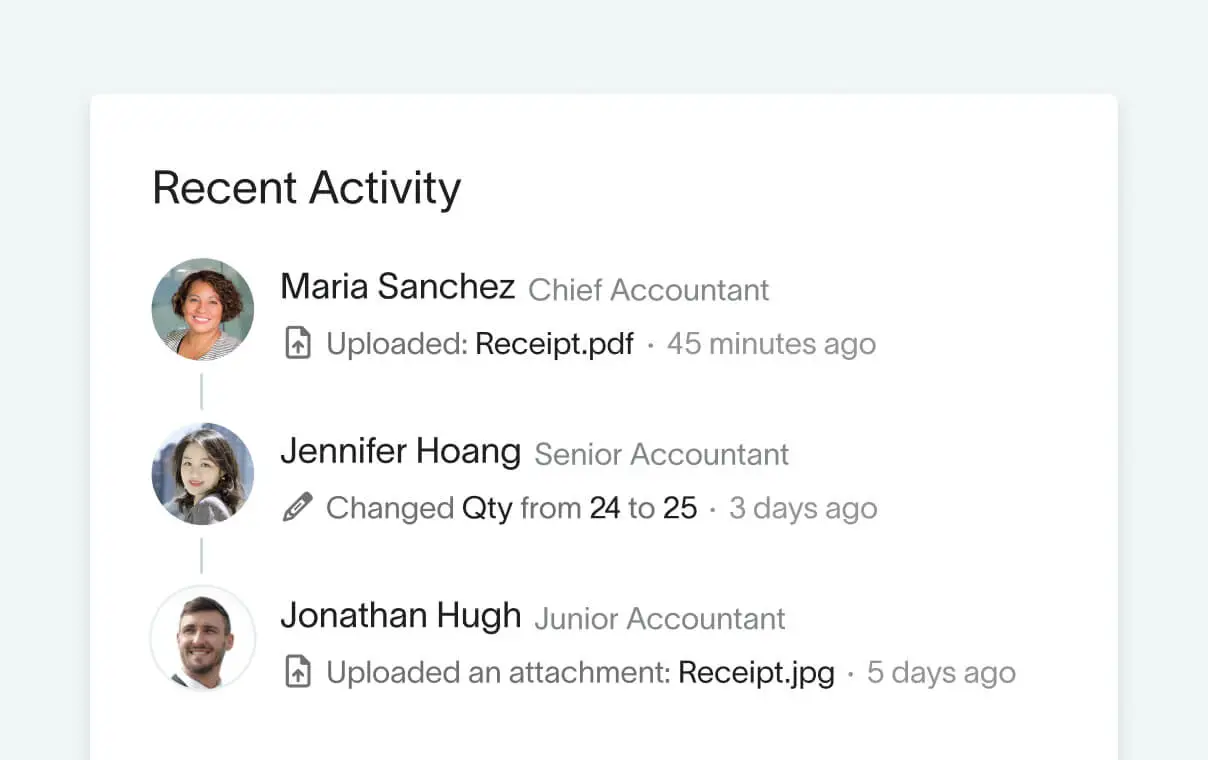
Supporting documents like timesheets and approvals should always be kept as part of the audit trail.
Reconciling the payroll ledger with the general ledger
Reconciliation compares payroll totals to GL balances across these key areas:
- Wages and payroll tax expenses
- Payroll liabilities
- Cash or payroll bank accounts
Differences often come from timing, missing entries, or incorrect coding. Regular reconciliation (at least monthly) helps catch these early. You can read
Handling adjustments and corrections
Adjustments – like back pay, tax corrections, and reissued payments – should always be recorded as new, separate entries in both the payroll ledger and GL, never by overwriting historical records. Each adjustment should reference the original payroll period and employee, include a clear explanation, and attach supporting approvals.
Correcting entries must update both payroll expense and the related liability or cash accounts to keep balances reconciled.
Automating payroll and GL integration
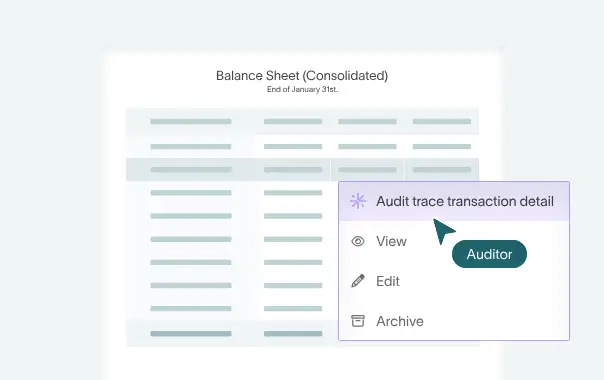
Automation changes how (and how fast) payroll data moves through your accounting workflows. Here's where it helps, and why controls and human involvement still matter.
Built‑in reports vs custom ledgers
Most payroll systems generate built-in reports that function as payroll ledgers. These are fast and consistent but less flexible for complex allocations. Some companies layer custom tracking on top, though it adds manual effort.
With integrated ERP systems, this distinction matters less. General ledger software like DualEntry combine standardized and flexible reporting, eliminating separate workflows and manual workarounds.
Automated reconciliation
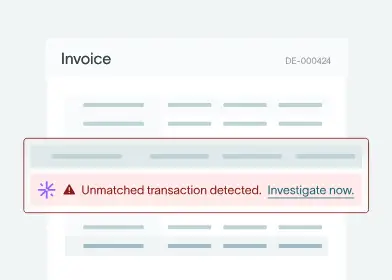
When payroll data flows directly into the GL, modern accounting systems can automatically handle reconciliation, flagging any discrepancies between payroll records, GL balances, and cash movements. This reduces manual review and helps teams resolve issues before they impact reporting or the close.
More benefits of automation
Other advantages include:
- Reducing manual data entry and the calculation errors that often come with it
- Speeding up payroll posting – and the monthly close
- Improving visibility into labor costs
- Strengthening your controls with “always on” audit trails and approvals
Keeping your payroll ledger accurate: best practices
Making sure payroll is accurate is all about consistency, completeness, and regular reviews.
Standardize data entry and naming
It’s recommended to:
- Use consistent formats for employee IDs and pay periods
- Standardize naming for earnings and deductions
- Align coding across payroll and accounting systems
- Document these rules and train your staff on them
Capture all payroll components
Yes, it sounds basic, but it’s essential (and sometimes overlooked in finance teams’ day-to-day rush). Every payroll ledger should include:
- Gross pay
- All taxes and withholdings
- Voluntary deductions
- Employer taxes and benefits [5]
Missing components can understate expenses and liabilities and make reconciliation harder. Keeping complete records also supports clean tax filings and fuss-free audits.
Reviews, audits, and access controls
Payroll data is sensitive. Strong controls and regular checks protect both accuracy and confidentiality. Best practices in this case include:
- Review payroll data each pay run
- Reconcile monthly with the general ledger
- Maintain version history (don’t overwrite records)
- Restrict access based on roles
- Keep secure backups to safeguard against data loss
Common payroll ledger mistakes – and how to avoid them
Miscoding and inconsistent mapping
When payroll items are mapped to the wrong GL accounts – or mapped inconsistently across periods – labor costs are harder to track, and reporting gets messy. The good news is that the fix is simple: keep mapping rules consistent, document them clearly, and review them regularly.
Systems that standardize mapping rules can also reduce the need for manual input – and prevent inconsistencies from the start.
Timing mismatches
Payroll run dates, posting dates, and bank settlements don't always align, creating temporary gaps between payroll records and GL balances. Clear cut-off rules and aligned posting schedules help, but mismatches should still be resolved promptly. Automated workflows can flag up mistakes early and link payroll activity directly to cash and liability movements.
Under‑documented adjustments
Adjustments cause problems when they lack clear explanations, approvals, or references to the original payroll period. Keeping a complete record of what changed (and why) makes audits easier to manage.
Platforms with built-in audit trails and approval workflows can enforce this documentation automatically.
Payroll ledger use cases: by business type
Small businesses
In smaller businesses, payroll ledgers are typically maintained via spreadsheets or basic payroll reports, focusing on cash outflows and tax compliance. Where roles overlap, clear documentation and regular review are especially important.
Nonprofits and grant‑funded entities
Nonprofits often need to allocate payroll costs across programs or funding sources, requiring additional coding in the ledger. Accuracy matters – errors can affect compliance and funding.
Multi‑entity and international orgs
Larger or multi-entity setups need to handle multiple legal entities, currencies, and regulatory environments. Standardized structures and centralized ERP systems maintain consistency, while detailed records support intercompany allocations and reporting.
SaaS and high-growth companies
SaaS companies track payroll across functions like engineering, sales, and customer success, prioritizing cost visibility and scalability. As teams scale, manual processes become a blocker. A structured payroll ledger with automation and real-time reporting keeps numbers accurate and gives finance teams deeper insight into costs.
How AI improves payroll ledger accuracy and GL posting
.avif)
Manual payroll-to-GL processes, typically reliant on spreadsheets and repetitive data entry, can create inconsistency, errors, and reconciliation issues over time. Automation and AI standardize how payroll data’s processed, mapped, and validated before it reaches the GL.
Modern ERP systems like DualEntry bring payroll and accounting into a single environment. It’s easier to manage mappings, generate entries, and maintain a clear audit trail.
Automating payroll mapping and journal entries
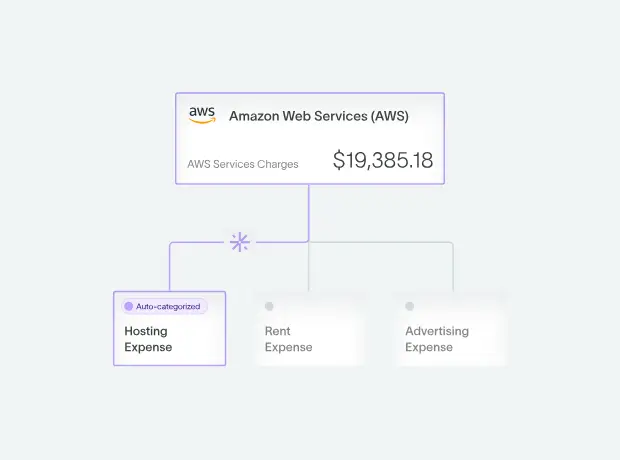
Predefined mapping rules automatically link payroll components (wages, taxes, benefits) to the correct accounts, keeping postings consistent across every pay run. Systems can also generate or validate journal entries before posting, reducing errors at the source.
Improving reconciliation and audit trails
Automation flags differences between payroll data and GL balances early, making issues easier to resolve. Structured workflows keep every change documented, approved, and traceable, speeding up audits and making month-end less stressful.
Payroll Ledger FAQs
Is a payroll ledger the same as a payroll register?
In many cases, yes. A payroll register shows each employee's gross pay, deductions, and net pay for a given period – functionally identical to what most teams call a payroll ledger. Whatever the terminology, the purpose is the same: detailed support behind payroll journal entries and reconciliations.
How often should I update my payroll ledger?
Update the payroll ledger every time payroll is processed, whether weekly, biweekly, or monthly. At minimum, reconcile totals to the GL each month as part of close. If you run payroll more frequently or have a large headcount, more regular checks are wise.
Do I still need a payroll ledger if I use payroll software?
Yes. Payroll software generates reports that act as the ledger, but those records still need to be retained and organized. Auditors and tax authorities often require this level of detail, not just summary balances.
Who should manage the payroll ledger in a small business?
Typically, a bookkeeper or accountant handles it. Even in smaller teams, some level of review or oversight is important to maintain accuracy and control.
Conclusion
A well-structured payroll ledger is a must for accurate payroll accounting. It connects employee-level data to the GL and, ultimately, to financial statements. When you get the process right, reporting gets more accurate, audits run more smoothly, and issues are easier to spot.
Consistent mapping, complete data capture, regular reconciliation, and strong documentation help you get there.
For many companies, the challenge is that payroll data, accounting systems, and reporting workflows are handled with separate tools. Bringing these together into a single system – with features like automated postings, and built-in controls – reduces complexity and improves reliability. ERPs like DualEntry take this a step further with smooth integrations to payroll management platforms like Justworks, Gusto, Deel, Workday, and Rippling, so there’s no more toggling between tools.
References
-
 Openstax — 12.5, Record Transactions Incurred in Preparing Payroll (Principles of Accounting, Volume 1: Financial Accounting)
-
Taylor, Sherri, and Armstrong Archives — CPA Record Retention Requirements: Strategizing for Compliance and Efficiency (Apr. 2025)
-
M David Haddock, et al. — College Accounting: A Contemporary Approach (McGraw-Hill/Irwin, 2010)
-
U.S. Department of Housing and Urban Development — Example of a Chart of Accounts
-
Palkhiwala, Trusha, and ADP — What Is a Payroll Ledger?
See the full power of DualEntry in 30 minutes
Justin (Do San Myung) is Expert Accountant at DualEntry with 20+ years of hands-on experience managing general ledgers, financial close processes, and ERP implementations for mid-market and enterprise companies. As a former Consulting CFO and Controller, he has personally overseen month-end closes, SOX compliance programs, and multi-entity consolidations across technology, manufacturing, and services industries. Justin specializes in transforming manual accounting workflows into automated, AI-driven processes.