
AI Powered AP Automation Software
A single source of truth for Accounts Payable
AI-powered, accurate, and fully synced with your spend management. DualEntry's automated AP solution keeps all payments on time and compliant.
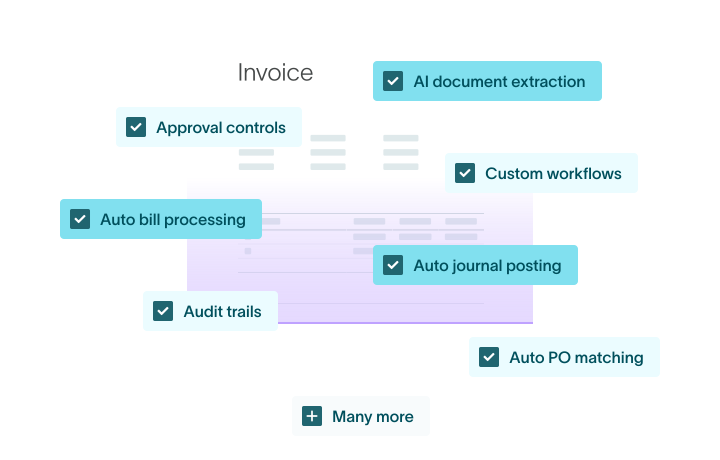


Streamline your AP cycle
%20(1).avif)
Intelligent automations
Automate recurring invoices like utilities and subscriptions through contract-based subscription workflows within predefined thresholds. Seamlessly create purchase requests, track vendor credits and apply them to outstanding invoices.
%20(1).avif)
Flexible workflows and approvals
Tailor every process to your needs. Customize workflows to match your reporting structure and approval steps. Activate automated reminders to free your team from time-consuming follow-ups.
Streamlined, clear communication
Keep all spend conversations in one place for clearer audit trails. Use @mentions and notifications for faster clarifications, and integrate AP approvals into MS Teams or Slack.
.avif)
Process every bill precisely, without manual work

Intelligent capture
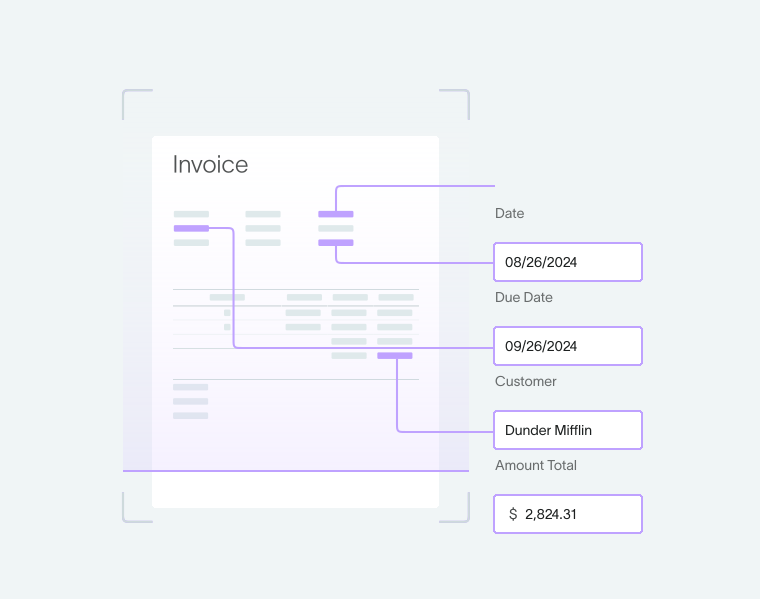
Leverage AI and machine learning for automatic invoice processing. With advanced OCR and document-detection capabilities, DualEntry instantly populates bill records, learning from previous entries to improve accuracy. Email or drag-and-drop invoices for seamless integration, with split-screen review for easy verification. Post bills as single lump sums or multiple line items, adapting to your enterprise’s needs.
Auto matching
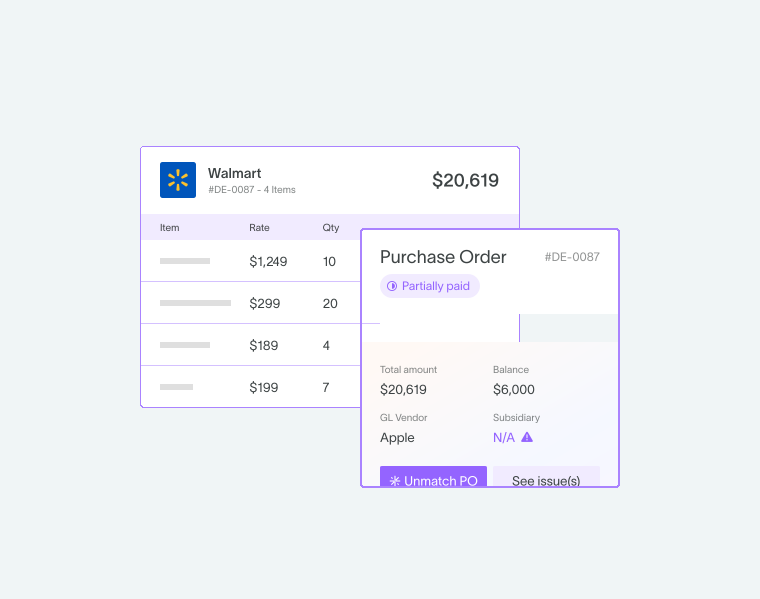
Enjoy seamless 2-, 3-, or 4-way matching – no need for templates or extra setup costs. DualEntry AI interprets handwritten receipts, identifies missing PO numbers, and flags discrepancies for human review. Plus, benefit from AI-driven auto-creation of transactions for swift reconciliation, enabling soft closes on a daily basis.
Smart detection
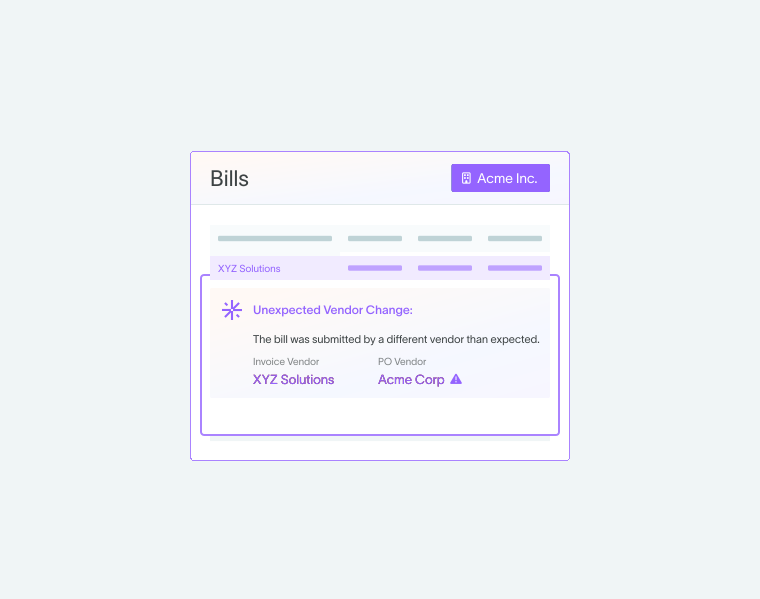
DualEntry AI continuously monitors invoice currencies and payment terms across historical data, automatically flagging mismatches between invoices, POs, vendor master data, and past transactions. Implement AI-driven duplicate detection to catch potential double payments before they occur, identifying various duplication scenarios and providing real-time alerts with root-cause analysis.
AI prioritization
Leverage DualEntry AI to prioritize invoice processing based on payment terms and cash discount opportunities. Get intelligent recommendations to accelerate approvals for parked or blocked invoices, ensuring you can capitalize on negotiated terms and avoid missed discounts.
Auto journal entries
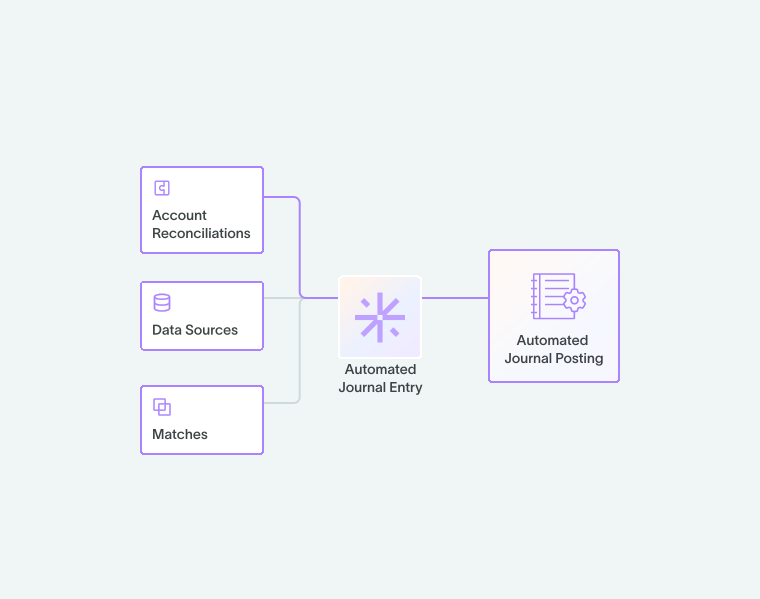
DualEntry AI saves on time, manual work, potential errors by automatically creating your journal entries. It learns from historical data to improve accuracy over time, handling complex scenarios including multi-currency transactions and split billing.
Get global, real-time AP visibility
Live insights
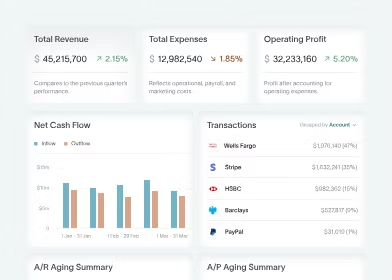
See real-time data – AP aging, check registers, pending invoices, and payments in transit – in one place. Track open POs, due dates, and scheduled payments on role-based dashboards.
.svg)
Unified management
Manage the whole procure-to-pay cycle – from creating vendors and bills to approvals, payments, reconciliation, and reporting, all synced to a real-time general ledger.
.svg)
Cash-flow precision
Control outgoing cash flow with flexible payment timing and methods, giving you precise visibility through cash-flow management. Choose from multiple options and track each payment’s status from start to finish.
.svg)
Bank and GL integration
Monitor transfers, check balances, and manage bank accounts easily with centralized treasury management across currencies and locations. Connect with 13,000+ banks and see up-to-date cash balances in any currency or location.
.svg)
Rich reporting
Set up standard or custom AP reports and saved searches by category, department, or location. Track prepaid expenses, sales taxes, and 1099 payments. Create real-time AP-liability and vendor-aging reports through audit-ready financial reporting.
.svg)
Supplier optimization
Simplify supplier relationships with transparent payments and multiple options. Offer early-payment discounts, automate status updates, and check bills anytime, on any device.
Master reconciliation, exceptions, and POs
Intelligent recognition
DualEntry AI reconciles transactions in minutes by syncing AP activity into automated account reconciliation. Sync with your banks, match virtual card charges instantly, and download statements automatically for even less hassle.
%20(1).avif)
%20(1).avif)
Automated exceptions
Automate exception processing for invoice-PO-receipt mismatches. DualEntry flags discrepancies for review and lets you quickly add any missing entries.
%20(1).avif)
PO precision
Create, track, and approve purchase requests with automatic routing and tight integration with purchase order management. Use 2- or 3-way matching of bills to POs and receipts to prevent overpayments, duplicates, and fraud.
Work seamlessly with multiple entities and vendors
.svg)
Centralized operations
Access bills, receipts, and vendor contracts all in one place. As your business grows, process bills for multiple entities and accounts within a single integrated platform.
.svg)
Simplified multi-entity accounting
Manage complex organizational structures with simplified multi-entity accounting. DualEntry can handle even the most complex organizational structures.
360° vendor visibility
Keep detailed vendor records, including banking info, POs, transaction history, and credit memos. Verify invoices against vendor data to ensure accuracy and reduce late payments or fraud.
.svg)
Sync with your spend-management toolkit
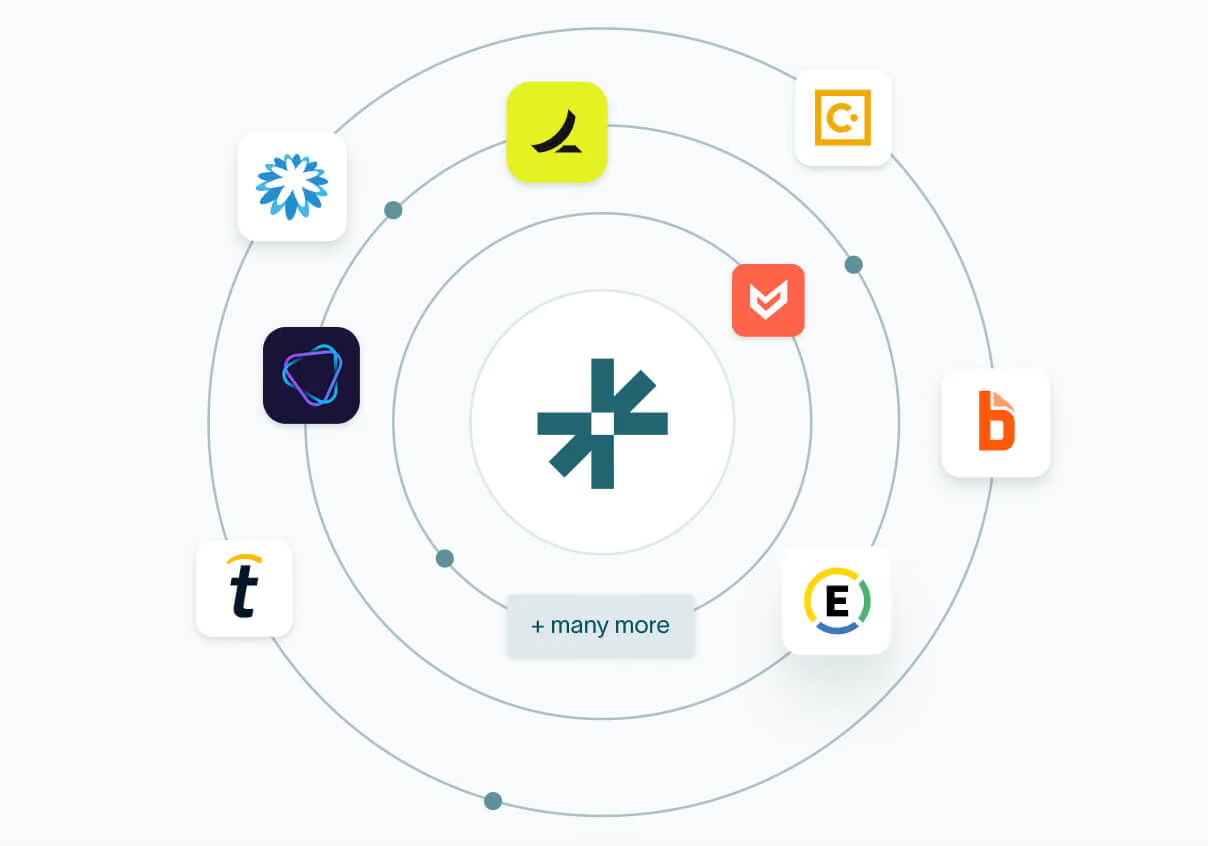
Stay budget-compliant and save time with smooth native accounting integrations with Ramp, Bill.com, Tipalti, Vic.ai, Coupa, Expensify, SAP Concur, Airbase, and more. Connect your default payment providers to pay by cheque, ACH, or virtual card. No need for manual postage or generating ACH files for banks.
Stay compliant
%20(1).avif)
Full audit trails and period locking
Put document-chasing in the past by automatically capturing approvals and edits in audit trails. Keep data integrity and support accurate reporting with AP period locking.
.svg)
Intelligent compliance
Connect to Avalara and Vertex for precise VAT/GST calculations and use-tax management. Set flexible spending limits and internal controls to meet your team’s changing needs.
.svg)
Always-on fraud prevention
Set controls for reviewing and approving changes to vendor payment details. DualEntry identifies and requests reviews of first-time payments to new bank accounts associated with existing vendors.
Why DualEntry leads in AI-driven AP automation software
| Feature |  |  |  |  |
|---|---|---|---|---|
| AI prioritization Use DualEntry AI to prioritize invoice processing based on payment terms and cash discount opportunities | Not available | Not available | Not available | |
| AI invoice monitoring DualEntry AI continuously monitors invoice currencies and payment terms across historical data, automatically flagging mismatches between invoices, POs, vendor master data, and past transactions | Basic alerts (add-on) | Not available | Not available | |
| AI reconciliation Leverage AI-powered reconciliation with DualEntry's auto-matching and transaction auto-creation capabilities | Requires 3rd-party tool | Not available | Auto-match via bank rules | |
| AI duplicate detection DualEntry AI's duplicate detection feature catches potential double payments before they occur | Requires 3rd-party tool | Not available | Ref # matching only | |
| AI journal-entry creation DualEntry AI automatically creates journal entries, learning from historical data to improve accuracy over time and handling complex scenarios such as multi-currency transactions and split billing | Requires configuration | Manual entry | OCR populates bill | |
| Automated invoicing Automate recurring invoices – and seamlessly create purchase requests and track vendor credits, then apply them to your outstanding invoices | Add on (Bill Capture) | Requires 3rd-party tool | ||
| AI OCR and document detection DualEntry instantly populates bill records, learning from previous entries to improve accuracy | Add on (Bill Capture) | Requires 3rd-party tool | ||
| Automated exceptions Automate exception processing for invoice-PO-receipt mismatches, as DualEntry flags discrepancies for review while enabling easy creation of missing entries | Rule-based/manual | Workflow or rules | ||
| Streamlined communication Integrate AP approvals into MS Teams or Slack, and keep all spend conversations in one place for clearer audit trails | No vendor access | No vendor access | ||
| Automatic transaction matching Benefit from automatic 2-, 3-, or 4-way transction matching without using templates. DualEntry AI interprets handwritten receipts, identifies missing PO numbers, and flags discrepancies for human review. | 2/3-way via add-on | Manual matching | PO link & bank rules | |
| Custom approval workflows Quickly create custom rules based on departments, spend types, and GL categories. Configure sequential or concurrent approvals, set up approval groups, and tie flows to specific criteria, such as routing IT purchases to tech experts | Basic rules only | |||
| Flexible workflows Customize DualEntry’s workflows to match your desired reporting structure and approval steps | Limited | |||
| Automated reminders Automated reminders that free your AP team from time-consuming follow-ups | Not native | |||
| Live insights / dashboards See real-time accounts-payable data – including AP aging, check registers, invoices awaiting approval, and payments in transit – in one place | Basic BI | Manual dashboards | ||
| AI payment matching | Requires add-on | Not available | Limited | |
| 13,000+ bank connections Integrate 13,000+ bank connections with your GL while ensuring real-time visibility of cash balances across multiple currencies and locales | ~10K (Yodlee) | Limited/manual | ||
| Unified AP management Manage the entire procure-to-pay process in one solution, from vendor and bill creation to approvals, payments, reconciliation, and reporting | Needs extensions | Per company file | ||
| Custom reporting Generate standard AP reports, custom reporting segments, and saved searches for detailed analysis by expense category, department, and location |




Accounts payable automation software FAQs
What is accounts payable software?
Accounts payable software helps businesses manage and automate the process of receiving, approving, and paying invoices. Instead of handling approvals through email and spreadsheets, AP software automates data entry, routes approvals faster, and keeps a clear record of all actions.
What are the key features to look for in accounts payable software?
The key features to look for in AP software are:
Automated invoicing: to create purchase requests and track vendor credits
Flexible workflows: to create workflows that match your reporting structure and approval steps
Custom approval workflows: to create rules based on departments’ spend types and GL categories
Automatic transaction matching: to automate 2-, 3-, or even 4-way matching without using templates
AI and smart automations: to save hours of manual work with AI features like AI invoice monitoring, AI duplicate detection, AI prioritization, and AI journal-entry creation. DualEntry's built-in account reconciliation software will keep your books accurate and audit-ready without extra work
Bonus tip: the software should be easy to set up, without requiring months of onboarding.
What's the best accounts payable automation software?
There’s not a single “best” accounts payable automation software. Finding the right match depends on your company size, your team structure, the complexity of your workflows, and your industry.
For lean, fast-moving finance teams – especially those in mid-market B2B companies—DualEntry is the smartest choice. It’s built to eliminate manual AP work through AI-powered routing, live insights, and cutting out manual data entry. Unlike legacy tools for enterprises, DualEntry is easy to implement, adapts to your workflows, and can be set up in weeks, not months.
How does accounts payable software improve efficiency?
Accounts payable software improves efficiency by automating repetitive and manual tasks like chasing approvals, re-entering invoice data, and tracking payments. It does this by keeping everything in one place. When an invoice comes in, it’s automatically routed and synced with your systems without any back-and-forth time-wasting. This means you’ll spend less time sending reminders, fixing human errors, or wondering what’s next. You can focus on the details that really matter, like cash flow, reporting, and staying ahead of the close. With DualEntry’s treasury management software integrated into AP, you always see the cash impact of every invoice in real time.
How do I choose the right accounts payable software for my business?
To choose the right accounts payable software for your business, you should first decide exactly what you want to improve.
Are you aiming to speed up invoice approvals? Reduce manual data entry? Get better visibility into spend?
The right AP software should solve the issues that hold your team back. Once you're clear on the direction you want to go in, look for a solution that fits your workflow. You shouldn't change your workflow to match your new AP software, but rather pick one that has the flexibility to align with the way you work.
What makes DualEntry different from other AP automation tools?
Many tools just sprinkle AP automation into outdated workflows. DualEntry was built from the ground up as an AI-native, cloud-based ERP – not just an AP plugin. Here’s what makes DualEntry different from other AP automation solutions:
AI that actually works
DualEntry uses artificial intelligence to auto-route invoices, detect duplicates, flag anomalies, and even create journal entries with the goal of reducing manual work at every step. It learns from your behavior and gets better over time.
Fast, flexible workflows
Set up approval chains, payment rules, and exception handling without weeks of configuration. Our system adapts to your organization’s needs, not the other way around.
Real-time insights
With live spend visibility, AI-powered monitoring, and custom reporting, you have full control over your AP cycle.
A unified platform, not fragmented tools
With DualEntry, you can manage invoice capture, approvals, payments, reconciliation, and reporting in one place.
Built for lean finance teams
No enterprise bloat and no complex onboarding. Just fast automation that delivers real value.
How long does it take to get started with DualEntry?
With DualEntry, onboarding time varies based on your company's individual needs and current ERP setup.
Here’s what an onboarding typically looks like:
1: Get started
A DualEntry CPA will define your priorities and share a tailor-made implementation roadmap.
2: Seamless setup
We migrate your historical data and connect your ERP with secure, two-way sync and continuous backups.
3: Smooth transition
Your team gets hands-on training while our system adapts to your workflows – all with an industry-leading <200ms response time.
4: You're live
You’re fully operational with DualEntry’s entire feature suite.
Is DualEntry secure and audit-ready?
Yes, DualEntry is 100% secure and audit ready. We meet IFRS/GAAP standards and follow all regulatory and industry rules, backed by certifications and third-party reviews.
Certifications and protection layers:
SOC 2 Type I & II certified
AES-256 encrypted
TLS 1.2+ encrypted connections
Two-factor authentication & SSO
Custom, role-based permissions
Real-time backups
Privacy and compliance:
GDPR, CCPA, and SOC 2
Zero data retention policy for AI-generated outputs
Our machine-learning models are pre-trained AI. We never use your data to train.
Built-in audit readiness:
Logs of every single change, approval, or transaction
Exportable, easy-to-review audit trails
Fully customizable permissions and data access
You can read more about our security measures here.
What features does DualEntry include for accounts payable automation?
DualEntry is one of the most advanced AP automation platforms on the market, with intuitive features like:
Automated invoicing
Flexible workflows
Automated reminders
Custom approval workflows
Streamlined communication
AI OCR and document detection
Automatic transaction matching
AI invoice management
AI duplicate detection
AI prioritization
AI journal-entry creation
Live insights
Unified AP management
13,000+ bank connections
Custom reporting
AI reconciliation
Automated exceptions
Can I purchase DualEntry’s AP automation software on its own?
No, you can’t purchase it as a standalone tool. DualEntry’s accounts payable automation is part of our full AI cloud ERP solution.
