Approval Workflow Software
Approval controls, tailored to you
Custom workflows, granular permissions, and rich audit trails keep your processes secure and organized.
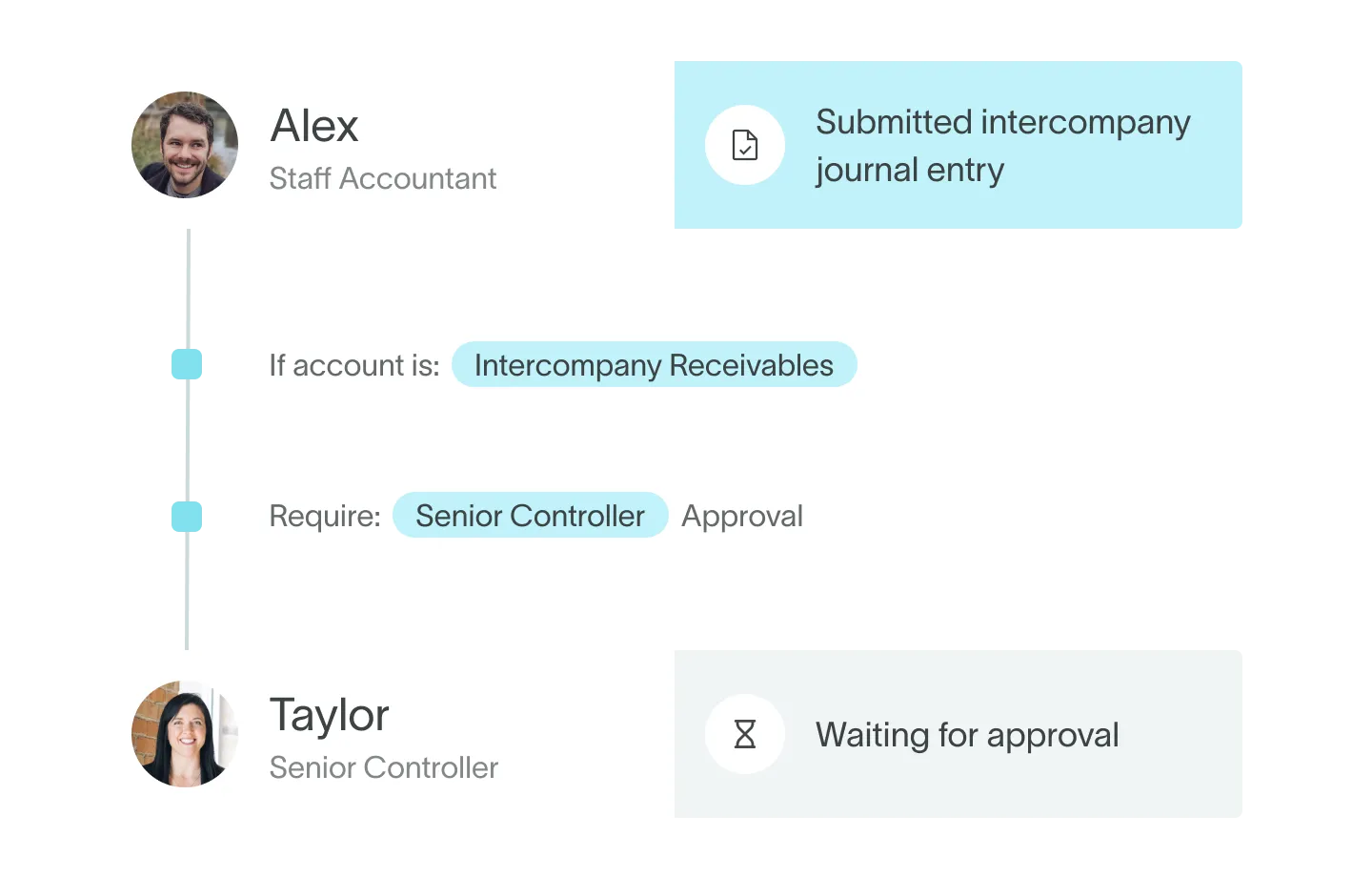


Set up precise controls and workflows
%20(1).avif)
Customizable workflows
Tailor approvals to your needs. Create multi-step workflows with conditional logic, ensuring thorough review processes for critical transactions.
%20(1).avif)
Granular permissions
Set custom roles and permissions so you can effortlessly scale user management across your org. Make changes any time.
Period locking controls
Secure your financial close. Lock AR, AP, and all GL transaction types per entity, maintaining data integrity throughout accounting periods.
.avif)
%20(1).avif)
Staged transactions
Junior staff and AI can create records in a pending state while senior accountants handle final posting, ensuring a robust review process.
Audit-ready records
Keep comprehensive, traceable records with DualEntry's archived state. Transactions are traceable and undeletable, meeting strict audit requirements.
%20(1).avif)
Automate anomaly detection and audit prep
%20(1).avif)
Real-time testing insights
Get instant visibility into control testing. Auditors can run tests and share feedback directly in DualEntry.
%20(1).avif)
Advanced audit options
Access a compliance dashboard for detailed metrics and efficient audits. Drill down for in-depth analysis or ask AI to investigate.
%20(1).avif)
AI anomaly identification
DualEntry AI continuously monitors for anomalies and risks, so you can take action against control issues before they escalate.
%20(1).avif)
Cross-functional alignment
Collaborate better with a unified control framework. Share updates in one place for greater visibility and clearer communication.
Safeguard your data and track every change
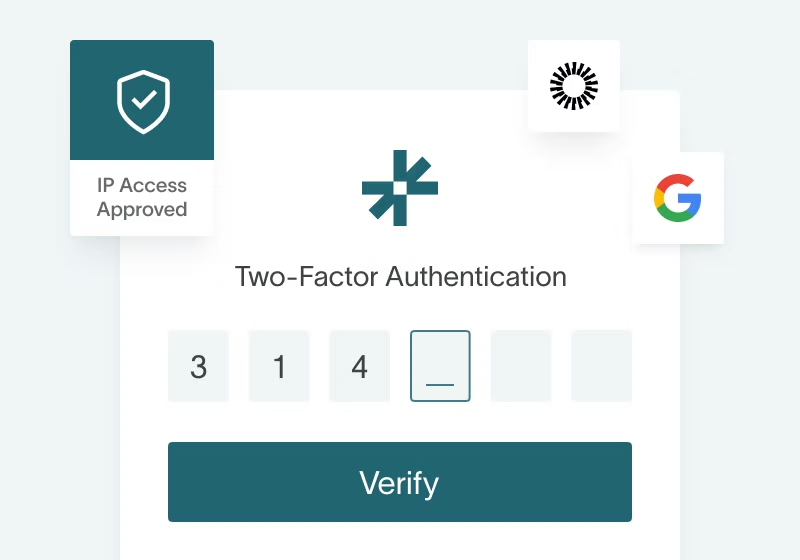
Multi-layered authentication
MFA, IP-address restrictions, and SAML-based single sign-on protects against unauthorized access and maintains your data’s integrity.
.avif)
Role-based access
Define access levels for different users to make sure that team members can only interact with the data and functions needed for their roles.
.avif)
Activity tracking
DualEntry logs all activity on customer records and associated transactions, recording user actions, IP addresses, and timestamps.
.avif)
Strong security measures
Stay ahead of potential threats with regular, automated security and vulnerability scans. Emerging risks are instantly flagged to you.
.avif)
Audit trails
Automated audit trails track modifications to workflows, scripts, system settings, and master data changes, giving you full visibility.
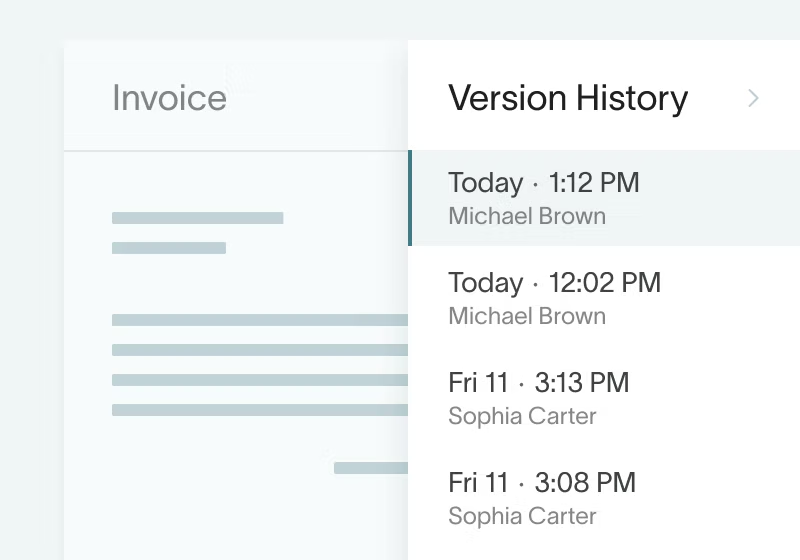
Version history
Easily review all changes made to any record in DualEntry. Get a chronological view of the edits and the team members who made them.
Make informed decisions with real-time insights
Monitor real-time activity metrics and execution status on our dynamic compliance dashboard. Drill down in a few clicks to analyze business processes and user activity.
-min.avif)
Powerful, customizable
approval workflow software
| Feature |  |  |  |  |
|---|---|---|---|---|
| Archived state With DualEntry's audit-ready archived states, all transactions are traceable and undeletable | Not supported | Not supported | Not supported | |
| Real-time testing insights Get instant visibility into testing status. Auditors can execute testing plans directly within DualEntry and deliver immediate feedback on control performance and areas for improvement | Not supported | Not supported | Not supported | |
| AI anomaly detection DualEntry AI continuously monitors for anomalies and potential risks | Not supported | Not supported | Not supported | |
| Real-time threat monitoring DualEntry monitors for anomalies and emerging risks in real time | Requires SuiteApp | Not supported | Not supported | |
| IP address restrictions IP-address restrictions prevent DualEntry access from unrecognized IP addresses | Not supported | Not supported | ||
| SAML single sign-on | Requires integration | Not supported | ||
| Multifactor authentication (MFA) | Requires integration | Not supported | ||
| Custom approval workflows Create custom, multi-step workflows with conditional logic, tiered approvals, and logs of every approval step | Requires third-party | |||
| Staged transactions Enable junior staff and AI to create records in a pending state, leaving senior accountants responsible for final posting | Limited – no formal staging | |||
| Activity logs DualEntry captures and logs all activity on customer records and associated transactions, including user actions, IP addresses, and timestamps | Requires enablement | Not supported | ||
| Role-based access controls Implement precise security controls with customizable user roles. Customizable access levels ensure that every employee can only access the data and functions necessary for their roles | ||||
| Period locking Lock AR, AP, and all GL transaction types per entity, maintaining data integrity throughout accounting periods | ||||
| Audit trails DualEntry keeps detailed logs of all system customizations, master-data changes, and modifications to workflows, scripts, and system settings | ||||
| Version history Easily review all changes made to any record, with a chronological view of modifications and the team members who made them |