Don't worry! The contents here will appear on the published page.
What Is Account Reconciliation? Definition, Process & Examples

Do San (Justin) Myung
Expert Accountant & Former Consulting CFO | DualEntry
Do San (Justin) Myung
Expert Accountant & Former Consulting CFO | DualEntry
Justin (Do San Myung) is Expert Accountant at DualEntry with 20+ years of hands-on experience managing general ledgers, financial close processes, and ERP implementations for mid-market and enterprise companies. As a former Consulting CFO and Controller, he has personally overseen month-end closes, SOX compliance programs, and multi-entity consolidations across technology, manufacturing, and services industries. Justin specializes in transforming manual accounting workflows into automated, AI-driven processes.
Learn about our editorial policies.
Last updated
September 25, 2026
Reviewed by
Woosung Chun

Woosung Chun
CFO, DualEntry
Woosung Chun is the CFO of DualEntry with experience in corporate finance, accounting, strategy, and acquisitions. He previously grew from scratch and led the M&A and Finance teams at Benitago, where he completed more than 12 acquisitions in 2 years. He graduated with a BS from NYU Stern. At DualEntry, Woosung writes about AI in accounting, revenue recognition, foreign currency accounting, hedge accounting, and ERP modernization for finance teams navigating complex, multi-entity environments.
Learn about our editorial policies.

Summarize this article
Account reconciliation is the process of comparing account activity and balances to supporting documentation. Any differences are resolved to keep the books accurate and reliable. The process is like a guardrail, preventing your numbers from going off-course.
And if you don’t reconcile regularly? That’s when errors and irregularities can slip into your books.1 Reconciliation should be smooth and routine. No surprises or headaches. Make the process habitual and you’ll have tighter control of your cash, and audits will feel pain-free.
Account reconciliation basics
Its formal definition in accounting
Reconciliation is about comparing a balance in the general ledger to another source that should match it – like a bank statement, subledger, or external report. If the numbers don’t line up, the differences are investigated and resolved.2
The goal is to confirm that balances are complete, accurate, valid, and supported by evidence. Reconciliations usually focus on balance sheet accounts – cash, accounts receivable, accounts payable, inventory, fixed assets, loans, and equity – and they’re typically handled as part of the financial close. Reconciliations are documented proof that each balance is properly substantiated.
A simpler way to look at it
In plainer terms: reconciliation is double-checking your records against what actually happened.
Imagine tracking your spending in a personal budgeting app. At the end of the month, you compare it with your bank or card statement – checking that your salary shows up, your grocery purchases match, and that nothing appears twice. If something doesn’t line up, you’d want to understand why the numbers are different. This (and then resolving any discrepancies) is the aim of reconciliation.
What reconciling an account involves
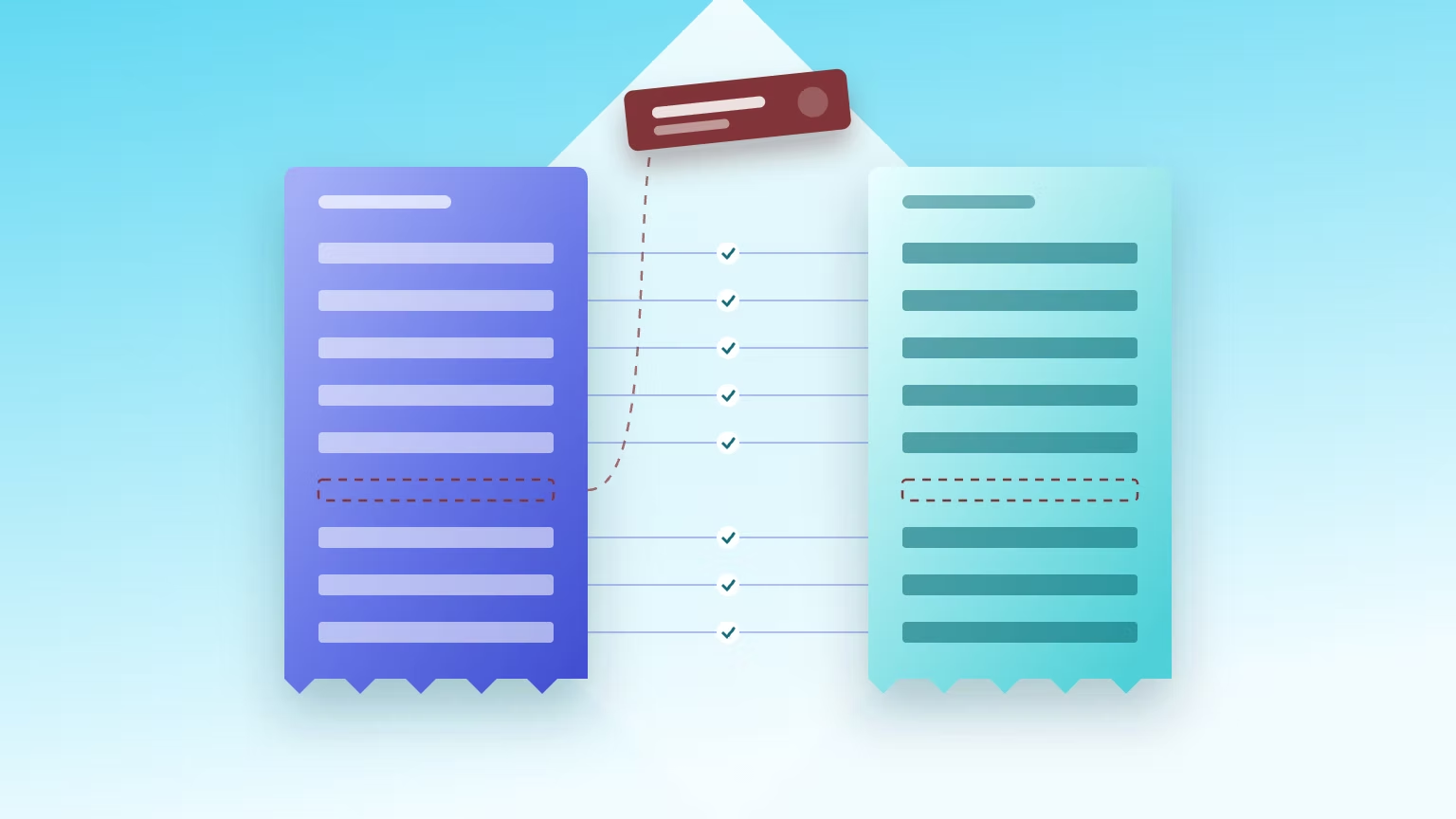
Reconciling an account usually starts with gathering the relevant reports, like ledger balances, subledger reports, and external statements. Transactions are matched line by line. Any items that don’t align are flagged for review.
Discrepancies often come down to timing issues, like payments still in transit. But others can be real errors – missing, duplicated, or misclassified entries. Correcting journal entries need to be posted to clarify these outliers.
Reconciliation is typically documented with schedules, notes, and supporting files so reviewers and auditors can trace the logic behind the balance.
Why is account reconciliation important?
For financial accuracy and reliable reporting
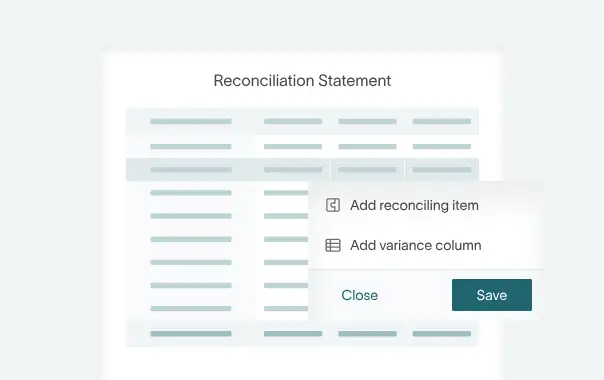
Reconciliation helps confirm that financial activity has been recorded correctly before reports are finalized. By comparing ledger balances to supporting records, you can spot posting errors, misclassified transactions, or cut-off issues that might impact results.
Reconciliations give you more faith in your financial statements and management reports, ensuring that the numbers you’re working with accurately reflect your business’s financial health.
For internal controls, audits, and compliance
Reconciliation is essential for financial control. It’s proof that balances have been reviewed and verified as part of the financial reporting process.
For larger companies that work according to SOX/ICFR (or similar internal control standards), reconciliations help verify that controls over financial reporting are working as intended.3 Clear documentation and sign-offs also make audits smoother, cutting out surprises and reducing the need for follow-up testing from the auditors’ side.
For picking out errors and preventing fraud
When you compare records from different sources, unusual or unauthorized transactions are more likely to come up. Reconciliation can quickly weed out issues4 – common ones being duplicate payments, missing invoices, incorrect exchange rates or transactions posted to the wrong accounts.
Regular checks also narrow the window in which mistakes or fraudulent activity can go unnoticed. The sooner discrepancies appear, the easier they are to investigate, correct, and prevent from repeating.
For better visibility and decision-making
Frequent reconciliations, especially for cash, AR, and AP, give you a clearer picture of your available funds and upcoming obligations.
With accurate balances, it’s easier to manage credit control, plan supplier payments, and monitor working capital more closely. For SMEs working with tighter liquidity, this extra level of visibility can be the difference between reacting to cash shortages and proactively managing them.
Common types of account reconciliation
Bank and cash reconciliation
This is the most common type of reconciliation. It compares your bank statement with the cash balance in your books.5 Some differences are normal timing items (think: outstanding checks, deposits in transit, bank-processing delays). Others come from transactions the bank records first, such as service charges, interest income, or card fees.
For example: if the bank charges a $25 fee that isn’t in your books yet, you’d record a journal entry to recognize the expense and reduce cash.
Accounts receivable reconciliation
Here, the goal is to confirm that the AR subledger matches the AR control account in the general ledger.
Teams often check balances at the customer level too, for example by comparing AR records to customer statements. Common issues include unapplied cash, payments posted to the wrong account, credit memos, write-offs, or invoice disputes.
Accounts payable and vendor reconciliation
This type of reconciliation checks that the AP subledger and vendor statements match the AP control account. The process can reveal missing invoices, duplicate payments, or unclaimed credits. It’s also a good way to spot old, open items or inactive vendors.
Intercompany reconciliation
Companies with multiple entities need to reconcile balances between them.
For example, if one entity records a “due from” balance, the other should record a matching “due to” entry. These mirror entries must align before financial consolidation takes place.
Common issues with intercompany reconciliation include timing differences, FX differences, or one-sided postings (i.e. where only one entity recorded a transaction).
Inventory and fixed-asset reconciliation
With this kind of reconciliation, inventory balances in the GL are checked against stock records and physical counts. Fixed assets are reconciled against the asset register and depreciation schedules.
Other balance sheet accounts, like prepaids, accruals, taxes, loans, and equity, are typically reconciled as well.
How account reconciliation works, step by step
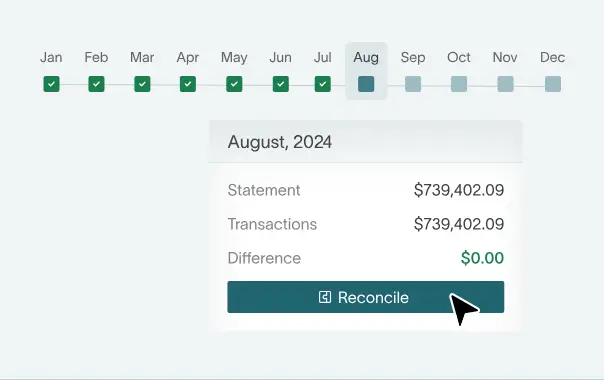
Whether you handle it with spreadsheets or specialized software, reconciliation always follows the same basic path: define the scope, compare records, investigate differences, make corrections, and document the results.
Step 1: Determine the scope and starting balances
- Identify which accounts and reporting period are being reconciled
- Prioritize higher-risk or material balances first
- Confirm the opening balance matches the prior period’s reconciled closing balance6
Step 2: Gather any supporting records
- Collect supporting reports, such as GL detail, subledgers, and bank or credit card statements
- Gather supporting documents, including invoices, contracts, and receipts
- Always make sure to use final, official statements (rather than draft reports).7 Preliminary versions can still change, which can lead to unnecessary reconciliation differences later down the line
Step 3: Compare and match transactions
- Match transactions across records by date, amount and reference number
- Use filters, check marks, or reconciliation tools to pair transactions
- Mark matched items as cleared, so only unmatched items remain for deeper investigation
Step 4: Identify and analyze discrepancies
- Determine whether differences are timing issues or actual errors. Examples include deposits recorded at month-end but banked later, duplicate invoices, or payments applied to the wrong customer
- Investigate the root causes of any issues to avoid recurring reconciliation problems
Step 5: Post adjustments and corrections
- Prepare journal entries for missing, incorrect, or reclassified transactions
- Record bank fees or interest income identified in statements
- If applicable, adjust for foreign currency revaluations
- Record inventory shrinkage or valuation write-downs if you find any discrepancies
Step 6: Document and review
- Prepare a reconciliation schedule showing opening balance, reconciling items, and ending balance
- Include explanations and supporting evidence for each difference
- Ensure a reviewer signs off through workflow approval or timestamped documentation. Remember that proper documentation supports internal controls, audit readiness, and regulatory compliance.
Practical examples of account reconciliation
A simple bank reconciliation example
Imagine the cash balance in your general ledger shows $10,000, but the bank statement shows $9,700. Reconciliation will help explain that $300 difference.
First, you should identify the timing differences. For example, there might be $250 in outstanding checks that haven’t cleared the bank yet. Those are normal timing items and don’t call for changes to your books.
You might then notice a $50 bank fee on the statement that hasn’t been recorded internally. Unlike the timing items, this one needs a journal entry.
Example entry:
Debit: Bank Fees Expense $50
Credit: Cash $50
AR and AP reconciliation scenarios
Accounts receivable mismatches often come from payments that haven’t been applied yet.
For example, a customer payment might appear in the bank account and cash ledger, but hasn’t been applied to the customer’s invoice in the AR subledger. Until that happens, AR will show an open balance that doesn’t match reality. Applying the payment clears the invoice and removes the reconciling item.
AP differences frequently happen when vendor statements include invoices that weren’t recorded internally. If a vendor statement lists a $1,200 invoice that’s missing from your AP records, entering that invoice updates the AP subledger and expense account, bringing balances back into alignment.
An intercompany reconciliation example
Intercompany reconciliation makes sure that transactions between related entities are recorded on both sides.
Say Entity A records a $5,000 sale to Entity B. Entity A records revenue and a “due-from” balance. If Entity B hasn’t recorded the purchase yet, the group’s records will be mismatched. But once Entity B records the purchase and the matching “due to” entry, the balances will match up.
During consolidation, the transaction is eliminated so the group doesn’t overstate revenue:
Debit: Intercompany Revenue
Credit: Intercompany Expense
This removes the internal transaction from consolidated results.
Manual vs automated account reconciliation
How manual reconciliation works
In many companies, reconciliation happens in spreadsheets. Finance teams export data from the GL, bank feeds, or subledgers, then manually match transactions, line by line.
Separate files are often created for each account, with formulas used to calculate differences and track reconciling items. This is common in small, early-stage businesses that haven’t yet explored dedicated reconciliation tools.
The limits and risks of doing it manually
Manual reconciliation can create several challenges:
- Time pressure: Matching transactions manually is increasingly time-consuming when transaction volumes rise
- Spreadsheet risks: Formula mistakes, missed transactions, and inconsistent file formats can easily cause accounting problems
- Version-control issues: Multiple team members working on different spreadsheet copies can lead to patchy audit trails and conflicting, out-of-sync numbers
- Key-person dependency: Manual processes often rely on individuals who understand the files – so there’s a risk that knowledge isn’t documented or shared
How automated reconciliation tools work
Automated reconciliation involves pulling data directly from banks, ERPs, and subledgers.
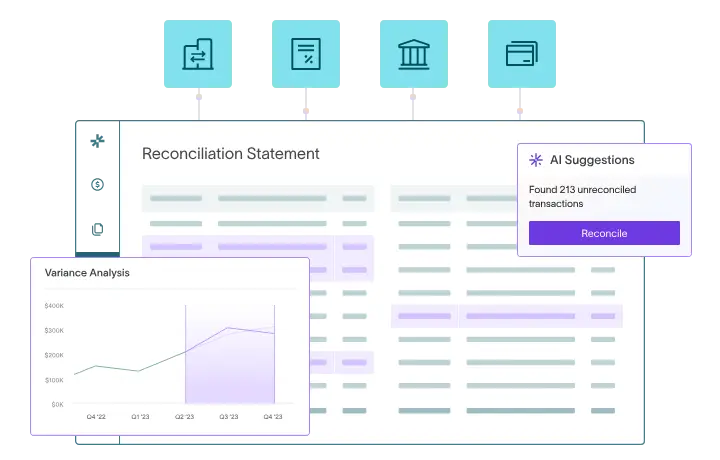
Modern systems use rules-based matching to automatically pair transactions based on amount, date, or reference numbers. Items that don’t match are then flagged as exceptions for review. Most tools also include dashboards, approval workflows, and built-in documentation, making it easier to track the reconciliation process and demonstrate that controls are operating effectively – important for SOX/ICFR compliance.8
When to consider reconciliation software
Many companies start thinking about switching to reconciliation software when their transaction volumes increase or the business expands, so it starts to deal with multiple entities or currencies. Other triggers include recurring audit findings, spreadsheet errors, or simply a desire to cut down on close time (because working in Excel definitely doesn’t help if you want to work at speed).
Automation can help teams close faster, get clearer visibility into balances, and have stronger controls and reliable audit trails.
Manual vs automated processes at a glance
Best practices
Well-run reconciliation processes slash errors, improve visibility, and make audits far less stressful. Here are some best practices for effective account reconciliation.
Set a risk-based reconciliation policy and schedule
High-risk accounts like cash, AR, AP, and inventory typically need more frequent checks than others. A simple approach is to map account risk to a schedule – for example, daily or weekly for cash and monthly for other balance sheet accounts. Focus on the areas where mistakes would have the biggest impact.
Standardize processes and templates
Consistency is key. Use standard templates and clear naming conventions so every account follows the same structure. At a minimum, each reconciliation should include the opening balance, ending balance, reconciling items, explanations for differences, supporting documents, and a record of who prepared and reviewed it.9
Enforce segregation of duties and proper review
Wherever possible, separate the roles of preparer, reviewer, and approver. Doing this cuts the risk of mistakes going unnoticed – and strengthens your internal controls.
For higher-risk or higher-value accounts, it’s also smart to loop in a senior team member for an additional, final review.
Keep strong documentation and audit trails
You shouldn’t consider a reconciliation complete without supporting evidence. Keep bank statements, schedules, and other relevant docs attached (or linked) directly to your reconciliation records. Having everything in one place makes it easier to explain balances and answer questions from auditors.10
Use technology where possible
The points we’ve mentioned above can be supported by the right tech tools. Accounting software that handles reconciliation will, of course, also save you time and keep you compliant.
If you need to make the first step away from manual processes, start with a cloud-based accounting platform that covers the reconciliation essentials, like built-in bank feeds and automated matching rules. Switching from spreadsheets to software will speed up your close cycle and work more efficiently – with fewer manual errors.
Automation and AI in account reconciliation
Where automation helps most
Automation works best for high-volume, repeatable reconciliations, like bank accounts, AR, AP, and credit cards. AI can easily handle transaction matching using predictable fields (amount, date, reference…). Automated bank imports and matching rules reduce manual checks, only needing human involvement for outliers that need deeper probing.11
Here’s a typical automated workflow that can work for businesses of any size:
- Transactions are pulled automatically into the software/ERP
- Automated matching rules clear most entries
- Exceptions are flagged for human review
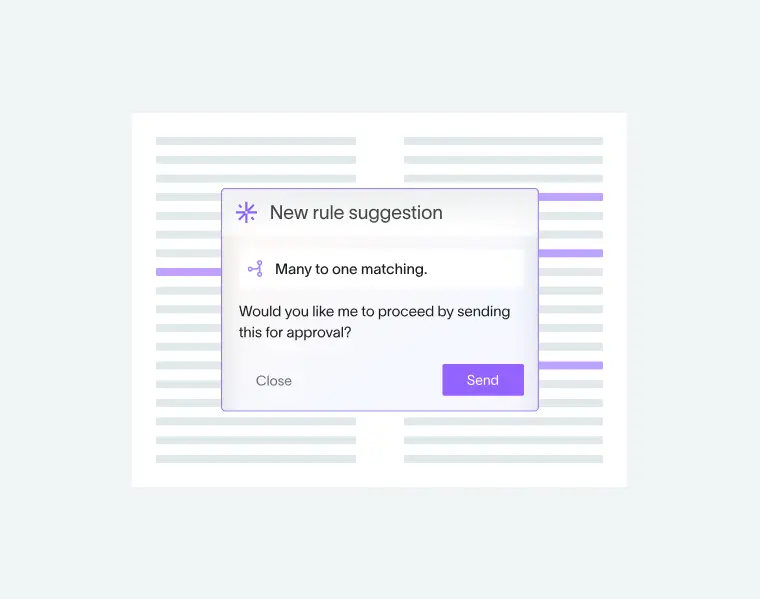
AI-native accounting platforms can build on this with rule suggestions, automated schedules, and exception dashboards, helping you focus on investigating anomalies instead of matching routine transactions.
How AI is changing reconciliation
AI takes reconciliation beyond simple rules by suggesting matches for transactions that aren’t identical, for example when amounts differ slightly or references are inconsistent.12
It can also monitor transaction patterns to detect unusual activity or large balance movements, helping teams spot issues earlier.
Before you panic and think that AI is going to take over accountants’ jobs: it should be stressed that AI works best alongside accountants – not by replacing them. Today’s systems can propose matches, highlight anomalies, and flag balance changes, but human professionals should still be reviewing, approving and, where needed, adjusting the results. Platforms like DualEntry combine rule-based matching with AI insights, so teams can process large transaction volumes while staying firmly in control of the final numbers.
How DualEntry helps automate account reconciliation
Manual reconciliation works when you’re starting out but, as your transaction volumes grow, it’s a challenge to stay organized and compliant. DualEntry helps simplify everyday accounting with automation, AI analysis, and structured workflows.
Key features include:
- Automated, high-volume matching: Accurately process millions of transactions across multiple accounts simultaneously, supporting one-to-one, many-to-one, and many-to-many matches.
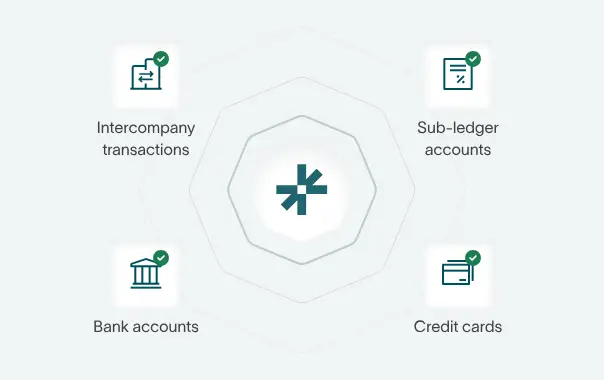
- Multi-account reconciliation: Reconcile bank accounts, credit cards, intercompany balances, and subledgers (like revenue recognition) in a single workspace.
- AI rule creation and matching: DualEntry learns from past reconciliations and suggests custom matching rules, so you can skip repetitive work.
- Anomaly detection and exception management: AI continuously scans for unusual patterns or unmatched items, instantly highlighting them so you can resolve them quickly.
- Flux analysis: Automatically track balance changes between periods and flag unexpected fluctuations during the close process.
- Flexible templates and automated roll-forwards: Use standard reconciliation templates or customize schedules, with automatic roll-forward between periods.
- AI document capture: Skip manual document imports. Instead, upload invoices, statements, or other files, and DualEntry’s OCR extracts and maps the data directly to the correct GL accounts.
- Global bank integrations: Connect to 13,000+ banks worldwide and automatically import statements for reconciliation.
Account Reconculiation FAQs
Conclusion
At its core, account reconciliation is about trust. It validates your ledger balances and keeps financial reports accurate and compliant. Clear, consistent reconciliation routines make a big difference to your level of control and cash visibility.
Ready to switch to faster, smoother finance workflows?
Schedule a demo with a DualEntry CPA to see how AI-native workflows can streamline reconciliation for you
See the full power of DualEntry in 30 minutes
Do San (Justin) Myung
Expert Accountant & Former Consulting CFO | DualEntry
Justin (Do San Myung) is Expert Accountant at DualEntry with 20+ years of hands-on experience managing general ledgers, financial close processes, and ERP implementations for mid-market and enterprise companies. As a former Consulting CFO and Controller, he has personally overseen month-end closes, SOX compliance programs, and multi-entity consolidations across technology, manufacturing, and services industries. Justin specializes in transforming manual accounting workflows into automated, AI-driven processes.