Don't worry! The contents here will appear on the published page.
General Ledger Postings: A Comprehensive Guide

Woosung Chun
CFO
Woosung Chun
CFO
Woosung Chun is the CFO of DualEntry with experience in corporate finance, accounting, strategy, and acquisitions. He previously grew from scratch and led the M&A and Finance teams at Benitago, where he completed more than 12 acquisitions in 2 years. He graduated with a BS from NYU Stern. At DualEntry, Woosung writes about AI in accounting, revenue recognition, foreign currency accounting, hedge accounting, and ERP modernization for finance teams navigating complex, multi-entity environments.
Learn about our editorial policies.
Last updated
August 27, 2026
Reviewed by
Do San (Justin) Myung

Do San (Justin) Myung
Expert Accountant & Former Consulting CFO
Justin (Do San Myung) is Expert Accountant at DualEntry with 20+ years of hands-on experience managing general ledgers, financial close processes, and ERP implementations for mid-market and enterprise companies. As a former Consulting CFO and Controller, he has personally overseen month-end closes, SOX compliance programs, and multi-entity consolidations across technology, manufacturing, and services industries. Justin specializes in transforming manual accounting workflows into automated, AI-driven processes.
Learn about our editorial policies.

Summarize this article
The rise of accounting automation means general-ledger posting has shifted from manual to automatic. But even if you’re no longer entering debits and credits line by line, understanding how posting works still matters. That foundation helps you review entries, reconcile discrepancies, and stay in control of your books.¹
The general ledger (GL) is the backbone of accounting — the central record of a business’s financial history. It’s updated through posting: transferring transactions from the journal into the correct ledger accounts and adjusting balances across assets, liabilities, equity, revenue, and expenses.
Accurate posting keeps double-entry bookkeeping intact. Every debit must match a credit to maintain balance. When postings are correct, trial balances align and errors surface faster. In this article, we’ll explain how posting works so you can review with confidence and keep your numbers accurate.
1. What are general ledger postings?
1.1 The basics
General ledger posting is the process of transferring each line of a journal entry into its corresponding ledger account. The date, debit or credit amount, and reference details are recorded each time.
In the accounting cycle, posting comes after journalizing and before preparing the trial balance. The journal captures transactions first, then the ledger organizes them by account. This is why journals are often called the “book of original entry,” while the ledger is the “book of final entry.”
Accurate posting ensures account balances reflect all activity (a must for accurate reporting)2 and keeps debits and credits in balance (a must for the double-entry accounting principle).
1.2 Inside a ledger entry
A typical ledger posting includes:
- the date
- the account name and number
- the journal reference
- the debit or credit amount
- a short description.
These details create a clear audit trail, connecting financial statements, journal entries, and original source documents.3
For example, when a customer payment is received, Cash is debited and Accounts Receivable is credited. This reduces what the customer owes and increases available cash. Clear account names, references, and consistent coding make it easier to review postings later and spot issues quickly.
If you want to see more general ledger examples check our complete guide.
1.3 The ledger’s role in reporting
The general ledger collects all posted activity, setting strong foundations for the trial balance. From there, financial statements, like the income statement and balance sheet, can be prepared.
A well-kept general ledger gives you a traceable path from individual transactions to the final numbers in your reports. That makes it easier to answer questions, explain balances, and support audits.
Because the trial balance pulls directly from the ledger, posting mistakes tend to show up there first.4 Catching issues early makes closing smoother. And when ledger balances are right, everything else, from management reports to tax filings, becomes far less stressful.
2. Posting to the general ledger, step by step
2.1 Step 1: Record in the journal
It all starts with the source document: an invoice, receipt, contract, or payment confirmation. The transaction is reviewed and recorded in the general journal in date order.
Each entry includes the date, the accounts affected, the debit and credit amounts, and a short description of the transaction. It’s important to be consistent here, because these small details can help support reviews and audits in the future.5
Even in modern general ledger systems like DualEntry, this structure still exists behind the scenes. You may not see a physical “journal,” but the logic stays the same.
2.2 Step 2: Identify the affected accounts
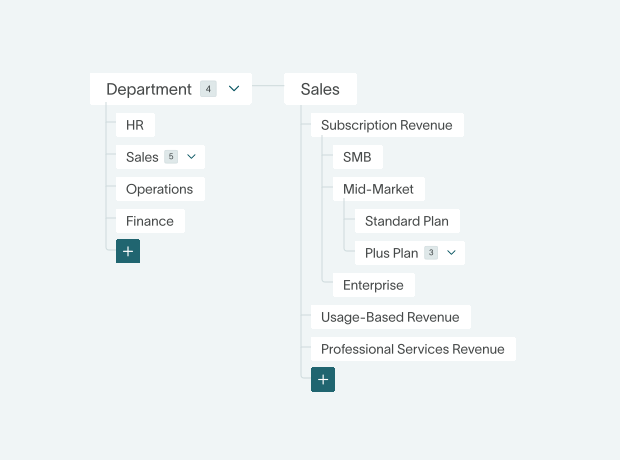
Next, accountants determine which GL account codes are impacted – deciding what to debit and what to credit using the chart of accounts.
For example, paying employee wages increases Salaries Expense and decreases Cash. Issuing a credit sale increases Accounts Receivable and increases Sales Revenue. Buying equipment on credit increases Fixed Assets and increases Accounts Payable.
A clear, well-organized chart of accounts makes these decisions easier, and reduces the risk of posting something to the wrong place.
2.3 Step 3: Transfer the entries to the ledger
Once it’s recorded, the journal entry is posted to the general ledger, updating the relevant account balances. Each line is transferred to its matching ledger account, and the ledger keeps the same transaction date for consistency. For easy traceability, a reference links the ledger posting back to the original journal entry.
In manual workflows, this typically happens either daily or at scheduled intervals – depending a lot on a business’ size and financial complexity. When you’re using a modern, automated ERP, approved entries post automatically to the GL in real time. Whether manual or automated, the goal is the same: keeping every account balance current and traceable.
2.4 Step 4: Verify and reconcile
After posting, balances are reviewed through a trial balance to confirm that total debits equal total credits. If they don’t, it’s a sign that something went wrong during posting.
Even when totals match, errors can still come up – like transactions being posted to the wrong account or entered twice. That’s why reconciliations matter. Subsidiary ledgers, like Accounts Receivable and Accounts Payable, need to tie back to the GL’s control accounts.
If any adjustments are needed, they’re journalized and posted before the books are officially closed for the period.6
3. Modern posting approaches
3.1 Manual vs. automated posting
3.2 Posting habits that pay off
Here are some simple ways to avoid posting problems and cleanup projects later.
- Have a clear, consistent chart of accounts setup to avoid miscoding issues
- Reconcile bank accounts and subledgers regularly to catch errors early. For a structured approach to this, see our account reconciliation best practices.
- Have strong review and approval workflows in place so any unusual entries can be dealt with as soon as possible
- Attach supporting documents to journal entries for a strong audit trail
- Protect your ledger with proper access controls and routine backups
3.3 Avoiding common pitfalls
Posting errors aren’t always obvious. Misclassifying expenses or revenue can throw off results, and skipping accruals or depreciation adjustments can leave balances misstated. Even a balanced trial balance doesn’t guarantee accuracy if the wrong accounts were used.
Reconciliation is just as important. If subledgers aren’t tied back to control accounts before closing, you risk discrepancies slipping into reports. Strong documentation and regular reviews help keep everything in check – and help you avoid any uncomfortable questions from auditors.
How Dualentry automates general ledger posting
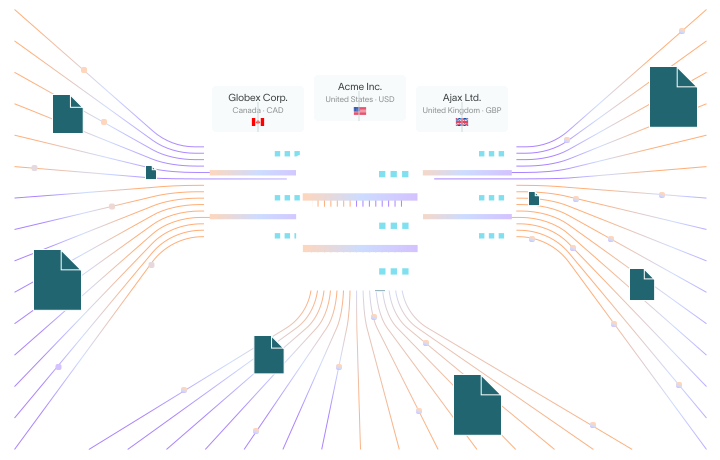
- Automatic journal-to-ledger posting: Approved transactions, from invoices to allocations, post to the correct GL accounts instantly. Balances are always up to date in real time.
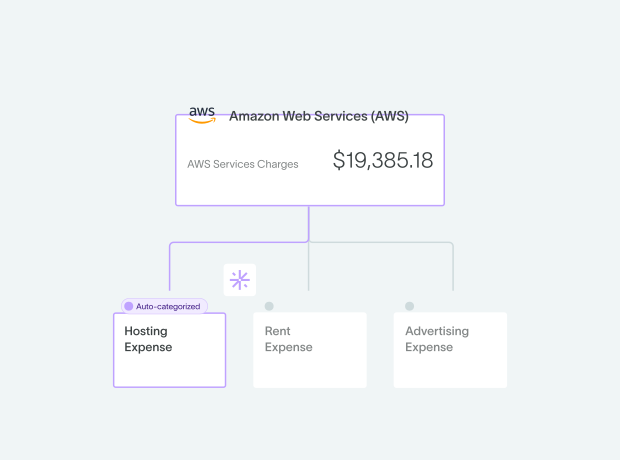
- AI-powered categorization: Transactions are automatically coded to the appropriate accounts and dimensions before posting. This cuts down on miscoding and keeps your GL clean.
- AI-assisted bulk imports: Upload transactions from Excel or CSV files, and DualEntry generates and posts the corresponding journal entries for you. No manual work.
- Automated reconciliation: AI matches bank data to ledger transactions and flags up discrepancies, helping keep your posted balances accurate.
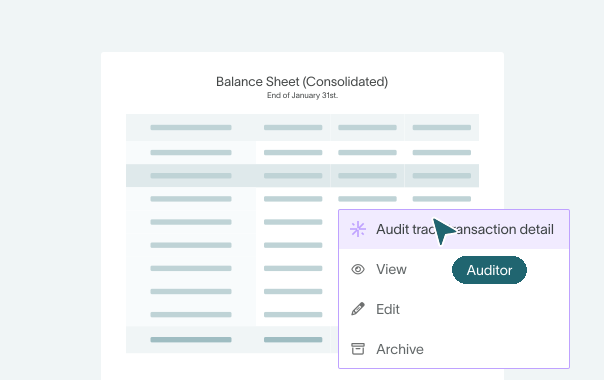
- An append-only ledger with audit trails: Every posting is traceable. Built-in audit logs and controlled user access to protect the integrity of your books.
The overall wins? Less manual effort, a faster close, and accurate, traceable, audit-ready postings.
General Ledger Postings FAQs
Summary
GL posting might feel like a background process, especially once you’ve switched to a modern, automated system, but it’s always going to sit at the heart of reliable financial reporting. Accurate postings lead to trustworthy account balances, and any inaccuracies won’t resolve themselves: they’ll end up in your trial balances, management reports, and financial statements.
Whether you’re handling posting manually or with an AI accounting software, the fundamentals stay the same: debits and credits must balance, accounts have to be classified correctly, and entries need to be traceable. Following a disciplined workflow pays off and keeps your close stress free. So analyze the transaction, record it, post it, reconcile it, and adjust if needed.
Strong posting habits get even stronger when you let automation take over the busywork. DualEntry helps to reduce your manual workload while keeping you in control, with full visibility, quick transaction drill-downs, and “always-on” audit readiness. You’ll spend less time on data entry, and more time understanding the details behind the numbers. See what the leading AI-native ERP can do for you – schedule a demo now.
See the full power of DualEntry in 30 minutes
Woosung Chun is the CFO of DualEntry with experience in corporate finance, accounting, strategy, and acquisitions. He previously grew from scratch and led the M&A and Finance teams at Benitago, where he completed more than 12 acquisitions in 2 years. He graduated with a BS from NYU Stern. At DualEntry, Woosung writes about AI in accounting, revenue recognition, foreign currency accounting, hedge accounting, and ERP modernization for finance teams navigating complex, multi-entity environments.