Don't worry! The contents here will appear on the published page.
QuickBooks to ERP: When, Why, and How to Make the Move

Woosung Chun
CFO, DualEntry
Woosung Chun
CFO, DualEntry
Woosung Chun is the CFO of DualEntry with experience in corporate finance, accounting, strategy, and acquisitions. He previously grew from scratch and led the M&A and Finance teams at Benitago, where he completed more than 12 acquisitions in 2 years. He graduated with a BS from NYU Stern. At DualEntry, Woosung writes about AI in accounting, revenue recognition, foreign currency accounting, hedge accounting, and ERP modernization for finance teams navigating complex, multi-entity environments.
Learn about our editorial policies.
Last updated
September 3, 2026
Reviewed by
Do San (Justin) Myung

Do San (Justin) Myung
Expert Accountant & Former Consulting CFO | DualEntry
Justin (Do San Myung) is Expert Accountant at DualEntry with 20+ years of hands-on experience managing general ledgers, financial close processes, and ERP implementations for mid-market and enterprise companies. As a former Consulting CFO and Controller, he has personally overseen month-end closes, SOX compliance programs, and multi-entity consolidations across technology, manufacturing, and services industries. Justin specializes in transforming manual accounting workflows into automated, AI-driven processes.
Learn about our editorial policies.

Summarize this article
QuickBooks does exactly what it was designed to do. For early-stage companies, it handles core accounting with minimal overhead, low cost, and a short learning curve. There’s a reason it dominates at the small-business level.
But companies don’t stay small. As headcount grows, entities multiply, and reporting demands stack up, the operating environment shifts underneath the finance function. What ran cleanly in a single ledger starts requiring workarounds. Then more workarounds. Then a patchwork of tools and manual processes held together by institutional knowledge.
The decision to move to an ERP isn’t about QuickBooks being “bad.” It’s a recognition that the business has crossed a structural threshold: the organization has evolved past the system’s design boundaries.
This guide covers the signs that threshold is approaching, what readiness looks like in practice, what the transition involves, and how to think about the financial case.
Why companies eventually move beyond QuickBooks

The core issue is coordination. A $4M company with one entity, one revenue stream, and a small finance team can run comfortably in QuickBooks. The data stays manageable. Reporting is straightforward because the business itself is straightforward.
At $15M or $25M, things look different. Transaction volume goes up, but volume alone isn’t the trigger. What changes is the number of moving parts that need to stay in sync:
- Multi-entity consolidation
- Intercompany transactions and eliminations
- Department budgets reconciling against actuals that live in multiple systems
- Revenue recognition that varies by contract type
- Project, inventory, or services delivery data that impacts finance
Any one of these is solvable on its own. The problem is compounding complexity. Every new layer adds coordination work—the time it takes to keep data consistent, reporting accurate, and controls intact across the organization. And that coordination work doesn’t scale linearly.
Two entities aren’t twice as hard as one. They’re harder than that because of reconciliation, intercompany activity, and consolidated reporting. If currency translation is part of that picture, our multi-currency consolidation software comparison scores how the leading ERPs automate revaluation, translation, and consolidation.
QuickBooks optimizes for simplicity. ERPs optimize for coordination across a growing organization. As that gap widens, the workarounds get more complex—and more expensive to maintain.
The 7 signs you’ve outgrown QuickBooks
.avif)
1. Reporting depends on spreadsheets outside the system
Your month-end financials require exporting data into Excel for manipulation or consolidation before they’re presentable to leadership. At that point, the spreadsheet becomes the source of truth—not the general ledger. That brings version-control risk, formula errors, and key-person dependency.
2. Month-end close exceeds 10–15 business days
A long close isn’t just an accounting problem. It means leadership is making decisions on stale numbers. If you’re halfway through February and still finalizing January, hiring, spend, and capital allocation decisions are happening with incomplete information.
3. Core workflows live in email or shared drives
Approvals routed through email threads. Journal entry backup scattered across inboxes. Supporting docs in shared folders with inconsistent naming conventions. When execution happens outside the financial system, you lose auditability—and build dependence on people remembering where things are.
4. Multiple bolt-on tools fill functional gaps
Separate tools for billing, expenses, project tracking, inventory, or subscriptions. Each solves a real problem. Each also creates a boundary where data must be exported, mapped, and imported to stay consistent with the ledger. More boundaries means more reconciliation work—and more places errors can slip in.
5. Internal controls rely on people, not system logic
Segregation of duties enforced by trust instead of permissions. Approval workflows that exist in a policy document but not in the system. Controls are only as reliable as the people maintaining them—and that gets harder as the team grows.
6. Leadership decisions require delayed or reconstructed data
Leadership asks for profitability by business line. The answer takes three days because it requires pulling data from multiple systems, normalizing it in Excel, and applying allocation assumptions that aren’t documented. By the time the analysis is ready, the conversation has moved on.
7. Audit prep is a scramble
Pulling supporting schedules, reconstructing transaction trails, assembling documentation from multiple systems on demand. When audit preparation requires manual assembly, the stack wasn’t built for the level of scrutiny the business now faces.
ERP vs. adding more integrations
The instinct to integrate is rational. You know your current tools. Your team is trained on them. Adding a connector between your billing platform and QuickBooks feels faster and cheaper than rethinking the whole stack.
Often, that instinct is right. For a single point problem—syncing invoices, automating bank feeds—an integration is a right-sized fix.
The question is what happens at five integrations. Or eight.
Each connector creates a sync dependency. When one breaks or drifts out of alignment, reconciliation turns into detective work. Data mismatches stop being exceptions and start showing up on every close checklist.
Ownership gets messy, too. Finance owns the ledger. Sales ops owns the CRM. IT owns the middleware layer. When something breaks, figuring out who can actually fix it can take longer than the fix.
Integrations solve point problems well. They don’t solve structural fragmentation well. Knowing where that line is—that’s the decision. At its core, it's an ERP vs. accounting software question: a better point tool versus a single system of record. If you're still figuring out which direction makes sense, our breakdown of the best QuickBooks alternatives covers the full range of options, from lightweight upgrades to full ERP.
Are you actually ready for ERP?
Wanting an ERP and being ready for one are different conversations.
Transaction volume matters, but complexity usually forces the move. A company with a few hundred consistent transactions a month may be fine in QuickBooks regardless of revenue. A company with multiple entities, intercompany activity, and revenue complexity may hit the wall earlier.
ERP readiness usually comes down to four things:
Process standardization
An ERP implementation forces clarity: approval chains, posting rules, entity structure, chart of accounts design. If those processes are still shifting, you’ll configure the system around something that changes six months later—creating rework.
Data hygiene
Data cleanup is a prerequisite, not a parallel task. Migrating messy data into a new system doesn’t clean it—it just relocates the mess somewhere more expensive. Vendor records, customer master data, and historical balances should be reconciled before migration.
Bandwidth for change
ERP touches every department that interacts with financial data. If the organization is already absorbing a major change—restructure, leadership transition, another system rollout—stacking ERP on top raises the risk of failed adoption.
Leadership alignment
If the CEO views ERP as “a finance project,” you won’t get the cross-functional cooperation or resourcing the implementation requires. ERP is an operating system change, not an accounting upgrade.
What the transition actually looks like
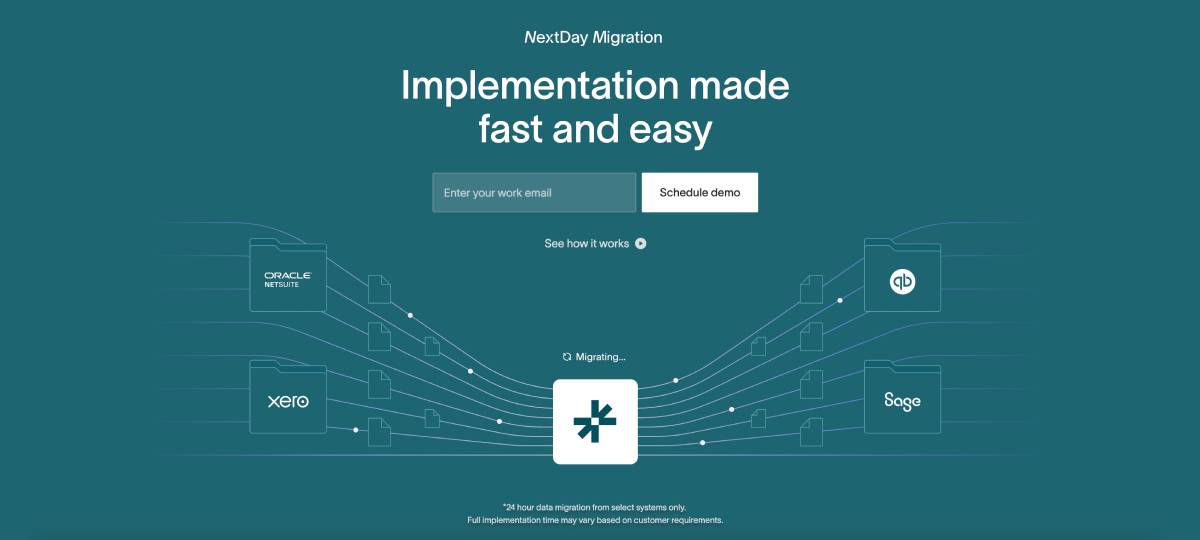
Most ERP transitions follow the same phases. The difference is how much time and internal burden each phase requires.
1. Evaluation and scoping (4–8 weeks)
Define what the system needs to do, map current gaps, shortlist vendors. Rushing this to save time usually costs more time later.
2. Data cleanup and migration
This is where most implementations stall.
- Legacy approach: export from QuickBooks, clean manually, map into a new structure (often spreadsheet-heavy).
- Modern approach: some platforms connect via API, pull historical data, and automate much of the mapping. Your team still needs to validate outputs and make decisions about what to restructure versus carry forward.
3. Configuration and workflow design
Chart of accounts, entity structures, approval logic, reporting hierarchies. Legacy implementations from companies like Netsuite and MS Dynamics often rely heavily on external partners. See the NetSuite alternatives that don't. Newer systems can generate starter configurations from your data that you review and refine.
4. Parallel testing
Run both systems side by side. Resource-intensive either way—but critical. The goal isn’t “no issues,” it’s “issues discovered before go-live.”
5. Go-live and stabilization (30–90 days)
Expect a ramp period where things run slower and questions spike. Systems with embedded automation can reduce training burden by absorbing some routine work.
Realistic timelines: traditional mid-market implementations often run 3–6 months. Newer platforms can compress timelines to 4–8 weeks depending on scope. The biggest underestimated cost in either case isn’t the vendor invoice—it’s internal hours.
Financial considerations: the real ROI calculation
ERP ROI isn’t one number. It shows up in four areas:
Labor efficiency
Quantify hours spent on reconciliation, spreadsheet reporting, audit support, intercompany adjustments, and manual allocations. ERPs reduce “data assembly” work so the team can spend more time on analysis and decision support.
Opportunity cost
Harder to measure, often bigger in reality. When leadership waits days for a profitability view, decisions get delayed—or made with less confidence than they should be. When cash forecasting lives in spreadsheets, capital allocation includes more guesswork than anyone admits.
Risk reduction
System-enforced controls, automated audit trails, role-based access reduce exposure to errors and fraud—especially under audit scrutiny or investor reporting. You won’t assign a precise dollar figure to what didn’t go wrong, but the exposure is real.
System consolidation
Fewer tools means fewer licenses, fewer vendor relationships, and fewer fragile integrations to maintain. It also means fewer places where data can drift.
Underlying logic: ERP reduces the cost of keeping a growing organization coordinated—and that cost accelerates as complexity increases. ERP pays for itself by flattening that curve, not by eliminating headcount.
Modern ERP vs. legacy ERP
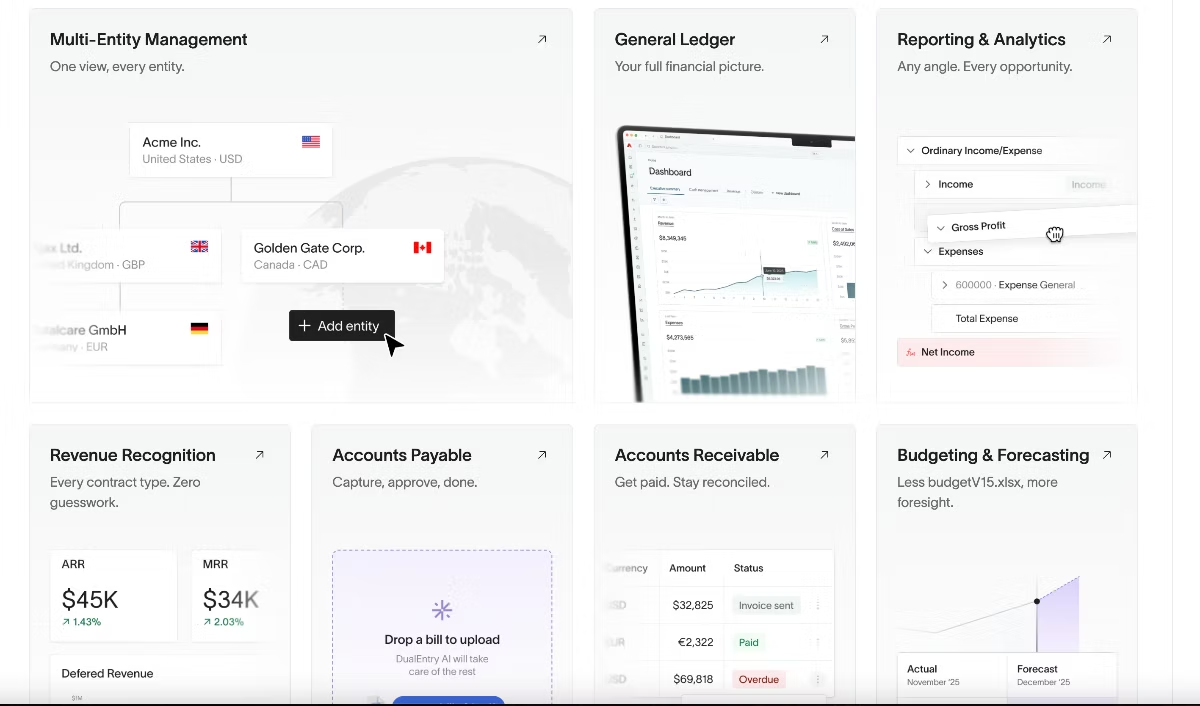
If your mental model of ERP is a legacy on-premise system - slow to implement, expensive to customize, rigid once it's running - it's worth updating that picture.
Almost all modern platforms are cloud-native, which moves infrastructure responsibility to the vendor and cuts down on internal IT maintenance. More importantly, they tend to build automation into the transaction layer rather than bolting it on afterward. Bank reconciliation, invoice matching, categorization all these run continuously instead of as batch jobs during close.
AI accounting features are showing up across the category too—journal entry drafting, anomaly flagging, spend categorization, variance analysis. Maturity varies by vendor, and marketing often runs ahead of reality. But the direction is clear enough to factor into a buying decision.
When you evaluate systems, don’t only ask if it fits what you need today. Ask if it matches the operating scale you’re planning for over the next 3–5 years. And before you go deep in any vendor conversation, get a realistic estimate of what implementation will cost—some vendors include it, others don’t, and the difference can be significant. If you're a tech startup deciding what comes next, see our breakdown of the best ERP for tech startups after QuickBooks.
A practical decision framework
If several of these describe your current environment, the case for ERP is probably already there:
- Month-end close consistently runs past 12 business days
- Financial reporting depends on spreadsheets maintained outside the ledger
- Approvals, documentation, or reconciliation workflows live in email/shared drives
- Compliance and audit prep require manual assembly across systems
- Leadership gets financial data late enough that it affects decisions
- The business operates across multiple entities, locations, or revenue models
- Three or more separate tools are covering gaps the core system can’t handle
No single item is conclusive. It’s the pattern that matters. When multiple symptoms show up at once, the cost of staying on the current system compounds—even if nothing dramatic breaks.
The right time to move isn’t when QuickBooks fails. It’s when the business has grown past what it was built for.
Start the evaluation internally before any vendor conversation. That’s where the clearest thinking happens. Our step-by-step ERP selection framework covers what to do from there.
Use our Free ERP Implementation Cost Calculator to benchmark scope and avoid underestimating the transition.
See the full power of DualEntry in 30 minutes
Woosung Chun
CFO, DualEntry
Woosung Chun is the CFO of DualEntry with experience in corporate finance, accounting, strategy, and acquisitions. He previously grew from scratch and led the M&A and Finance teams at Benitago, where he completed more than 12 acquisitions in 2 years. He graduated with a BS from NYU Stern. At DualEntry, Woosung writes about AI in accounting, revenue recognition, foreign currency accounting, hedge accounting, and ERP modernization for finance teams navigating complex, multi-entity environments.