Don't worry! The contents here will appear on the published page.
Accounts Payable Process: 9 Steps, Workflow & Examples

Do San (Justin) Myung
Expert Accountant & Former Consulting CFO
Do San (Justin) Myung
Expert Accountant & Former Consulting CFO
Justin (Do San Myung) is Expert Accountant at DualEntry with 20+ years of hands-on experience managing general ledgers, financial close processes, and ERP implementations for mid-market and enterprise companies. As a former Consulting CFO and Controller, he has personally overseen month-end closes, SOX compliance programs, and multi-entity consolidations across technology, manufacturing, and services industries. Justin specializes in transforming manual accounting workflows into automated, AI-driven processes.
Learn about our editorial policies.
Last updated
November 20, 2026
Reviewed by
Woosung Chun

Woosung Chun
CFO
Woosung Chun is the CFO of DualEntry with experience in corporate finance, accounting, strategy, and acquisitions. He previously grew from scratch and led the M&A and Finance teams at Benitago, where he completed more than 12 acquisitions in 2 years. He graduated with a BS from NYU Stern. At DualEntry, Woosung writes about AI in accounting, revenue recognition, foreign currency accounting, hedge accounting, and ERP modernization for finance teams navigating complex, multi-entity environments.
Learn about our editorial policies.
Summarize this article


TL;DR
- The accounts payable process has nine main steps: Vendor setup and purchase authorization through invoice verification, payment, and reconciliation.
- Matching and approvals protect against errors and unauthorized spending: Two-way matching compares invoices with purchase orders, while three-way matching checks what was received.
- AP affects both the balance sheet and cash flow: Recording a supplier invoice creates a liability; paying it clears that liability and reduces cash.
- Strong internal controls matter as much as speed: Vendor verification, approval limits, segregation of duties, and reconciliations help prevent incorrect and fraudulent payments.
- AP automation reduces manual processing: Invoice capture, matching, approval routing, and exception detection can be automated while accountants retain control over approvals and unusual transactions.
Processing vendor invoices becomes more complicated as a business grows. Monthly bills can quickly turn into hundreds of invoices needing verification, approvals, payment scheduling, and accurate accounting.
According to research, businesses spend an average of $9.90 to process a single invoice, compared with $2.67 for best-in-class AP teams [1]. Nearly one in five invoices (19.9%) also requires manual intervention to resolve an exception.
For a company processing 5,000 invoices a month, the difference between those two processing costs amounts to $433,800 annually. While actual savings depend on the company's existing costs and workflows, the comparison shows how quickly processing expenses can add up.
Understanding each stage of the accounts payable process helps finance teams identify where delays occur, strengthen internal controls, and reduce unnecessary manual work.
[tldr]
What is the accounts payable process?
The accounts payable (AP) process is the series of activities a business uses to manage money owed to suppliers. It covers receiving invoices, verifying that purchases are legitimate, obtaining approvals, making payments, and recording those transactions accurately.
The process often begins before an invoice arrives. A company may need to onboard a supplier, approve a purchase, and confirm that goods or services were delivered before recognizing the liability and authorizing payment.
This end-to-end workflow is often called full-cycle accounts payable.
AP also forms part of the broader procure-to-pay (P2P) process. Procurement typically handles sourcing, purchasing, and supplier relationships, while AP focuses on verifying financial obligations, processing invoices, managing payments, and maintaining accurate records.
A reliable AP process should accomplish four things:
- Record supplier liabilities accurately and in the correct accounting period.
- Prevent unauthorized, duplicate, and fraudulent payments.
- Pay suppliers according to agreed terms while managing cash requirements.
- Maintain the records and audit trail needed for financial reporting and the month-end close.
When invoices get stuck, payments go out twice, or liabilities don't reconcile at month-end, the problem can usually be traced to a breakdown in one or more stages of this workflow.
The 9 steps of the accounts payable process
The accounts payable cycle typically follows nine steps, from vendor setup to payment and reconciliation.
These steps vary depending on purchasing policies and whether invoices require purchase order matching or separate approvals.
1. Set up and verify vendor information
Before processing invoices, businesses need accurate supplier records, including legal names, tax details, payment terms, and banking information. Depending on the vendor and jurisdiction, additional documents such as W-9s, W-8s, or insurance certificates may be required [2].
To prevent payment fraud, verify new or changed banking instructions through a trusted, independently established contact and require approval for sensitive vendor updates [3].
2. Create and approve purchase orders
For purchases requiring a purchase order (PO), the requesting department submits a requisition for approval. Once authorized, the PO records the agreed quantity, price, and delivery terms. Purchase order software helps teams manage these records and approvals before invoices arrive.
For example, an approved PO for 100 office chairs at $250 each establishes a $25,000 purchase commitment that AP can verify against the supplier's invoice.
Non-PO purchases, such as utilities or professional services, still require appropriate spending authorization.
3. Confirm receipt of goods or services
Before payment, businesses should confirm that goods or services were delivered as agreed. Goods receipts document quantities and discrepancies, while service confirmations may include approved timesheets or completed milestones.
If a company orders 100 chairs but receives 98, the receiving record should reflect the shortage so AP can investigate it during invoice matching.
4. Receive and capture vendor invoices
Invoices arrive through email, vendor portals, electronic data interchange (EDI), or mail. AP captures the information needed for processing, including:
- Vendor name and invoice number
- Invoice date, amount, currency, and payment terms
- Taxes, line items, and PO references
- Payment instructions
Accounts payable automation software uses OCR and document AI to extract invoice details, reducing manual entry. The information must still be validated to detect duplicate invoices, unknown vendors, or incorrect charges.
5. Match invoices and verify transaction details
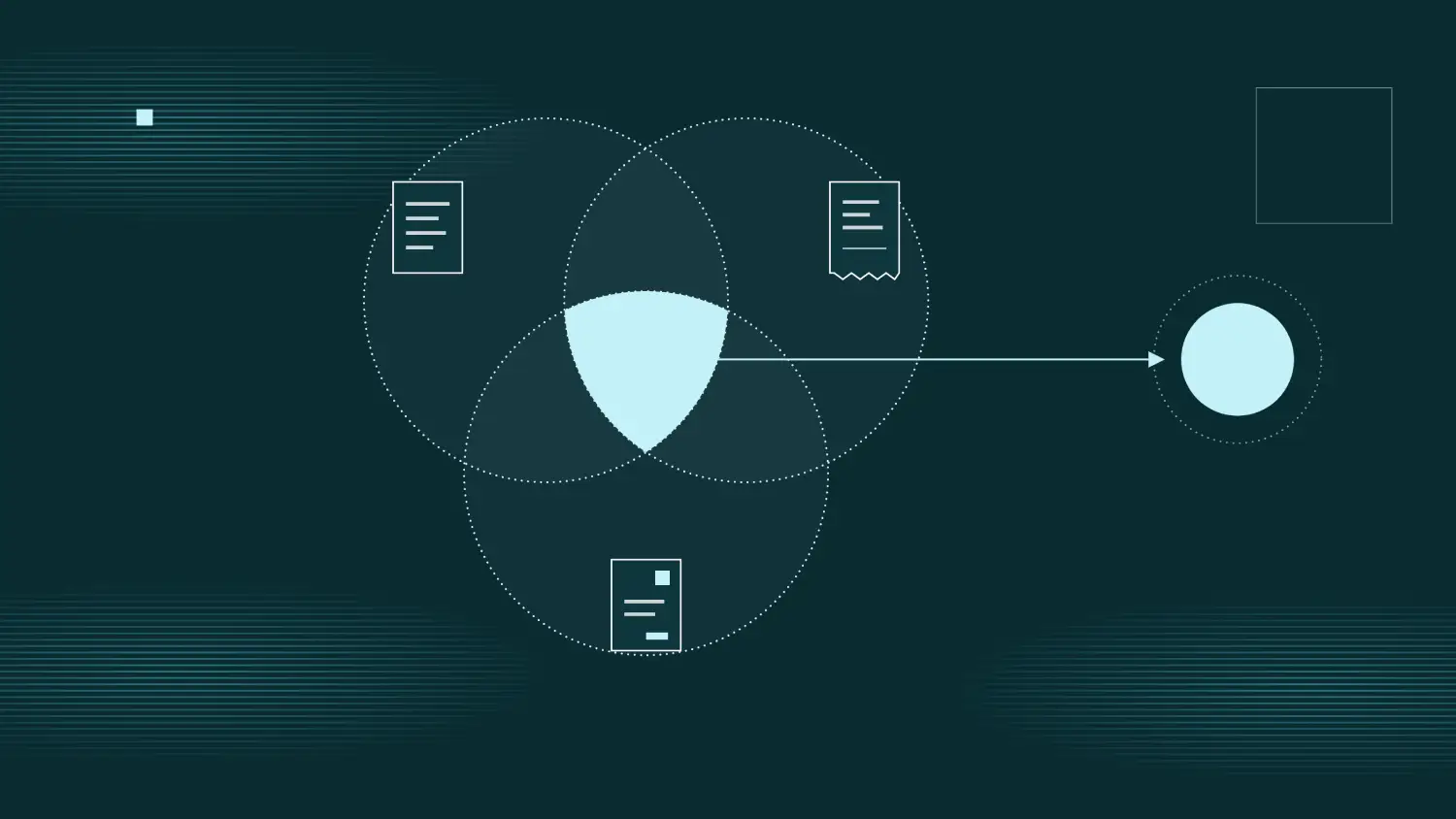
Invoice matching verifies supplier charges against purchasing and receiving records. The two common methods are:
Here’s an example of three-way invoice matching. Suppose a supplier submits the following documents:
The invoice matches the PO, but two units worth $50 haven't been received. A 1% matching tolerance would flag the 2% discrepancy for review.
AP should confirm whether the goods are still in transit or whether the supplier needs to correct the invoice before approving the disputed amount. Accountants also verify the appropriate GL account, department, and cost center.
6. Review and approve invoices
Verified invoices move through approval workflows based on their value, department, expense category, and purchasing authorization. Smaller invoices may need department-manager approval, while larger amounts may require finance leadership or CFO approval.
PO-backed invoices within approved matching tolerances may qualify for automatic approval under company policy. Non-PO invoices generally require confirmation from an authorized business owner.
Approval workflow software routes invoices to designated approvers, sends reminders, escalates delays, and maintains an audit trail.
7. Schedule vendor payments
After approval, AP or treasury schedules payments based on due dates, payment terms, and available cash. Payments may be grouped into weekly or twice-monthly batches.
For example, 2/10 Net 30 terms offer a 2% discount for payment within 10 days, with the full amount due in 30 days. On a $5,000 invoice, paying early saves $100.
Teams should weigh available discounts against cash requirements and account for bank holidays, currency restrictions, and disputed invoices.
8. Process and confirm payments
Once authorized, payments are made through ACH, wire transfers, checks, or virtual cards, depending on supplier requirements and transaction value.
To reduce fraud risk, employees who change vendor banking details shouldn't independently approve and release payments to those accounts. Smaller teams can use dual authorization, restricted permissions, and independent reviews where full separation of duties isn't practical.
AP should also track whether payments are initiated, settled, rejected, or returned.
9. Record transactions and reconcile accounts
When an invoice is recorded, the business generally recognizes an AP liability alongside the related expense or asset. Payment subsequently reduces the liability and cash balance. Accounting systems can automate these entries.
As part of balance sheet reconciliation, accountants verify that the AP subledger agrees with the accounts payable control account in the general ledger [4].
This helps identify outstanding balances, unapplied credits, duplicate entries, and posting discrepancies before the financial close.
Accounts payable process flowchart
The AP process flow differs depending on whether an invoice is backed by an approved purchase order or requires separate authorization.
A PO-backed invoice can move through matching, exception review, and potentially automatic approval. A non-PO invoice needs an alternative method of confirming that the expense is legitimate and authorized.
The accounts payable process flow chart below illustrates how invoices move from purchase authorization through verification, approval, payment, and reconciliation:
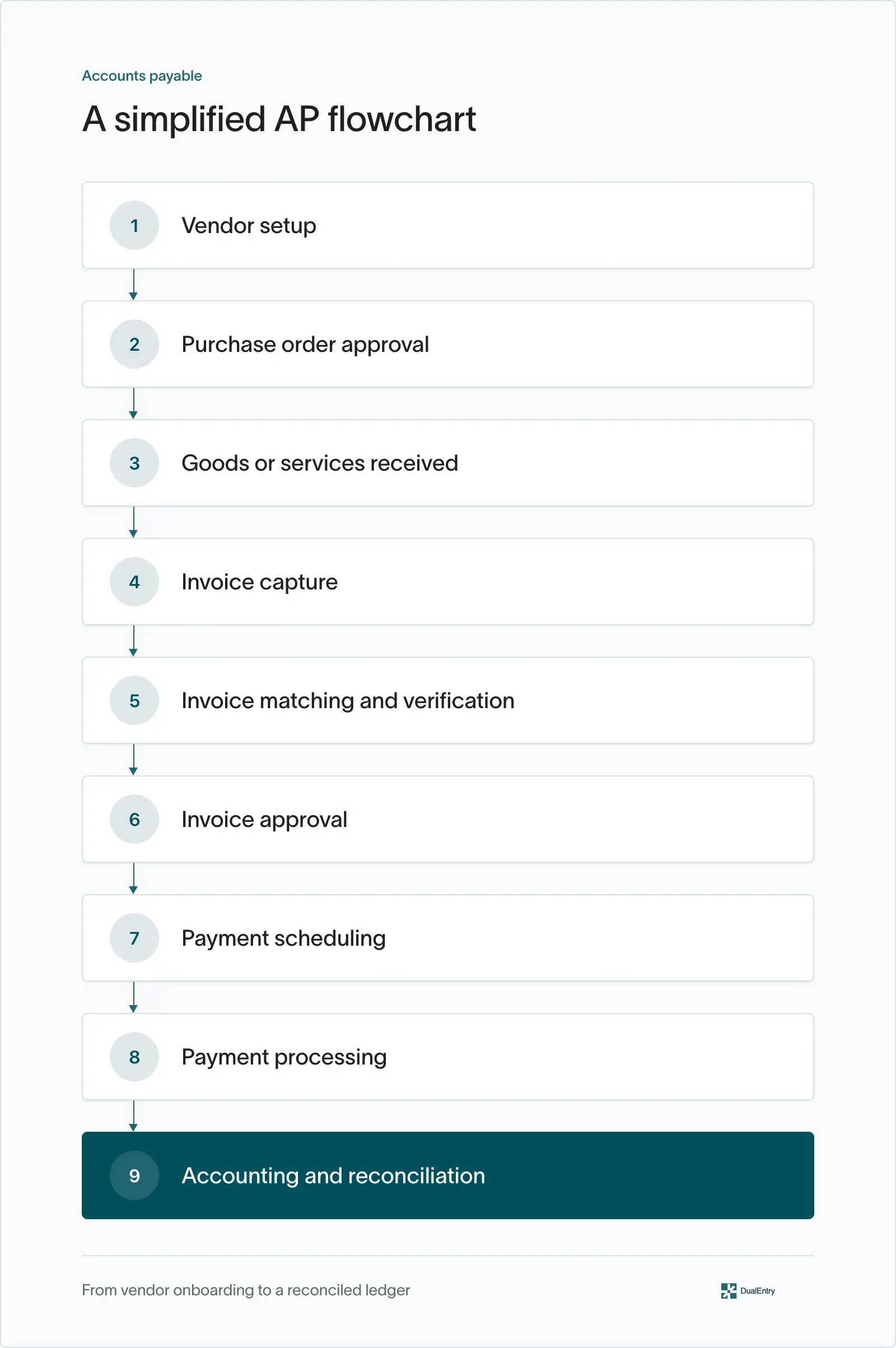
When an invoice doesn't match the supporting records, the next step depends on the issue. A missing receipt should go to the person responsible for confirming delivery, while an invoice without an authorized purchase should go to the appropriate business approver.
Each exception should have a clear owner, supporting documentation, and a resolution before the invoice moves to payment.
Accounts payable journal entries with examples
The AP workflow also produces accounting entries that affect expenses, assets, liabilities, and cash.
The following examples use accrual accounting and assume the business records a $5,000 supplier invoice for office supplies that have been consumed.
1. Recording a vendor invoice
Assuming the office supplies were consumed in the current period and no expense was previously accrued, the business records the $5,000 invoice as follows:
The expense is recognized in the income statement, while accounts payable increases by $5,000 on the balance sheet.
If the purchase relates to an asset, such as equipment or supplies still held as an asset, the debit would go to the appropriate asset account instead.
2. Recording a payment to a vendor
When the business pays the invoice in full, it records:
The payment clears the liability and reduces cash by $5,000.
The expense isn't recorded again because it was recognized when the underlying purchase was accounted for.
3. Recording accrued expenses at month-end
Not every supplier invoice arrives before the month-end close process is completed.
Imagine a company receives $5,000 of consulting services in December, but the invoice won't arrive until January.
Under accrual accounting, the company generally recognizes the expense in December because that's when the services were received [5].
December 31: Record the accrual
If the business uses reversing entries, it can reverse the accrual on January 1.
January 1: Reverse the accrual
When the supplier invoice arrives, the business records it through the normal AP process.
The reversal prevents the December expense from being counted twice across the two periods. Other valid accrual workflows may apply the invoice directly against the accrued liability instead of using a reversing entry.
Common accounts payable process challenges
Even with documented procedures, AP teams regularly encounter issues that slow processing or introduce errors.
The following problems are particularly common:
How to improve your accounts payable process
The best AP processes combine clear ownership, reliable controls, and automation where it reduces manual work.
Here are five areas to focus on:
1. Standardize vendor onboarding
Use a consistent vendor setup process to collect tax information, payment details, and compliance documents. Verify new or updated banking instructions through trusted channels and document all approvals.
2. Match invoices before payment approval
Use two-way or three-way matching to verify invoices against purchase orders and receipts. Set clear tolerances for price and quantity differences, with exceptions flagged for investigation.
3. Enforce approval limits and separation of duties
Define who can authorize purchases, approve invoices, update vendor records, and release payments. Where duties can't be fully separated, use dual approvals, independent reviews, and restricted permissions.
4. Review AP aging and exceptions regularly
Review AP aging reports, pending approvals, disputed invoices, and upcoming payments weekly to identify overdue obligations and resolve issues before month-end.
5. Measure AP performance
Track invoice processing costs, cycle times, exception rates, and payment accuracy to identify bottlenecks and measure improvements without compromising controls.
A particularly useful metric to add is the percentage of invoices that require manual rework after their initial review. Tracking the reasons behind those exceptions can reveal problems in purchasing, vendor onboarding, or invoice capture that automation alone won't fix.
How to automate the accounts payable process
AP automation reduces manual data entry, invoice processing delays, and repetitive approval tasks. It can streamline several stages of the workflow:
- Invoice capture: OCR and document AI extract invoice details from PDFs, scans, and emails.
- Invoice matching: Software compares invoices with purchase orders and receipts, flagging discrepancies for review.
- Approval routing: Invoices move to designated approvers based on company policies, with automated reminders and escalation rules.
- Accounting entries: Approved invoices and payments update the AP subledger and general ledger automatically.
- Reporting and reconciliation: Finance teams track outstanding liabilities, aging balances, and reconciliation differences using connected accounting records.
Automation works best when routine transactions move forward without manual intervention while exceptions receive appropriate review. Approval controls and audit trails remain essential to preventing errors and unauthorized payments.
Agentic AI for accounts payable can extend these capabilities by managing routine workflows and identifying exceptions that require an accountant's attention.
Automate accounts payable workflows with DualEntry
As businesses grow, accounts payable becomes harder to manage when invoice capture, approvals, payments, and accounting records sit in separate systems.
DualEntry's accounts payable automation software connects invoice capture, purchase order matching, approvals, and accounting records directly within the ERP.
Because AP operates within the same ERP as the general ledger, accountants can investigate outstanding liabilities and payment discrepancies without transferring records between systems.
DualEntry's close management software also helps teams track reconciliations, close tasks, and outstanding reviews.
The result is less time spent entering data and chasing approvals, while finance teams retain oversight of exceptions, authorization, and the financial close.
Accounts payable process FAQs
What is the full-cycle accounts payable process?
Full-cycle accounts payable covers the entire process of managing supplier obligations, from vendor onboarding and purchase authorization to invoice verification, approval, payment, and reconciliation.
What is the difference between accounts payable and accrued expenses?
Accounts payable typically covers invoiced supplier obligations, while accrued expenses represent costs incurred but not yet invoiced or processed. Both are liabilities, but they are generally tracked separately for accounting and reporting purposes.
What are the key controls in the accounts payable process?
Key controls include vendor verification, invoice matching, approval limits, segregation of duties, duplicate detection, and payment authorization. Regular AP reconciliations also help identify errors and discrepancies.
How long does the accounts payable process take?
Research reports an average invoice processing cycle time of 11.6 days [6]. Actual processing times vary depending on approval requirements, automation, and whether invoices require manual review.
What is the difference between accounts payable and procure-to-pay?
Accounts payable focuses on recording and settling supplier obligations, while procure-to-pay (P2P) covers the broader purchasing cycle, from requisition and supplier selection to invoice processing and payment.
Can the accounts payable process be fully automated?
Many routine AP tasks, including invoice capture, matching, approval routing, and journal posting, can be automated. However, disputed invoices, suspected fraud, and unusual transactions still require human oversight.
See the full power of DualEntry in 30 minutes
Justin (Do San Myung) is Expert Accountant at DualEntry with 20+ years of hands-on experience managing general ledgers, financial close processes, and ERP implementations for mid-market and enterprise companies. As a former Consulting CFO and Controller, he has personally overseen month-end closes, SOX compliance programs, and multi-entity consolidations across technology, manufacturing, and services industries. Justin specializes in transforming manual accounting workflows into automated, AI-driven processes.