Don't worry! The contents here will appear on the published page.
AI Agents for Accounting: How They Work, Use Cases, and Risks

Woosung Chun
CFO
Woosung Chun
CFO
Woosung Chun is the CFO of DualEntry with experience in corporate finance, accounting, strategy, and acquisitions. He previously grew from scratch and led the M&A and Finance teams at Benitago, where he completed more than 12 acquisitions in 2 years. He graduated with a BS from NYU Stern. At DualEntry, Woosung writes about AI in accounting, revenue recognition, foreign currency accounting, hedge accounting, and ERP modernization for finance teams navigating complex, multi-entity environments.
Learn about our editorial policies.
Last updated
October 19, 2026
Reviewed by
Do San (Justin) Myung

Do San (Justin) Myung
Expert Accountant & Former Consulting CFO
Justin (Do San Myung) is Expert Accountant at DualEntry with 20+ years of hands-on experience managing general ledgers, financial close processes, and ERP implementations for mid-market and enterprise companies. As a former Consulting CFO and Controller, he has personally overseen month-end closes, SOX compliance programs, and multi-entity consolidations across technology, manufacturing, and services industries. Justin specializes in transforming manual accounting workflows into automated, AI-driven processes.
Learn about our editorial policies.

Summarize this article

TL;DR
AI agents can do more than follow predefined rules: They can gather information, make decisions, complete multi-step accounting tasks, and take actions within defined permissions.
Routine accounting work is a good place to start: Agents can code invoices, match transactions, apply customer payments, and reconcile accounts, while escalating unusual or unclear items for review.
Not every accounting task should be fully automated: Accruals, consolidation adjustments, and revenue recognition involve judgment, so agents should prepare the work while accountants review the decisions.
The more authority an agent has, the stronger its controls need to be: Permissions, approval thresholds, exception handling, and audit trails help prevent errors from reaching the ledger.
Test performance before expanding autonomy: Evaluate agents on real accounting workflows, including exceptions and edge cases, before allowing them to post transactions or complete more work independently.
Accounting teams already automate plenty of repetitive work. AI agents push that a step further by making decisions along the way, whether that means coding an invoice, matching a payment, investigating a reconciliation break, or preparing an entry for review.
That extra freedom is also what makes the controls more important. Some accounting work is predictable enough to automate almost end to end. Other tasks depend on judgment, materiality, or information the agent may not have.
This guide looks at what accounting agents actually do, how they differ from traditional automation, where they fit into the close, and how much authority makes sense across eight common workflows.
[tldr]
What are AI agents in accounting?
An AI agent in accounting is software that can take a goal, work through multiple steps, make decisions based on what it finds, and take actions within the permissions you give it.
The easiest way to understand the difference is to compare an agent with the tools accounting teams already use:
Traditional automation works well when the path is predictable. If the same recurring entry follows the same treatment every month, there is little reason for software to reason through it each time.
Agents become useful when the path can change. They can inspect the information in front of them, decide what needs to happen next, and escalate a case that does not fit the normal pattern instead of requiring a separate rule for every possibility.
That does not make an AI agent fully autonomous. In accounting, the important question is how much of that decision-making and action the agent is actually allowed to do.
How AI agents work in accounting
An accounting agent usually starts with a goal rather than one fixed instruction. It gathers the information it needs, works through the task, takes whatever actions it has permission to take, and sends anything outside those limits to a person.
Take an invoice as an example. An agent might:
- Read the invoice and supporting documents.
- Identify the vendor, amount, department, and likely GL account.
- Compare it with the purchase order and receipt.
- Check for duplicates, mismatches, or unusual terms.
- Prepare the coding and accounting entry.
- Post it if it falls within its authority, or send it for approval if it does not.
- Keep a record of what it did.
The same pattern can apply to reconciliations, cash application, journal preparation, variance analysis, and other parts of the close. What changes from one workflow to another is how far you should let the agent go before somebody has to step in.
How much autonomy should an accounting agent have?
There is no single industry-standard model for accounting-agent autonomy.[1] In practice, the difference comes down to how much an agent can do before a person needs to review or approve the work.
For the workflows below, four levels are useful:
The right level should be set by workflow rather than for the agent as a whole. Matching a straightforward bank transaction is not the same accounting decision as interpreting a contract under ASC 606.
Value matters, but it is not the only factor. You also need to consider how much judgment the task involves, how easily an error can be reversed, whether the agent has enough information to make the decision, and how quickly a mistake would be detected.
8 AI agent use cases in accounting
AI agents can touch work throughout the accounting cycle, from processing transactions to preparing period-end entries and supporting the close. The amount they should own changes from one workflow to another.
1. Transaction categorization and AP invoice coding
An agent can read incoming invoices, identify the vendor and relevant accounting details, code transactions to the appropriate GL account and department, run a three-way match, and flag suspected duplicates. This is the kind of repetitive, high-volume work accounts payable automation is already designed to reduce.
Recommended level: Act within limits. Straightforward, high-confidence transactions can move through automatically, while larger, unusual, or ambiguous items go to a person. The important part is that the agent has a clear boundary around what it can approve or post on its own.
Control and evidence: Set value and confidence thresholds, and route mismatches, duplicates, and exceptions for review. Keep the invoice, matching records, coding history, approval history, and exception trail with the transaction.
2. Bank and credit-card reconciliation
An agent can match bank and card activity against the ledger, identify straightforward reconciling items, calculate fees, and separate clean matches from transactions that still need investigation.
Recommended level: Act within limits. Clean, high-confidence matches are a good candidate for automation because the underlying evidence is usually clear. Anything unmatched, ambiguous, or inconsistent with the ledger should remain open for review.
Control and evidence: The agent should never create an unsupported balancing entry simply to make the reconciliation clear.[2] Keep the statement, match history, reconciliation report, open items, and any reviewer sign-off.
3. Cash application and AR follow-up
In accounts receivable, an agent can match incoming cash to open invoices, handle straightforward partial payments, update customer balances, and prepare follow-ups based on aging and payment status. This makes cash application a natural fit for accounts receivable automation, particularly when payment references and invoice data provide a strong match.
Recommended level: Act within limits. Clear payment matches can be applied automatically, while short-pays, unclear remittances, disputes, and unusual deductions still need a person to decide what happened.
Control and evidence: Use a confidence threshold for matching and route uncertain cases into an exception queue. Keep the remittance information, application history, exceptions, and relevant customer communications.
4. Accruals, prepaids, and recurring entries
Agents can gather open POs, invoices, contracts, and prior-period schedules to prepare accruals, update prepaid schedules, and create recurring or reversing entries. The mechanics are often repetitive, but the accounting behind them can still depend on cutoff, estimates, and whether the treatment has changed from the prior period.
Recommended level: Draft. The agent can do much of the preparation, including assembling the support and proposing the entry, but judgment-based entries should still be reviewed before they reach the ledger.
Control and evidence: Require approval where the entry depends on an estimate, cutoff decision, or accounting judgment. Keep the supporting documents, calculations or schedules, proposed entry, approval history, and final posted entry.
5. Close monitoring and task orchestration
Agents do not have to post anything to be useful in the month-end close. They can track checklist progress, identify dependencies, flag overdue work, remind owners, and surface the items holding up the close. A month-end close checklist gives the agent a defined process, owners, due dates, and evidence requirements to work against.
Recommended level: Act with review. This is one of the areas where an agent can take on more autonomy because it is coordinating the process rather than deciding the accounting treatment. It can manage the checklist and follow up with owners without requiring approval for every action.
Control and evidence: Keep posting and approval authority separate from task-management authority. The task history should show what was assigned, what changed, what was escalated, and who ultimately signed off.
6. Flux and variance analysis
An agent can compare periods, identify significant movements, drill into the transactions behind them, and prepare a first draft of the commentary for the controller. The main risk here is not usually an incorrect journal entry. It is an explanation that sounds reasonable but is not actually supported by what happened in the ledger.
Recommended level: Draft. An agent can do the first pass of the analysis and save the controller from starting with a blank page, but the explanation should still be reviewed before it becomes part of management reporting or the close package.
Control and evidence: Require the agent to link material explanations back to the balances and transactions supporting them. Keep the underlying entries, calculations, draft commentary, and reviewer changes.
7. Intercompany and consolidation
For companies with several entities, agents can match intercompany activity, identify differences between entities, prepare proposed eliminations, and support FX translation and consolidation.
This work becomes more sensitive because one adjustment can affect several entities and the consolidated financial statements. Multi-entity accounting also adds different currencies, entity structures, and access requirements that the agent has to account for.
Recommended level: Draft. An agent can take on much of the matching, investigation, and preparation, but proposed eliminations and consolidation adjustments should remain under review before they affect reported balances.
Control and evidence: Require approval for eliminations and other consolidation adjustments. Keep the intercompany reconciliation, supporting transactions, proposed entries, translation calculations, and approval trail.
8. Revenue recognition and technical accounting
An agent can extract contract terms, identify performance obligations, flag unusual clauses, prepare calculations, and draft a memo or proposed entry. But finding the relevant information is different from deciding the accounting treatment. Revenue recognition under ASC 606 can depend on contract terms, estimates, modifications, and facts that are not obvious from a single document.[3]
Recommended level: Explain or draft. Agents are useful for research, extraction, calculations, and preparing a first version of the analysis, but the final accounting conclusion should remain with a qualified reviewer.
Control and evidence: Keep the final treatment and approval with a person, and retain the source contracts, accounting guidance relied on, calculations, draft memo, proposed entries, and reviewer sign-off.
Here’s the full framework in one view:
How accurate are AI agents at accounting?
Giving an agent more authority only makes sense if you understand how reliable the underlying models are on accounting work.
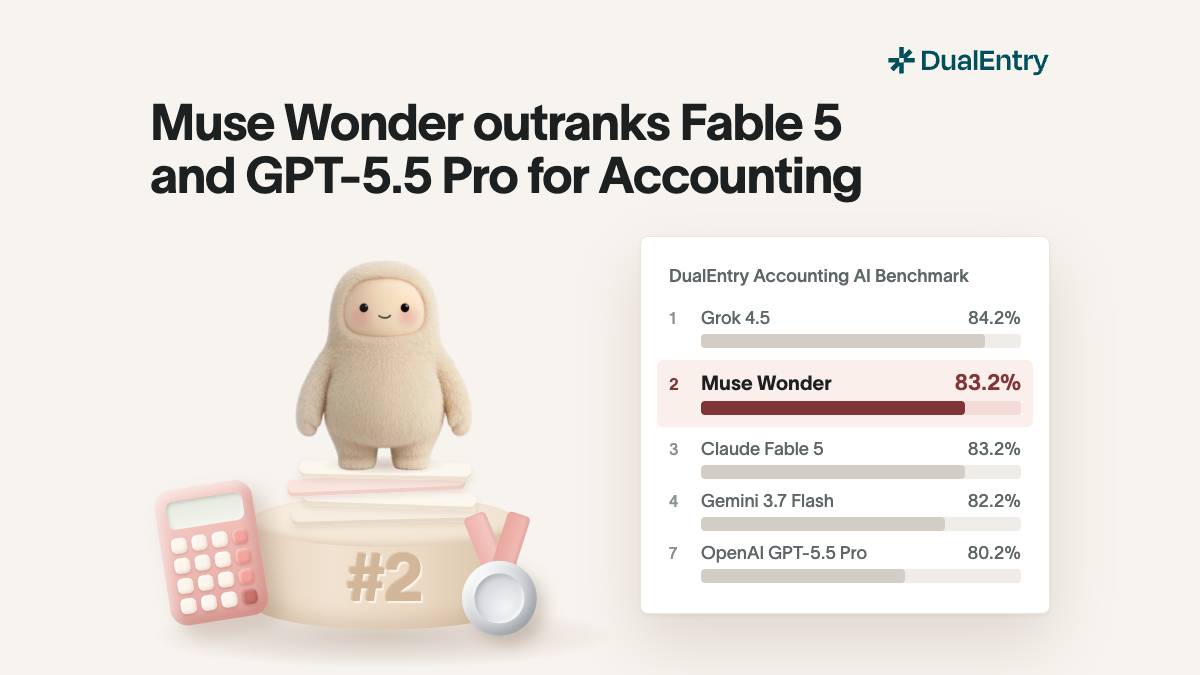
DualEntry’s Accounting AI Benchmark tests leading models on 101 tasks across transaction classification, journal entries, AP, AR, bank reconciliation, financial reporting, month-end close, and accounting knowledge.
The results also show why a single headline score only tells you so much. Accounting work covers very different kinds of tasks, and a model that performs well overall may still behave differently when it moves from a structured classification problem to a task involving accounting judgment.
A benchmark is also different from production. Real accounting systems add source documents, workflow logic, validation, approvals, permissions, and other controls around the model.
So before increasing an agent’s authority, test it on the actual work you plan to give it, including the exceptions and edge cases it is likely to encounter.
How to evaluate AI agents for accounting
Once you know which workflows you want an agent to handle, the next question is whether the system gives you enough control over how that work gets done.
There are four areas worth checking:
Permissions and approval controls
An accounting agent should only have access to the entities, records, and actions it needs for the workflow.
Look for role-based permissions, posting limits, configurable approval routes, segregation of duties, and period locks. If a transaction exceeds a threshold or falls outside the normal pattern, you should be able to require review rather than relying on the agent to decide whether the exception is important.
Exception handling
The normal cases are usually the easy part. The better test is what happens when information is incomplete, two documents disagree, the period is locked, or the transaction falls outside the agent’s authority.
A useful agent should be able to stop and escalate instead of forcing a decision. You should also be able to see the exception queue and understand why each item ended up there.
Audit trail and evidence
If an agent changes the books, you need a record of what happened.
That means being able to trace the action back to its source information, see what was changed and when, and identify the approvals or reviews that followed. The evidence requirements should become stricter as the agent moves from explaining work to posting or changing financial records.
Native vs. bolt-on accounting agents
Some agents operate inside the accounting system. Others sit outside it and access financial data or accounting functionality through integrations.
Both approaches can automate work. The practical difference is how many systems sit between the source data, the agent’s decision, and the final accounting record.
When comparing AI accounting software, check whether permissions, approvals, exceptions, and the audit trail follow the action all the way into the ledger.
Common risks of AI agents in accounting
Accounting agents are easier to evaluate when you know what can go wrong. Before giving one more authority, test the situations most likely to expose a bad decision.
The point is not to prove that an agent will never make a mistake. It is to understand what its mistakes look like, make them visible, and keep them from becoming unreviewed accounting decisions.
Automate accounting workflows with DualEntry
The controls above are easier to enforce when the AI and the accounting system work together.
DualEntry’s accounting AI software combines AI with the general ledger, reconciliation, AP and AR, close management, and multi-entity accounting. It can match and categorize transactions, flag anomalies, automate reconciliation, prepare accounting work, and keep information moving through the system as transactions are processed.
Teams can use role-based access, approval workflows, thresholds, period locking, and tracked sign-offs to control what happens automatically and what still needs review.
Because the AI operates alongside the accounting workflow, the supporting records, approvals, and transaction history remain connected to the work rather than having to be pieced together later.
The goal is not to remove accountants from the process. It is to automate the work that can move safely on its own and make sure the decisions that still need judgment reach the right person.
AI Agents for Accounting FAQs
Is there AI specifically for accounting?
Yes. Accounting-specific AI can handle work such as transaction coding, reconciliation, invoice processing, variance analysis, journal preparation, and close management. Some tools assist accountants with individual tasks, while AI agents can work through multiple steps and take actions inside an accounting workflow.
Is there a ChatGPT for accounting?
General AI assistants such as ChatGPT can explain accounting concepts, analyze information, and draft accounting work. Accounting-specific software goes further by connecting AI to financial data, workflows, permissions, approvals, and the ledger itself.
What AI tool is best for accounting?
The best fit depends on what you want the AI to do. For close and ledger work, look at the workflows it can handle, the authority you can give it, how it handles exceptions, and whether its actions are auditable. DualEntry is built around that model, with AI working directly with the ledger and its accounting controls.
Can AI agents close the books on their own?
AI agents can automate significant parts of the close, including transaction matching, reconciliation, checklist management, variance analysis, and preparation of some journal entries. That does not mean every close decision should run without review; judgment-heavy areas such as estimates, consolidation adjustments, and revenue recognition still need appropriate human approval.
What is the difference between an AI agent and AI accounting software?
AI accounting software is the broader system or product that uses AI across accounting tasks. An AI agent is one way that software can work: it takes a goal, completes multiple steps, and acts within a set of permissions rather than waiting for a separate instruction at every step.

See the full power of DualEntry in 30 minutes
Woosung Chun is the CFO of DualEntry with experience in corporate finance, accounting, strategy, and acquisitions. He previously grew from scratch and led the M&A and Finance teams at Benitago, where he completed more than 12 acquisitions in 2 years. He graduated with a BS from NYU Stern. At DualEntry, Woosung writes about AI in accounting, revenue recognition, foreign currency accounting, hedge accounting, and ERP modernization for finance teams navigating complex, multi-entity environments.