Don't worry! The contents here will appear on the published page.
General Ledger Account Codes: Structure, Examples, and Best Practices for Accurate Accounting

Do San (Justin) Myung
Expert Accountant & Former Consulting CFO
Do San (Justin) Myung
Expert Accountant & Former Consulting CFO
Justin (Do San Myung) is Expert Accountant at DualEntry with 20+ years of hands-on experience managing general ledgers, financial close processes, and ERP implementations for mid-market and enterprise companies. As a former Consulting CFO and Controller, he has personally overseen month-end closes, SOX compliance programs, and multi-entity consolidations across technology, manufacturing, and services industries. Justin specializes in transforming manual accounting workflows into automated, AI-driven processes.
Learn about our editorial policies.
Last updated
October 15, 2026
Reviewed by
Woosung Chun

Woosung Chun
CFO
Woosung Chun is the CFO of DualEntry with experience in corporate finance, accounting, strategy, and acquisitions. He previously grew from scratch and led the M&A and Finance teams at Benitago, where he completed more than 12 acquisitions in 2 years. He graduated with a BS from NYU Stern. At DualEntry, Woosung writes about AI in accounting, revenue recognition, foreign currency accounting, hedge accounting, and ERP modernization for finance teams navigating complex, multi-entity environments.
Learn about our editorial policies.
Summarize this article


TL;DR
What they are: GL account codes are the numeric (or alphanumeric) identifiers attached to every account in your chart of accounts - every transaction gets posted against one, which is what determines how it's classified and reported.
How they're structured: Most organizations use standard ranges - 1xxx assets, 2xxx liabilities, 3xxx equity, 4xxx revenue, 5xxx expenses - and larger teams layer on segments (account–department–project) to track where and why a transaction happened, not just what.
Why they matter: Consistent coding is what makes financial statements, reconciliations, and audits actually work. Misclassified or inconsistent codes mean more reclassification entries at close, messier trial balances, and a harder audit trail.
Where automation helps: AI-native ERPs like DualEntry suggest GL codes from vendor history and invoice content, apply them automatically, and route exceptions through approval workflows - so coding accuracy improves over time and finance teams stop spending the close fixing misclassifications.
Every transaction in your business, whether a customer payment or software bill, needs to end up somewhere. GL account codes decide where.
Most businesses organize these codes within a chart of accounts using standard number ranges, like 1xxx for assets and 2xxx for liabilities. This structure makes it easier to separate balance sheet and income statement accounts, and to keep reporting consistent.[1]
When they’re set up well, GL codes do more than organize data. They make reporting consistent, support audits, and reduce errors. And with modern accounting software, they can even be assigned automatically, cutting down the manual work finance teams deal with every month. In this guide, we’ll break down how these account codes work, and suggest how to use them most effectively.
[tldr]
What are general ledger account codes?
Definition and purpose
GL account codes are numeric or alphanumeric identifiers assigned to each account in a chart of accounts.[2] Every transaction, from revenue to payroll to rent, is recorded against one of these codes.
Their purpose is simple: consistent classification. With clear codes in place, businesses can record transactions, track budgets, and generate reports without ambiguity. Codes also act as a bridge between operations and reporting, with each coded transaction feeding into financial statements and management reports – making analysis easier.
In modern systems, GL codes also support validation rules, internal controls, and multi-dimensional reporting. And from an audit POV, they create a clear trail: every transaction can be traced back to a specific account.
GL account codes vs. the general ledger vs. the chart of accounts
Subledgers (like AP, AR, and payroll) post summarized or detailed entries into specific GL codes.
The core structure of GL account codes
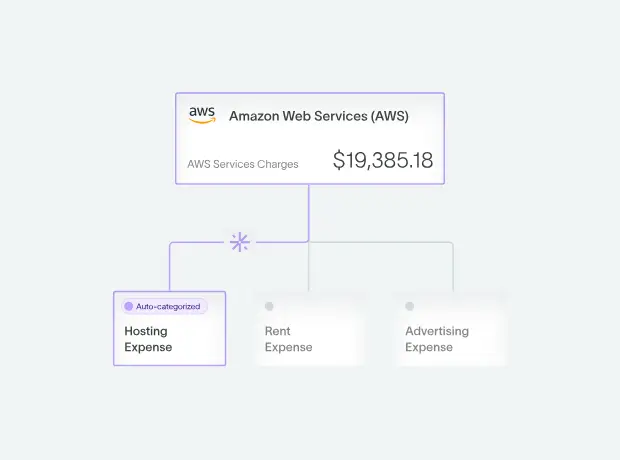
GL account codes aren’t random. Look closer and you’ll notice they follow a structure that makes accounts easy to group, read, and report on.
Understanding the account number ranges
Most organizations use a consistent numbering system to group accounts by type:
- 1xxx - Assets
- 2xxx - Liabilities
- 3xxx - Equity
- 4xxx - Revenue
- 5xxx - Expenses
You’ll see this structure across many industries. For example, the U.S. Standard General Ledger uses similar groupings (1000 for assets, 2000 for liabilities, and so on) [3], and nonprofit or university charts often follow the same logic.
Why? In short, simplicity. Once you understand the ranges, you can quickly recognize what an account represents without needing a description. The codes also make systems easier to set up. Modern, automation-powered systems can group accounts automatically based on number ranges.
And for teams, it reduces training time. Imagine if new hires instead needed to memorize every account…
Segmented GL codes
In more complex setups, GL codes are a combination of segments instead of just one number.
A typical structure might look like:
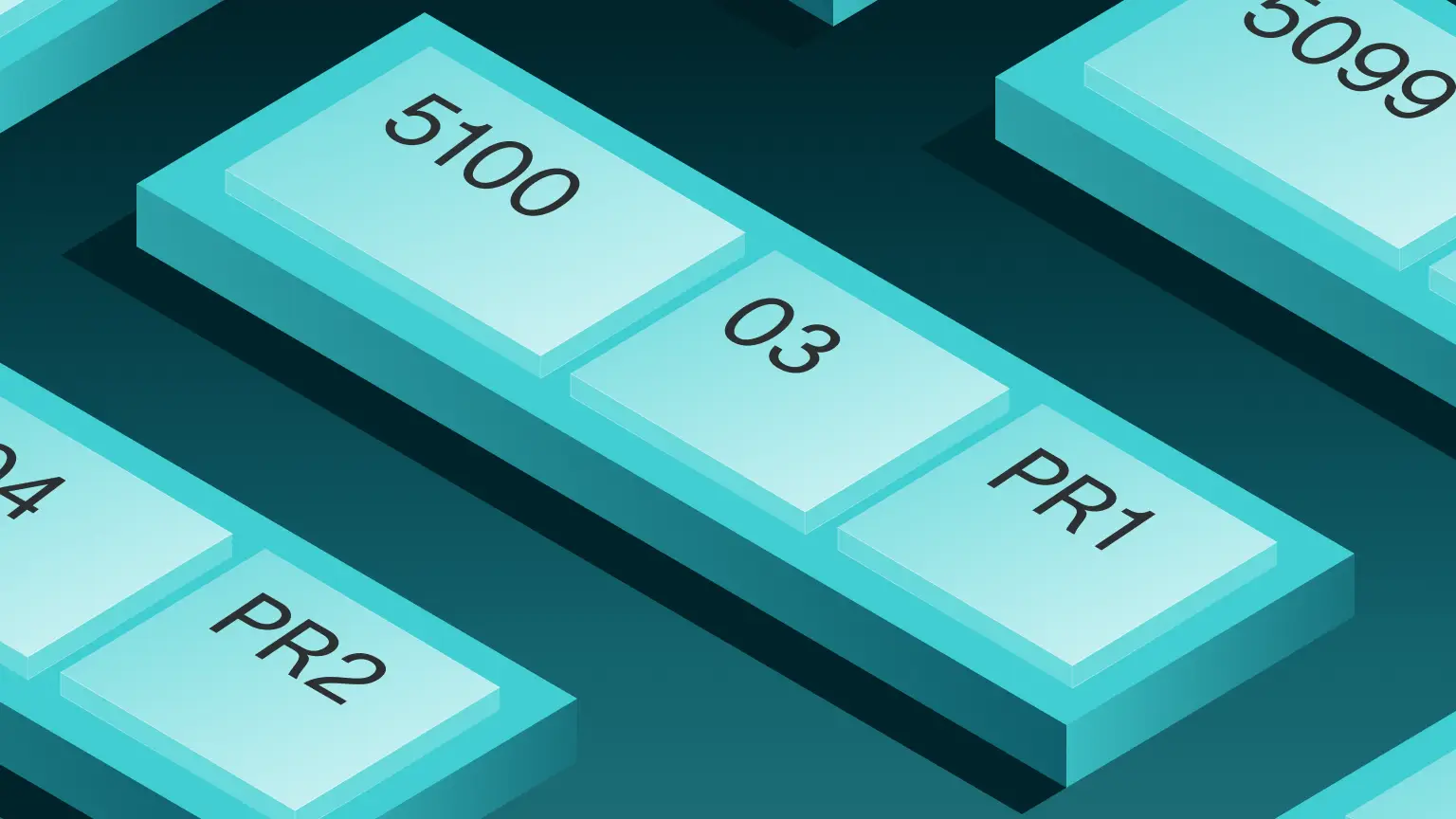
1010-01-200
- 1010 → Account (e.g. cash)
- 01 → Department
- 200 → Project or cost center
This approach allows businesses to track not just what happened, but also where and why. This route is common in larger companies, as well as in higher education and the public sector.
Modern ERPs like DualEntry support this type of segmented structure, so you can create detailed reports without needing thousands of separate accounts.
Numeric or alphanumeric structures?
Many businesses use purely numeric codes for simplicity. Others, especially universities and government entities, use alphanumeric formats to represent funds or programs.
Alphanumeric codes can be easier to read, but they don’t always work well with older systems that expect numeric-only inputs. In more modern, automated workflows, though, consistency matters more than format.
5 GL account codes you should know (and some examples)
.webp)
GL account codes map directly to financial statement categories. Here’s how the main groups work in practice.
Asset account codes
Assets are resources a business controls that are expected to generate future value.
Typical asset codes fall in the 1xxx range:
- 1010 Cash
- 1030 Accounts Receivable
- 1300 Inventory
- 1500 Equipment [4]
In public-sector charts, you might also see variations like “Fund Balance with Treasury” or more detailed cash classifications. These accounts feature on the balance sheet and represent what a company owns or controls at a point in time.
Liability account codes
Liabilities represent obligations – in other words, amounts that the business owes. They’re usually shown in a 2xxx series, like:
- 2010 Accounts Payable
- 2200 Loans Payable
- 2300 Accrued Expenses
These accounts also sit on the balance sheet. They reflect commitments coming from past transactions, like unpaid invoices or accrued costs.
Equity account codes
Equity shows what’s left over once you subtract what a company owes from what it owns. In other words, it’s what the business is worth on paper.
Equity account codes are identified with 3xxx. Some examples:
- 3100 Owner’s Capital
- 3200 Retained Earnings
- 3300 Share Capital
Note: in government and nonprofit settings, you’ll often see terms like “net position” or “fund balance” instead of equity.
Revenue (income) account codes
Revenue accounts, coded with 4xxx, track income earned from business activities.
They look like this:
- 4100 Sales Revenue
- 4200 Service Revenue
- 4300 Other Income
Some public-sector charts use 5000+ ranges for revenue and financing sources, but the idea’s the same: these accounts show how the business generates income over a given period.
Expense account codes
Expenses represent the cost of running the business. They show up as 5xxx, with common accounts including:
- 5010 Wages & Salaries
- 5020 Utilities
- 5030 Rent
- 5040 Office Supplies
- 5200 Marketing Expense
Clear expense coding is essential for budgeting and cost control. It lets teams track spending by category and compare performance over time. It also helps make any inefficiencies easier to spot, and supports departmental reporting – especially when paired with the right level of detail.
A sample GL account code table
*BS = Balance sheet; IS = Income statement
For a full SaaS-specific example with every account code from 1000 to 8999, see our SaaS chart of accounts guide.
The impact of GL account codes on reporting and audits
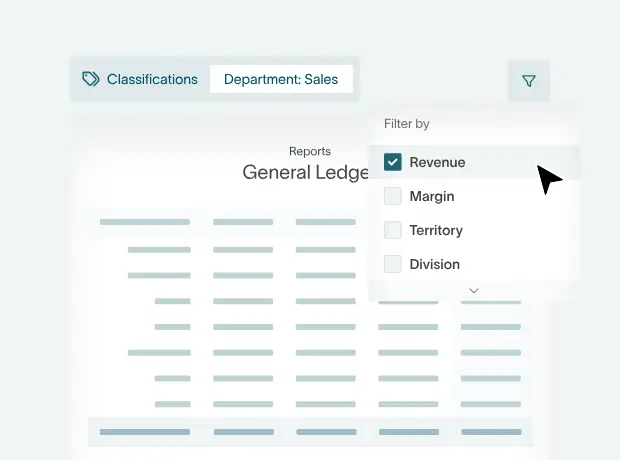
GL codes play a central role in how financial reports are built and reviewed.
How GL codes feed financial statements
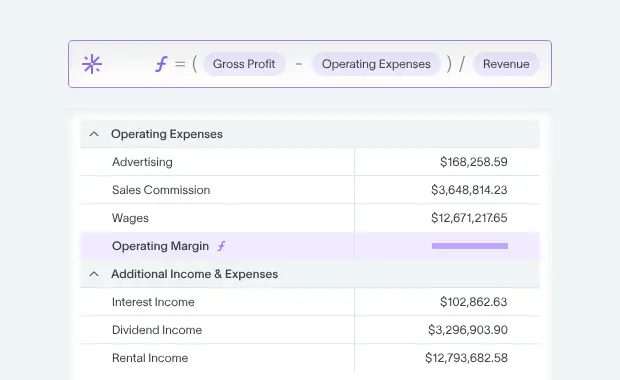
Every transaction posted to a GL code updates an account balance. These balances roll into the trial balance, which forms the basis of financial statements.
Accurate mapping is critical. If GL codes aren’t aligned correctly to reporting categories, financial statements won’t reflect reality.
Standards like GAAP and IFRS rely on this structure. In more regulated environments, frameworks like the USSGL define exactly how accounts map to reporting lines.
In short, GL codes are the link between raw transactions and final reports.
Their role in reconciliations and the close
GL codes play a central role in reconciliations, especially for accounts like cash. For example, bank reconciliations rely on matching transactions recorded under a cash GL code with bank statements.
Adjustment and clearing accounts are also tied to specific codes. These handle accruals, deferrals, and corrections.
When coding’s consistent, fewer reclassification entries are needed at period end, making your close faster and cleaner.[5]
Supporting audit and compliance needs
Auditors rely on GL codes to trace transactions and test controls. Clear, consistent coding structures make it easier to see how balances are built and root out anything unusual. Standardized frameworks like the USSGL go a step further, defining a shared structure across businesses to improve comparability and oversight, especially in regulated settings.
The same principle applies in other sectors. Public and nonprofit orgs often publish their charts for transparency, while SaaS companies and growing businesses rely on clean coding to support audits, investor reporting, and due diligence.
Setting up your ideal GL account structure
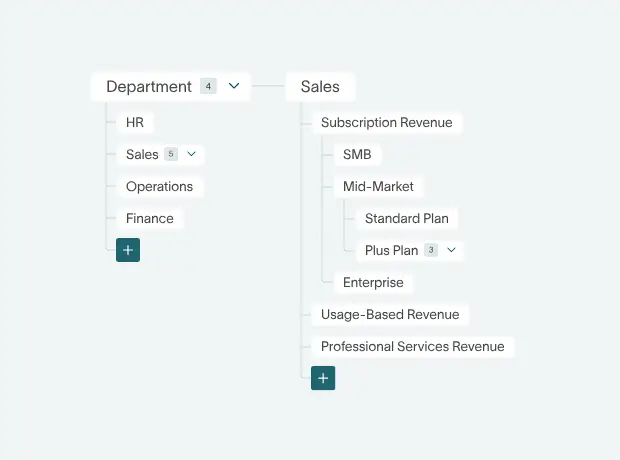
Tips for building a scalable chart of accounts
- Use logical number ranges (e.g. 1xxx-5xxx) to group accounts clearly
- Leave gaps between codes to allow for future expansion
- Apply consistent naming conventions across all your accounts
- Separate summary (header) accounts from posting (detail) accounts
- Align account structure with management’s reporting needs (e.g. considering departments, products, and projects)
- Avoid overcomplicating things. The structure should feel intuitive and be easy for your whole team – and any new starters – to understand.[6]
Step-by-step example: building GL account codes for a small business
Say you’re running a small business. To set up GL account codes, you start with the basics: assets, liabilities, equity, revenue, and expenses.
Assign number ranges to each category, following common patterns like 1xxx-5xxx. Next, define key accounts within each group: cash, receivables, payables, revenue, core expenses.
You should then map typical transactions:
- Bank deposits → Cash
- Invoices → Revenue and receivables
- Payroll → Wages expense
- Rent → Operating expense
- Software → Overhead
Once that’s done, it’s smart to test the structure using a month of real or sample transactions. If something doesn’t fit cleanly into the parameters you’ve defined, adjust the codes before deciding on a final setup.
A one-month GL coding walkthrough for a marketing agency
As a larger-scale example, let’s take a small marketing agency with a simple setup: one bank account, a few clients, and a lean team. It uses standard 4-digit GL codes.
Mini chart of accounts
1010 Cash | 1030 AR | 2010 AP | 3100 Capital | 4100 Revenue
5010 Wages | 5030 Rent | 5040 Software | 5060 Bank Fees | 5200 Marketing
Transactions
At month end, the agency runs a trial balance, confirms debits equal credits, and uses the balances to prepare financial statements.
Governance: who owns and maintains the GL code list?
The chart of accounts should be owned by a controller, accounting manager, or CFO – whoever’s responsible for overseeing the accuracy of financial records.[7]
Changes should be documented and controlled through an internal policy. Version control is important to avoid confusion, and regular reviews – at least annually – help remove unused accounts and skip any unnecessary complexity.
Common GL coding challenges – and how automation helps
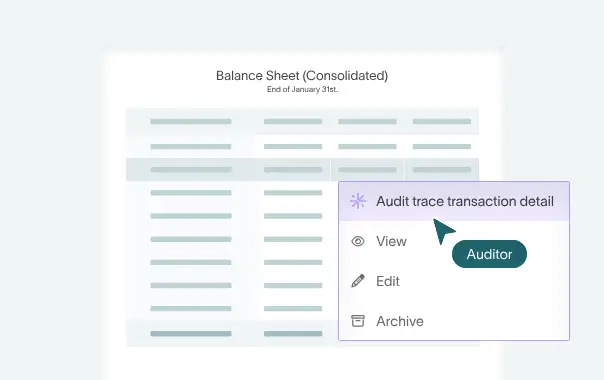
Even with a solid structure, GL coding can break down without the right processes.
Typical coding errors and process pain points
Manual coding is slow and error-prone. Finance teams often spend a large share of their time reviewing and fixing mistakes instead of analyzing results. Common problems include:
- Misclassified expenses (e.g. marketing coded as software)
- Inconsistent use of codes across teams
- Missing dimensions (department, project, etc.)
- Time spent correcting errors and reclassifying entries
Research on AP automation shows the negative impact that time-consuming manual workflows have. For example, the average AP department – not using any form of automation – takes 17.4 days to process a single invoice.[6]
Where automation and AI can help
Automation is changing how GL coding happens. AI-accounting software can suggest GL codes based on historical patterns, vendor behavior, and invoice content. Over time, accuracy improves and manual input drops. Fewer errors, faster processing, cleaner data.
General ledger software like DualEntry are built around this idea, helping teams to scale without increasing workload. To save more time, it handles automatic journal entry creation and reconciliation. Going beyond simple coding, transactions are checked, matched, and reflected in the GL in real time. For added peace of mind, built-in approval workflows and AI outlier detection prevent any errors from making it into the ledger.
GL coding: best practices and standards, including USSGL
There’s no single “correct” structure, but there are proven approaches that work.
Strong coding strategies for SMEs and mid-market firms
- Keep it simple, avoiding unnecessary detail
- Train non-finance staff on common codes
- Use quick-reference guides for frequent transactions
- Review and clean up the chart of accounts regularly
A quick look at the U.S. Standard General Ledger
The U.S. Standard General Ledger (USSGL) provides a uniform chart of accounts for federal agencies, along with detailed guidance on how each account should be used. It helps maintain consistency and compliance across government reporting.[8]
While most businesses won’t adopt the USSGL directly, it’s a useful reference point for what a well-structured, standardized chart looks like in practice.
Across industries, similar ideas apply. Larger companies often follow strict internal standards, while smaller and mid-sized businesses tend to use simpler structures, sometimes borrowing ideas from established frameworks to keep things consistent as they grow.
General Ledger Account Codes FAQs
What are GL account codes, and how do they work?
They're identifiers assigned to accounts in the chart of accounts. Every transaction's recorded against a code that determines how it's classified and reported.
What is the common structure for GL codes?
Most follow number ranges: like 1xxx assets, 2xxx liabilities, 3xxx equity, 4xxx revenue, and 5xxx expenses.
How many digits should my GL account codes have?
Typically 3–6 digits. The right length depends on your reporting needs and system capabilities.
Can I change my GL codes after I've implemented them?
Sure, but any edits should be controlled. Changes can affect reporting consistency and historical comparisons.
Are there standard GL codes for all industries?
There's no universal standard, but many industries follow similar structures or adopt frameworks like the USSGL.
How can I automate GL coding for invoices and expenses?
You can automate GL coding with software that combines AI and matching rules. Certain platforms will also capture invoice data automatically (using OCR and document detection) and create journal entries in real time. Built-in approvals, matching, and exception handling help make sure everything's accurate before it hits the GL.
How do GL codes affect my financial statements?
They determine how transactions are grouped, which has a direct impact on your balance sheet and income statement.
Conclusion
More than just labels, GL account codes keep your financial data structured and accurate.
A clear, well-designed chart of accounts makes reporting easier, supports audits, and gives you better visibility into performance.
With the right setup, you can use automation to move from manual coding and rework to a system where invoices are captured automatically, GL codes are applied consistently, and journal entries are posted to your ledger immediately – with full audit trails kept along the way.
If your current setup feels messy or time-consuming, it’s worth rethinking both your chart of accounts and the tools behind it. Schedule a demo with a DualEntry CPA to see how an AI-native ERP can streamline your workflows and give you more confidence in your numbers – from GL entry to final reports.
References
-
 Deloitte — Strategic Chart of Accounts Design
-
Liberto, Daniel, and Investopedia — Chart of Accounts (COA) Definition (2026)
-
U.S. Department of the Treasury — Part 1, Section I: Chart of Accounts | TFX: Treasury Financial Experience
-
Alabama Community College System — Example: Common Chart of Accounts (2016)
-
Atherton, Simon, et al. — Streamlining the Financial Close: Six Key Elements (Deloitte United Kingdom, 2025)
-
Custom Accounting & CFO Advisory — Chart of Accounts Setup: Foundation of Good Bookkeeping
-
Randstad — Job Profiles: Controller
-
U.S. Department of the Treasury — USSGL | TFX: Treasury Financial Experience (2026)
See the full power of DualEntry in 30 minutes
Justin (Do San Myung) is Expert Accountant at DualEntry with 20+ years of hands-on experience managing general ledgers, financial close processes, and ERP implementations for mid-market and enterprise companies. As a former Consulting CFO and Controller, he has personally overseen month-end closes, SOX compliance programs, and multi-entity consolidations across technology, manufacturing, and services industries. Justin specializes in transforming manual accounting workflows into automated, AI-driven processes.