Don't worry! The contents here will appear on the published page.
Best ERP System for Tech Startups: Stage-by-Stage Selection Guide

Woosung Chun
CFO
Woosung Chun
CFO
Woosung Chun is the CFO of DualEntry with experience in corporate finance, accounting, strategy, and acquisitions. He previously grew from scratch and led the M&A and Finance teams at Benitago, where he completed more than 12 acquisitions in 2 years. He graduated with a BS from NYU Stern. At DualEntry, Woosung writes about AI in accounting, revenue recognition, foreign currency accounting, hedge accounting, and ERP modernization for finance teams navigating complex, multi-entity environments.
Learn about our editorial policies.
Last updated
October 19, 2026
Reviewed by
Do San (Justin) Myung

Do San (Justin) Myung
Expert Accountant & Former Consulting CFO
Justin (Do San Myung) is Expert Accountant at DualEntry with 20+ years of hands-on experience managing general ledgers, financial close processes, and ERP implementations for mid-market and enterprise companies. As a former Consulting CFO and Controller, he has personally overseen month-end closes, SOX compliance programs, and multi-entity consolidations across technology, manufacturing, and services industries. Justin specializes in transforming manual accounting workflows into automated, AI-driven processes.
Learn about our editorial policies.

Summarize this article


TL;DR
Here's how the expensive ERP mistake usually happens. You're at Series A, the board says it's time to get off QuickBooks, someone recommends NetSuite, and you sign before you've fully absorbed what a six-month implementation means for a three-person finance team. Eighteen months and $200,000 later, you still don't have clean SaaS metrics in the system.
The opposite mistake is just as expensive. Stay on QuickBooks through Series B and your auditors will find what you didn't, revenue recognition in spreadsheets, intercompany transactions reconciled manually, no consolidated P&L. That conversation doesn't go well.
The best ERP system for tech startups isn't a single answer. It's a stage-dependent one. Getting it right means matching the system to where you are right now: your ARR, your entity structure, your team capacity, and your next 18 months.
This guide gives you the framework. Stage-gated selection, honest TCO, and a product shortlist you can bring to a board meeting. If you want the general, stage-agnostic process, see our guide on how to choose an ERP system. For the accounting obligations that change at each funding milestone — including SAFE conversions, stock option grants, and investor reporting — see our guide to accounting obligations for VC-funded startups.
Do You Actually Need an ERP Yet?
A tech startup needs an ERP when the cost of not having one exceeds the cost of buying and implementing one. Accounting errors, close delays, audit readiness gaps, investor reporting failures: those are the costs. For most SaaS startups, this inflection point arrives between $2M and $5M ARR. The $2M mark is when evaluation should begin; the $5M threshold is when the triggers in the table below flag high urgency and most teams discover QuickBooks is actively blocking them.[1] Not at seed stage.
That distinction matters because the most common ERP mistake isn't buying the wrong system. It's buying the right system at the wrong time. A Series A ERP implementation dropped on a $500K ARR company consumes finance capacity, creates complexity, and solves problems you don't have yet.
QuickBooks works for longer than most people expect. Pair it with Stripe, Baremetrics, and a solid chart of accounts, and you can run a clean seed-stage operation without ERP overhead. The ceiling isn't the software. It's the accounting complexity the software can handle when transaction volume, entity structure, and revenue recognition requirements start stacking up. If you're not sure whether you've outgrown your accounting software, the full set of outgrowth triggers makes the call clear.
The "QuickBooks Ceiling" -- When to Buy vs. When to Wait
What Tech Startups Actually Need from an ERP
Tech startups, especially SaaS companies, have ERP requirements that generic review sites don't test for. ASC 606 revenue recognition, SaaS metrics integration, burn rate reporting, and multi-entity consolidation are non-negotiable at Series A–B. Legacy ERPs built for manufacturing handle none of these natively.
This is the gap that catches most finance teams off guard during evaluations. You can spend six weeks on demos and still miss the fact that your top candidate requires a separate consulting engagement just to configure deferred revenue waterfalls. The checklist below maps what you actually need to what each system delivers out of the box.
One requirement worth understanding in detail: ASC 606 is the FASB standard governing revenue recognition for contracts with customers.[3] Under ASC 606, you can only recognize revenue when performance obligations are satisfied. For a SaaS company, that means ratable recognition across the contract term, a deferred revenue waterfall tracking earned vs. collected, and allocation logic for bundled deals where professional services or onboarding fees are sold alongside the subscription. Any ERP you evaluate needs to handle this automatically. If it doesn't, your Controller is rebuilding that logic in Excel every month. That's how restatements start.
Tech Startup ERP Requirements Checklist
ERP Selection by Funding Stage: The Decision Matrix
The right ERP for a tech startup is determined by funding stage and financial complexity, not by feature count or brand reputation. Pre-seed companies need no ERP. Seed-stage companies need QuickBooks plus best-of-breed tools. Series A is the first real ERP decision. Series B requires a full ERP, no exceptions.
Why Series A Is the Critical Decision Point
Series A is where most tech startups make their most expensive ERP mistake, in either direction. Some over-invest in NetSuite ($150K+ implementation, $80K+/year license) without the internal resources to configure and maintain it. Others stay on QuickBooks and get flagged in their Series B due diligence when rev rec can't survive an audit.
The math is worth running before you sign anything. A Series A company on NetSuite without a dedicated administrator isn't just overpaying. It's accumulating configuration debt, workaround spreadsheets, and eventually a rip-and-replace project. A company on QuickBooks past the ceiling is building audit exposure every single month.
net
The right answer at Series A is an ERP with enterprise-grade accounting and a startup-speed implementation. That's the gap AI-native ERPs were designed to fill, which is why the stage matrix points to DualEntry or Sage Intacct for most Series A SaaS companies, not NetSuite.
The Tech Startup ERP Shortlist: 6 Products That Belong in Your Evaluation
These are the six ERP systems that appear on tech startup shortlists. SAP, Epicor, and legacy desktop ERPs are excluded: they're enterprise or manufacturing systems with no place in a Series A–B SaaS evaluation. Each product below is evaluated on the dimensions that matter specifically to tech startup CFOs.
At-a-Glance Scorecard (Tech Startup Lens)
Scores calibrated for tech startup CFO priorities at Series A–B: speed to value, SaaS-native capabilities, implementation risk, and honest pricing. NetSuite scores higher in enterprise and multi-entity evaluations.
For software businesses specifically, see our guide to the ERP for SaaS companies.
1. DualEntry — Best for Series A–B SaaS Companies
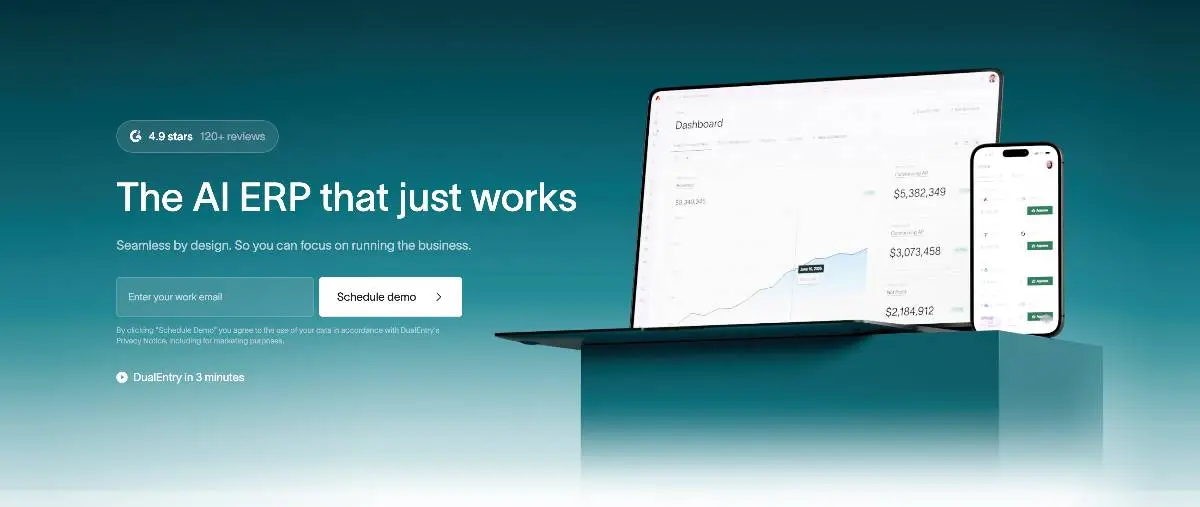
G2 rating: 4.9/5 (122) [5]
DualEntry is built as an AI-native ERP, not a legacy system patched for SaaS compliance. Its revenue recognition engine is designed for fast-growing companies managing complex subscription contracts across multiple entities. Unlike traditional ERPs that treat rev rec as a separate module bolted onto the general ledger, DualEntry connects recognition directly into billing, the ledger, and reporting from day one.
Instead of batch reconciliations at period-end, DualEntry automates revenue recognition at the transaction level. Every contract obligation, modification, and usage event is tagged in real time, so your finance team always has a clear view of what's recognized and what's deferred. That setup lowers audit risk and makes compliance checks significantly faster.
The platform is built for the pace of a scaling SaaS company. Whether you're adding entities, changing pricing models, or entering new markets, reporting stays consistent without extra manual work. CFOs at Series A–B consistently highlight one thing in reviews: faster closes, not just eventually, but from the first quarter on the system.
Go-live runs 4 to 8 weeks for a standard SaaS configuration. There's no blank-canvas setup: DualEntry ships with a pre-built SaaS chart of accounts, ASC 606 deferred revenue waterfall, and native connections to Stripe, Chargebee, and Recurly.
Key Features
- End-to-end ASC 606 and IFRS 15 [5] automation
- Contract obligation tagging with AI assistance
- Handles modifications, renewals, and usage-based models without breaking recognition schedules
- Real-time audit trails with disclosure-ready reporting
- Native integration with billing (Stripe, Chargebee, Recurly), CRM (Salesforce, HubSpot), and payroll (Rippling, Gusto)
- Multi-entity and multi-currency support in the core product, no add-on required
- Anomaly detection for compliance risks
- Native MRR, ARR, NRR, and burn rate dashboards for board reporting
Pros
- End-to-end ASC 606 and IFRS 15 automation with no manual reconciliations at period-end
- Revenue recognition, ledger, billing, and reporting are connected, not siloed
- Handles subscription changes, renewals, and usage-based models without breaking recognition schedules
- Real-time audit trails and disclosure-ready reporting reduce time spent in audit prep
- AI anomaly detection and forecasting give finance leaders earlier visibility into recognition risk
- Multi-entity and multi-currency support built in for companies with international subsidiaries
- 4 to 8 week go-live with a guided, pre-built SaaS configuration
Cons / Risks
- Best suited for companies at Series A and beyond; pre-revenue startups won't use the full depth of features
- Smaller certified partner ecosystem than NetSuite or Sage Intacct
- Newer entrant (2024): if you require a large implementation partner network, factor this into your evaluation
Pricing
DualEntry offers flat SaaS pricing that scales with ARR rather than per-user seat count. Contact the team for a demo and custom quote. Seed or Series A–backed? Startups can get DualEntry free for up to 3 years (or until $10M in revenue) through the VC-backed offer.
2. Acumatica — Best for Series A–B Companies with Mixed Revenue Models
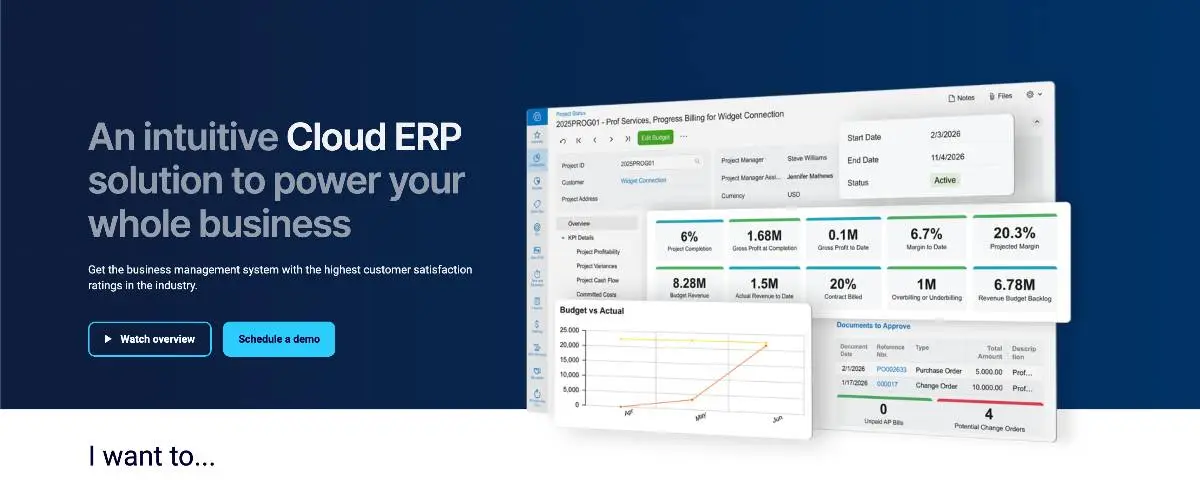
G2 rating: 4.4/5 (2,005)
Acumatica is a cloud ERP built around a consumption-based pricing model: no per-user fees. For Series A–B companies with a mix of SaaS and professional services revenue, or where transaction volume makes per-user pricing prohibitive, that pricing structure alone makes it worth a serious look. It's not the most SaaS-native option on this list, but it's the most flexible for companies whose revenue model doesn't fit neatly into the subscription-only bucket.
The platform's strength is breadth. Project accounting, field service management, and distribution modules sit alongside financial management in a way that most SaaS-first ERPs don't attempt. If your company sells SaaS plus implementation services, or charges usage fees alongside a subscription base, Acumatica's module suite maps closer to your actual business than a pure subscription ERP.
The honest limitation: ASC 606 subscription revenue recognition and SaaS metrics are not native. Both require add-on modules or configuration through an Acumatica VAR partner. If subscription rev rec is your primary ERP requirement, that's a meaningful gap.
Implementation runs 8 to 14 weeks through an Acumatica VAR partner (partner-reported estimate; actual timelines vary by scope and complexity).[6] The partner ecosystem is broad, with more geographic coverage at the Series A stage than most AI-native options.
Key Features
- Consumption-based pricing (no per-user fees)
- Strong project accounting and field service management
- Open API and .NET customization platform
- Native mobile apps
- Broad module suite: financials, CRM, inventory, field service, distribution
- Multi-entity and multi-currency support
Pros
- No per-user fees: significant cost advantage at scale compared to seat-based ERPs
- Strong project accounting for companies with professional services revenue
- Large VAR partner ecosystem with broad geographic coverage
- Highly customizable via open API and .NET platform
- Solid multi-entity and multi-currency capabilities
Cons / Risks
- ASC 606 subscription rev rec and SaaS metrics require add-ons or configuration, not native
- Requires a VAR partner for implementation: not a self-guided setup
- Less SaaS-native than DualEntry or Sage Intacct for pure subscription businesses
Pricing
Consumption-based tiers based on data usage, not user count. Typically $25K to $60K/year for a Series A company. Year-1 cost including implementation: $88K to $170K.
3. Sage Intacct — Best for Series A–B with Multi-Dimensional Reporting
.webp)
G2 rating: 4.3/5 (4,142)
Sage Intacct is the most SaaS-aware of the traditional cloud ERPs. It's been in the subscription software market long enough to have a proven track record: multi-dimensional reporting (Department, Project, and Location as native GL dimensions), solid subscription billing integration, and the largest certified implementation partner ecosystem on this shortlist.
The multi-dimensional reporting is a genuine differentiator. For a CFO who needs to cut revenue and cost data across business unit, product line, geography, and customer segment simultaneously, Sage Intacct's dimensional accounting model does this without custom reports or workarounds. It's a real advantage for Series A–B companies with segment-level reporting requirements.
The limitation is implementation speed. Getting to a fully configured Sage Intacct environment takes 8 to 16 weeks with a certified partner (partner-reported estimate; actual timelines vary by scope),[6] and the system is not AI-native: automation is rule-based rather than ML-driven. High transaction volumes still require meaningful manual oversight compared to AI-native options.
One important clarification: confirm you're evaluating Sage Intacct specifically. Sage 50 and Sage 100 are different products serving different markets. They share the brand name. They're not the same system.
Key Features
- Dimensional accounting (Department, Project, Location as native GL dimensions)
- Sage Intacct Subscription Billing with Maxio/SaaSOptics integration
- Multi-entity consolidation
- Strong AP automation
- Large certified implementation partner ecosystem
- Salesforce native connector
Pros
- Multi-dimensional reporting is best-in-class for segment-level financial analysis
- Proven subscription billing integration with a long track record in SaaS
- Largest certified VAR partner ecosystem on this shortlist, with broad geographic coverage
- Strong multi-entity consolidation for companies with multiple legal entities
- Solid audit trail and compliance controls
Cons / Risks
- Not AI-native: automation is rule-based, not ML-driven
- Implementation takes 8 to 16 weeks with a certified partner (partner-reported estimate), slower than AI-native options
- Higher Year-1 cost than AI-native alternatives at Series A
- SaaS metrics (MRR, ARR, NRR) require third-party add-ons
Pricing
Modules-based pricing: $25K to $60K/year. Implementation via certified partner: $40K to $80K. Total Year-1 estimate: $80K to $155K.
4. Oracle NetSuite — Best for Series B+ with Multi-Entity or IPO-Track Needs
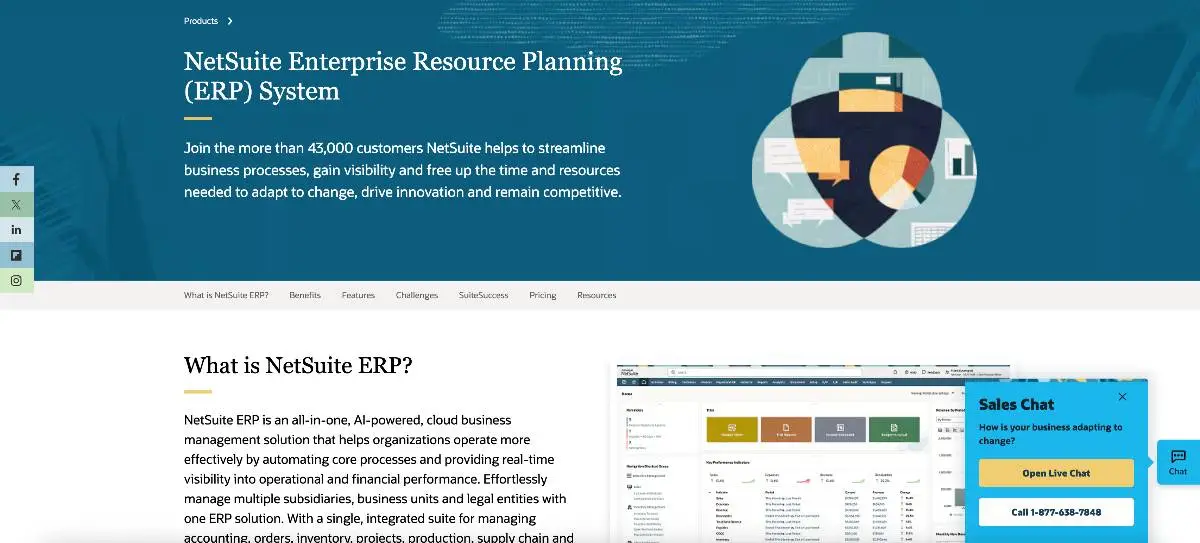
G2 rating: 4.1/5 (4,710)
NetSuite is the market leader in cloud ERP for the $10M to $500M revenue segment, and it earns that position for genuinely large, operationally complex businesses. Multi-entity consolidation, multi-book accounting (GAAP and IFRS simultaneously), and a full ERP suite that extends into CRM, inventory, and HR: when you need all of that working together, NetSuite delivers.
The problem isn't the product. The problem is that a lot of companies buying it aren't at the stage where it makes sense yet. Most Series A finance teams have two or three people. NetSuite requires a dedicated administrator to configure, maintain, and extend. Without one, the system becomes an expensive source of workaround spreadsheets.
The implementation timeline tells the real story. Average go-live for a Series B company runs six months, with 61% of implementations running over schedule per Panorama Consulting 2024 research.[7] The blank-canvas configuration model that makes NetSuite flexible for enterprise use cases is also what makes it expensive and slow to implement without experienced consultants.
If you're Series B+ with $15M+ ARR, real multi-entity complexity, and a finance team with the capacity to run a six-month implementation project, evaluate NetSuite seriously. If you're Series A with one entity and subscription revenue, the math is difficult to make work. If you're in that spot, see our guide to the best NetSuite alternatives for Series A–B SaaS teams.
Key Features
- Best-in-class multi-entity consolidation
- Full ERP suite (CRM, inventory, manufacturing, HR add-ons)
- SuiteScript customization platform
- IPO-ready SOX controls
- Multi-book accounting (GAAP + IFRS)
- Large global implementation partner ecosystem
Pros
- Genuinely best-in-class for multi-entity consolidation at Series B+ scale
- Full ERP suite covers scenarios that specialized tools can't
- SuiteScript allows deep customization for complex business requirements
- IPO-ready SOX compliance controls built in
- Large global partner network with deep implementation expertise
Cons / Risks
- Average 6-month implementation
- Requires a dedicated full-time NetSuite administrator: a real ongoing cost
- Over-engineered for Series A companies without multi-entity complexity
- True 3-year TCO typically reaches $315K to $930K+ at Series A, not the license figure in the vendor deck
- Blank-canvas configuration model means costs compound when internal expertise is thin
Pricing
$50K to $150K+/year license. Implementation: $80K to $250K+ via Oracle partner. Annual admin/consultant: $20K to $60K. See Section 5 for the full 3-year TCO model.
5. Microsoft Dynamics 365 Business Central — Best for Microsoft-Stack Companies

G2 rating: 4.0/5 (900)
Business Central is a strong mid-market ERP for companies already running on the Microsoft ecosystem: Azure, Teams, Excel, Power BI. If your Controller lives in Excel and your finance team already uses Power BI for reporting, the native integration is a real productivity advantage, not marketing language. You're not managing exports or middleware. The data flows directly.
The system has been growing quickly. Microsoft has been building Copilot AI features into recent Business Central releases, and the Azure-native deployment model is a genuine plus for tech companies already on that infrastructure. Per-user pricing scales predictably, which makes budgeting straightforward.
The limitation is clear: Business Central is not SaaS-native. Subscription billing and ASC 606 revenue recognition require third-party ISV add-ons or custom development. If your primary ERP challenge is subscription rev rec, this is a meaningful gap that adds implementation complexity and ongoing maintenance cost.
Key Features
- Native Excel and Power BI integration
- Microsoft Copilot AI features (recent releases)
- Azure-native deployment
- Per-user pricing that scales predictably
- Large global Microsoft partner network
- Broad ERP module coverage (financials, inventory, project management, sales)
Pros
- Native Excel and Power BI integration is a genuine advantage for finance teams in the Microsoft stack
- Microsoft Copilot AI features are maturing quickly across recent releases
- Azure-native for companies already on Microsoft infrastructure
- Predictable per-user pricing with no consumption-based surprises
- Large global partner network with strong implementation coverage
Cons / Risks
- Subscription billing and ASC 606 rev rec require third-party add-ons or custom development
- Not the right choice if subscription revenue recognition is your primary ERP requirement
- Per-user pricing becomes expensive for larger teams compared to consumption-based alternatives
Pricing
Essentials: $80/user/month. Premium: $110/user/month (as of April 2026; prices subject to change).[8] A 5-person finance team runs $55K to $80K/year in license plus implementation.
6. Odoo — Best for Seed-Stage Companies with Strong Internal Engineering
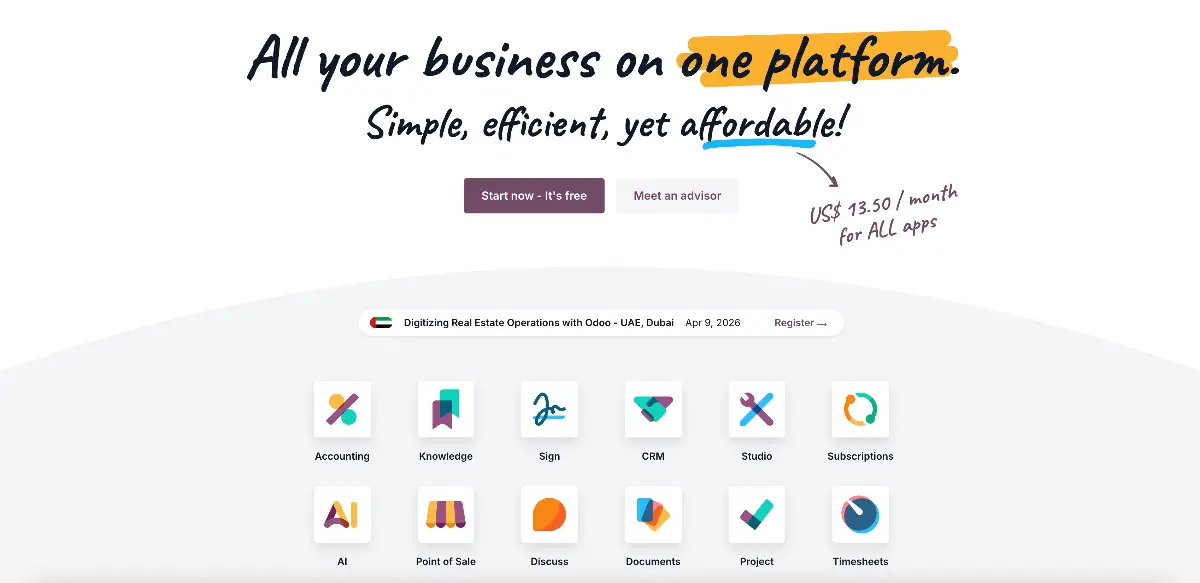
G2 rating: 4.2/5 (342)
Odoo is an open-source ERP with the broadest module suite on this list and the lowest license cost by a wide margin. For a tech startup with strong internal engineering resources willing to configure and maintain it, Odoo provides real functionality at a fraction of what traditional ERPs charge. That trade-off is real in both directions.
The platform covers more ground than any other option here: accounting, CRM, ecommerce, inventory, HR, and project management all in one system. For a Seed-stage company with a mixed business model and developers on staff who can handle configuration, that breadth at low cost makes Odoo a legitimate option.
The honest limitation is equally real: ASC 606 revenue recognition and SaaS metrics are not native. Both require community modules or custom development. The "free/low cost" pitch consistently obscures the engineering time required to configure and maintain the system at scale. A standard Series A deployment typically adds $40K to $80K in internal engineering cost on top of license fees, and that number compounds as the business grows.
If you don't have engineering resources to dedicate to ERP configuration and maintenance, Odoo's actual cost of ownership climbs quickly.
Key Features
- Broadest module suite: accounting, CRM, ecommerce, inventory, HR, project management
- Open-source Community edition (free) and Enterprise edition
- Highly customizable via Python and XML
- Active open-source community and module marketplace
- Low license cost at early stage
Pros
- Lowest license cost on this shortlist by a significant margin
- Broadest module suite for companies with non-SaaS revenue complexity
- Highly customizable for companies with engineering resources to invest
- Active open-source community with a wide module marketplace
Cons / Risks
- ASC 606 rev rec and SaaS metrics are not native: require community modules or custom development
- Engineering time for configuration typically adds $40K to $80K/year, often obscured in the initial cost pitch
- Not suited for finance teams without internal development resources
- Implementation timeline highly variable (8 to 24 weeks) depending on engineering capacity
Pricing
Community edition: free. Enterprise: $24.90 to $37.40/user/month. True Year-1 cost including internal engineering time for configuration: $15K to $90K+ depending on scope and team capacity.
The True Cost of ERP: 3-Year TCO Model
For enterprise ERPs, the license cost typically represents 40 to 50% of total 3-year spend in this model -- implementation, migration, admin, and cutover costs make up the rest.[7] The real cost includes implementation labor, data migration, training, lost productivity during cutover, and the most expensive line item of all: the rip-and-replace cost when an implementation fails. A realistic 3-year TCO for NetSuite at Series A is $315K to $930K+. Not the $80K license figure in the vendor deck.
That gap between quoted price and actual cost is where most ERP buying mistakes live. A CFO who approves a $50K/year NetSuite license without modeling implementation labor, ongoing admin, and overrun risk isn't making a $50K decision. They're making a $315K+ decision with incomplete information.
The table below builds the honest model.
Note: the “Annual admin/consultant” row reflects a per-year cost counted once in this model (Year 1 only). For a true multi-year projection, multiply by 2–3. NetSuite implementation overrun: Panorama Consulting Group ERP Report 2024, 61% of implementations running over schedule. Series A companies without a dedicated NetSuite administrator are at highest risk.
Note: Dynamics 365 Business Central and Odoo are not included in the table above. Estimated 3-year TCO for Dynamics 365 BC at Series A (5–10 finance users, including ASC 606 ISV add-on and Microsoft partner): $100K to $290K. Estimated 3-year TCO for Odoo at Series A: $60K to $210K+ (license near zero with Community edition; primary cost driver is internal engineering time for configuration and ongoing maintenance). The rip-and-replace scenario is the number nobody models upfront. Gartner predicts that by 2027, more than 70% of recent ERP implementations will fail to fully meet their original business case goals, with 25% failing catastrophically.[9] For a Series A SaaS company, that means full implementation cost lost, 6 to 12 months of finance team disruption, potential accounting restatement, and a damaged relationship with your auditors. You restart the clock with a new vendor and a demoralized team.
DualEntry's AI-guided implementation reduces this specific failure mode. Pre-built SaaS data model, no blank-canvas configuration, guided migration from QuickBooks or Xero. The blank-canvas setup that makes traditional ERP implementations run over budget isn't a feature. It's a risk transfer from the vendor to your finance team.
Pre-Implementation Checklist: 10 Things to Do Before You Sign the Contract
A successful ERP implementation requires 30 to 60 days of preparation before the vendor starts configuration. The companies that fail at ERP implementation almost always skip the data audit, the chart of accounts redesign, or the historical migration plan. This checklist is the pre-work that separates go-lives that run on time from ones that run 2x over budget.
Most ERP vendors will tell you they handle all of this. Some do. Most don't, or charge separately for the parts that matter most. The finance teams that arrive at kickoff with clean data, a redesigned chart of accounts, and a clear requirements document go live in weeks. The ones that skip this preparation spend months in it.
The ten items below are sequenced deliberately. Don't start data migration before you've redesigned your chart of accounts. Don't sign a contract before you've completed reference calls. Order matters.
Items 9 and 10 happen after go-live but belong in your planning before you sign. Build them into the project timeline upfront. Finance teams that treat the first close as the real test of the implementation catch problems in week five. The ones that skip it find out at the audit six months later.
Getting Started with DualEntry
If you've worked through this framework and landed at Series A–B SaaS with a rev rec problem, DualEntry is worth a serious look.
The onboarding isn't a blank canvas. You start from a pre-built SaaS configuration: chart of accounts already structured, ASC 606 waterfall pre-configured, billing integrations ready to connect. Most teams are through their first close within 6 to 8 weeks. That timeline isn't marketing language. It's the difference between a system built around your business model from day one versus one that gets configured toward it over six months.
Honest caveat: if you're pre-Series A with simple revenue and one entity, you don't need this yet. QuickBooks still covers it. DualEntry makes sense when the combination of transaction volume, rev rec complexity, and board reporting demands starts breaking things.
If that sounds familiar, a 30-minute demo will tell you more than this article can.
Best ERP System for Tech Startups FAQs
What is the best ERP for a tech startup?
There isn't one answer. Pre-seed, stay on QuickBooks. Series A with subscription revenue and a real close problem, look at DualEntry or Sage Intacct. Series B+ with multiple entities, NetSuite becomes defensible. The stage matrix above will get you closer than any generic "best of" list.
When does a startup need an ERP?
Usually somewhere between $2M and $5M ARR, but the trigger is complexity more than revenue. If your close is taking longer than five days, rev rec is living in spreadsheets, or you've just added a second legal entity, you're past the point where QuickBooks can keep up.
How much does an ERP cost for a startup?
More than the vendor will tell you upfront. For enterprise ERPs, license typically represents 40 to 50% of total 3-year spend in this model. Add implementation, migration, training, and the cost of productivity loss during cutover. A realistic 3-year number for NetSuite at Series A lands between $315K and $930K+. That's not a typo.
What is the difference between QuickBooks and an ERP?
QuickBooks is a bookkeeping tool. It handles invoices, expenses, and basic reporting well. An ERP handles multi-entity consolidation, automated ASC 606 revenue recognition, payroll integration, and board-level reporting. Most SaaS companies don't need the jump until $2M to $5M ARR. After that, the gap between what you need and what QuickBooks can produce gets expensive fast.
Is NetSuite good for SaaS startups?
At Series B+ with real multi-entity complexity, yes. At Series A with one entity and subscription revenue, it's almost always the wrong call. The implementation runs 6 months on average and requires a dedicated administrator. Most Series A finance teams don't have either the time or the headcount to absorb that.
What ERP does a Series A SaaS company use?
DualEntry or Sage Intacct, typically. The requirements at that stage are pretty specific: automated ASC 606, SaaS metrics that don't live in a separate spreadsheet, and multi-entity support if you've started expanding. NetSuite gets brought up a lot at Series A. It usually gets ruled out once the implementation cost and timeline hit the table.
Can a startup stay on QuickBooks instead of buying an ERP?
Often longer than people expect, yes. With Stripe, Baremetrics, and Avalara sitting on top of it, QuickBooks handles most seed-stage needs without drama. The wheels usually start coming off around $5M ARR, or earlier if you've got a second entity or an auditor who starts asking questions about rev rec.
Editorial Disclosure
This guide is produced by the DualEntry team. DualEntry is an AI-native ERP for SaaS companies and is one of the products evaluated in this article. All product scores, pricing figures, and TCO estimates reflect the authors’ independent analysis; competing products are evaluated using the same criteria applied to DualEntry. Readers are encouraged to conduct their own vendor evaluations and reference checks before making a purchasing decision.
References
-
 5th Annual SaaS Finance & Accounting Tech Stack Report — The SaaS CFO
-
2024 Inspection Reports: Overview of Audit Deficiencies — PCAOB
-
Accounting Standards Update No. 2014-09: Revenue from Contracts with Customers (Topic 606) — FASB
-
Cycle Time to Perform the Monthly Close: Open Standards Benchmarking — APQC
-
IFRS 15: Revenue from Contracts with Customers — IFRS Foundation
-
Implementation timelines for Acumatica and Sage Intacct reflect partner-reported estimates based on published VAR and reseller implementation guides. See: Acumatica Implementation Guide — Cargas Systems; Sage Intacct Partner Network — Sage.
-
2024 ERP Report — Panorama Consulting Group
-
Dynamics 365 Business Central Pricing — Microsoft
-
Predicts 2025: ERP Goes Pragmatic as Generative AI Takes Hold — Gartner
See the full power of DualEntry in 30 minutes
Woosung Chun is the CFO of DualEntry with experience in corporate finance, accounting, strategy, and acquisitions. He previously grew from scratch and led the M&A and Finance teams at Benitago, where he completed more than 12 acquisitions in 2 years. He graduated with a BS from NYU Stern. At DualEntry, Woosung writes about AI in accounting, revenue recognition, foreign currency accounting, hedge accounting, and ERP modernization for finance teams navigating complex, multi-entity environments.