Don't worry! The contents here will appear on the published page.
What Is SaaS ERP? The Complete Guide

Woosung Chun
CFO
Woosung Chun
CFO
Woosung Chun is the CFO of DualEntry with experience in corporate finance, accounting, strategy, and acquisitions. He previously grew from scratch and led the M&A and Finance teams at Benitago, where he completed more than 12 acquisitions in 2 years. He graduated with a BS from NYU Stern. At DualEntry, Woosung writes about AI in accounting, revenue recognition, foreign currency accounting, hedge accounting, and ERP modernization for finance teams navigating complex, multi-entity environments.
Learn about our editorial policies.
Last updated
October 15, 2026
Reviewed by
Do San (Justin) Myung

Do San (Justin) Myung
Expert Accountant & Former Consulting CFO
Justin (Do San Myung) is Expert Accountant at DualEntry with 20+ years of hands-on experience managing general ledgers, financial close processes, and ERP implementations for mid-market and enterprise companies. As a former Consulting CFO and Controller, he has personally overseen month-end closes, SOX compliance programs, and multi-entity consolidations across technology, manufacturing, and services industries. Justin specializes in transforming manual accounting workflows into automated, AI-driven processes.
Learn about our editorial policies.

Summarize this article

TL;DR
What SaaS ERP is: Cloud-hosted ERP delivered on a subscription model - the vendor manages infrastructure, security, and updates, and you access everything through a browser. No servers, no hardware procurement, no manual upgrade projects.
SaaS vs. cloud vs. hosted - they're not the same: SaaS ERP is multi-tenant and fully vendor-managed. Cloud ERP is the broader category that includes single-tenant deployments. Hosted ERP is just your old on-premises software moved to someone else's data centre - same admin burden, different address.
The real tradeoffs: Lower upfront cost, faster go-live (1–6 months vs. 12–24 for on-premises), and automatic updates are genuine advantages. The honest downsides: no code-level customisation, subscription fees that compound with headcount, and your financial data living on a third-party server.
How to pick one: Define your required modules before talking to vendors. Model three years of cost, not one. Demo your actual workflows, not theirs. And get compliance answers in writing - verbal assurances from a sales call don't hold up in audits.
SaaS ERP is cloud-hosted enterprise resource planning software delivered on a subscription model, where the vendor manages all infrastructure, security, and updates, and users access the full system through a browser with no hardware required.
The short version: you pay monthly, you log in, and the vendor runs everything behind it. Security patches, product updates, uptime, their problem, not yours. No servers to buy. No IT team standing between you and the software. No upgrade project eating two quarters of internal bandwidth every few years.
That last part is where most people stop reading. They shouldn’t.
The shift from capital expense to operating expense changes the ERP equation more fundamentally than the delivery model does. A mid-market company in 2015 needed a real war chest to get an ERP live - hardware, licenses, consultants, internal IT headcount. The same company in 2026 can get a SaaS ERP live with a credit card and a reasonable implementation partner. That compression is why approximately 79% of new ERP deployments are now cloud-based [1]. The market has moved, and the question most finance leaders face isn’t whether to consider SaaS ERP, it’s which one fits their business, and whether the platform they’re looking at deserves the name.
[tldr]
What Is ERP?
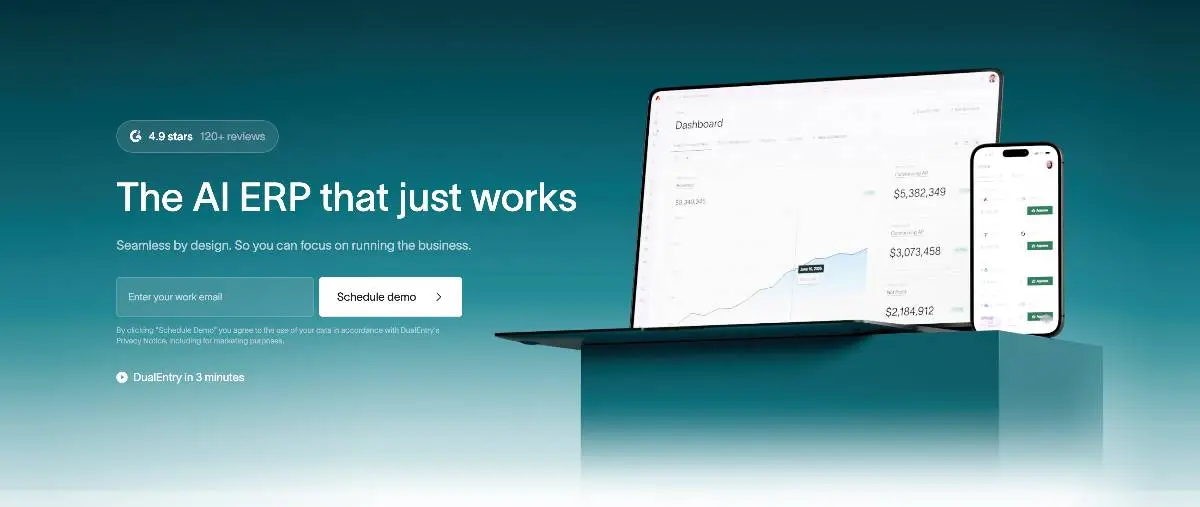
Enterprise Resource Planning. The concept emerged in the 1990s [2] as businesses looked for a way to replace the tangle of separate platforms they were running, one for accounting, one for payroll, one for inventory, with a single system where everything shared the same data.
The pitch was integration: when a sale closes, inventory adjusts, the revenue entry posts, and the procurement workflow fires. No spreadsheet handoff. No manual sync between systems that were never designed to talk to each other.
Before ERP, keeping those systems in sync was someone’s full-time job, and it worked fine until transaction volume grew, the business got more complex, and the manual coordination started consuming more time than the actual work. ERP replaced the patchwork; at least in theory. In practice, the quality of the integration, and how well the system maps to how the business actually operates, determines whether you get the clean real-time picture the demos promise or just a more expensive version of the problem you had before.
The core modules are financial management, general ledger (GL), accounts payable (AP) automation, accounts receivable (AR), budgeting, and reporting, plus procurement, supply chain, HR, CRM, and inventory. Not every business needs every module, and buying ahead of your actual requirements is one of the most reliable ways to inflate an implementation and ensure half of what you paid for sits idle. The value is in the integration, not the module count.
SaaS is the delivery model that changed how ERP gets deployed; moving it from company-owned servers to the cloud, and turning what used to be a capital project into a subscription.
What’s the Difference Between SaaS ERP, Cloud ERP, and Hosted ERP?

Vendor materials treat these three terms as interchangeable. They’re not, and getting this wrong early leads to buying the wrong thing.
SaaS ERP is multi-tenant: one shared platform, same codebase, same version for every customer. The vendor owns the infrastructure, manages upgrades, and handles security. You get a login and nothing else to worry about on the infrastructure side. DualEntry, Sage Intacct, and Acumatica are SaaS ERPs.[3]
Cloud ERP is the parent category. SaaS ERP fits inside it, but so do single-tenant cloud deployments where you control your own configuration and update timing. More flexibility, but more cost and more responsibility on your end. It’s a meaningful distinction when you’re evaluating contracts.
Hosted ERP is your old on-premises software moved to someone else’s data centre. Same platform, different address. You still own the upgrade cycles, the configuration work, and the admin overhead. It’s an infrastructure move, not a software model change, worth knowing the difference before you sign a contract that assumes otherwise.
On SAP: SAP is a company, not a category. They sell on-premises software (S/4HANA), private cloud deployments, and a SaaS product (Business ByDesign). Using SAP as shorthand for “enterprise software” causes confusion in vendor conversations you don’t have time for.
When a vendor says “cloud ERP,” ask who manages upgrades, whether the platform is multi-tenant, and whether they own the infrastructure. If they can’t answer those three questions clearly, that’s an answer.
How Does SaaS ERP Compare to On-Premises ERP?
The goal is the same either way: one system, shared data, no manual handoffs between departments. Where they diverge is everything after that; who’s accountable when something breaks, what year-three costs look like, and how far you can push the system to fit your actual workflows rather than the workflows the implementation partner prefers.
A few things in that table deserve more attention.
Cost model. The subscription vs. capex distinction matters most at the start. SaaS ERP lets you go live without a six-figure hardware and license investment. But subscription fees compound. Model out year three before you sign, not year one; the gap between them is usually larger than the vendor’s projections suggest.
Customisation. This is where on-premises still has a legitimate edge for certain businesses. SaaS ERP runs on a shared codebase. You can configure it deeply, approval workflows, entity structures, chart of accounts, reporting hierarchies, but you can’t modify the underlying software. For most mid-market companies, that ceiling is far higher than they’ll ever reach. For manufacturers running bespoke processes that have never mapped cleanly to a standard module, it matters more than the demo will reveal.
Data control. “We are SOC 2 Type II certified” [4] is not an answer to a question about data residency or what happens to your data if the vendor gets acquired. Regulated industries need answers in writing, not in slide decks. Hosted ERP, despite adding complexity, remains the default choice in heavily regulated verticals for exactly this reason.
Mid-market SaaS ERP deployments typically go live in 3 to 6 months, compared to 12 months or more for on-premises implementations -- a difference that directly affects when the business starts seeing return on investment. [5] The cost gap at go-live is at least as significant.
What Are the Key Benefits of SaaS ERP?
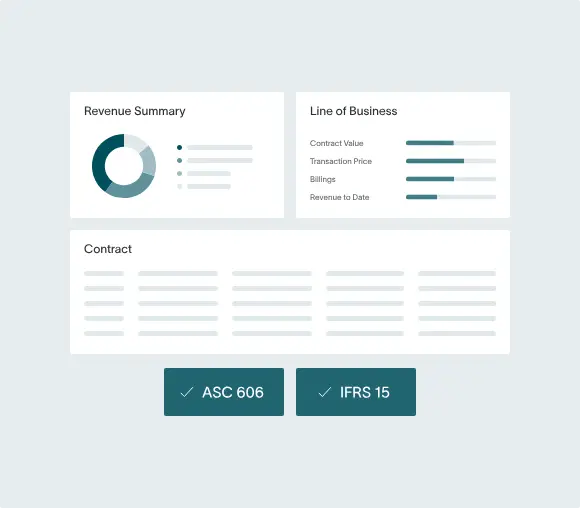
The case for SaaS ERP is strongest for companies that need to move fast, add entities, or grow internationally without building a large internal IT function. The advantages compound as the business scales.
Lower upfront cost
SaaS ERP converts capital expenditure to operating expenditure. Instead of a six-figure hardware and license investment before a single workflow runs, you pay a monthly fee. For companies managing cash carefully, that changes what ERP adoption looks like on the balance sheet, and when it becomes financially feasible at all.
Faster implementation
Mid-market SaaS ERP deployments typically run one to six months. On-premises enterprise implementations run twelve to twenty-four. The difference is infrastructure: no server procurement, no data centre configuration, pre-built connectors for the tools you’re already running, and onboarding paths refined through hundreds of prior deployments.
Automatic updates
On-premises ERP upgrades are projects. They require testing environments, change management, and internal bandwidth, and they get delayed because the timing is never convenient. SaaS ERP ships updates to every customer on the same schedule. Security patches, compliance changes, new features, all of it lands without requiring a project plan or a dedicated budget line.
Scalability on demand
Adding users to on-premises ERP means a hardware procurement cycle. In SaaS ERP, it’s a billing change. Adding a new entity or module doesn’t require planning around server capacity. Gartner’s 2024 Cloud ERP Market Guide found scalability on demand was the top adoption driver for companies with 100 to 999 employees, ahead of cost or speed. [6]
Access from anywhere
Browser access from any device means your Singapore team and your New York team are in the same system in real time. On-premises platforms with remote access bolt-ons often deliver a noticeably worse experience than native browser access. Mobile-ready interfaces let finance teams review approvals, run reports, and manage exceptions without being desk-bound.
Enterprise-grade security, managed by specialists
A vendor’s dedicated security team, full-time, focused exclusively on that, is generally stronger than what a mid-market company can build in-house. Ask for SOC 2 Type II documentation, encryption practices at rest and in transit, and their penetration testing cadence. Ask for the actual documents, not the slide deck.
Integration ecosystem
Most SaaS ERPs connect natively to Salesforce, Workday, Shopify, Stripe, and the other tools most finance teams are already running. Just confirm the integrations you need are production-ready and actively maintained, not just listed in a catalogue to make the feature page look comprehensive.
What Are the Disadvantages of SaaS ERP?
Most SaaS ERP content buries this section or skips it entirely. That’s exactly why it’s worth reading carefully.
Less customisation
SaaS ERP runs on a shared codebase. You can configure the system deeply, but you can’t modify the underlying software the way you can with on-premises. Businesses with bespoke processes will eventually hit a ceiling. The critical question is where that ceiling sits relative to what you need, and that question is much easier to answer in the evaluation phase than after go-live.
Vendor lock-in
Your data lives in the vendor’s environment. Moving it means a migration project: extract, clean, map, validate, retest. That’s expensive, slow, and vendors know it. Annual price increases at renewal are partly a function of how much more difficult leaving has become over time.
Subscription costs grow
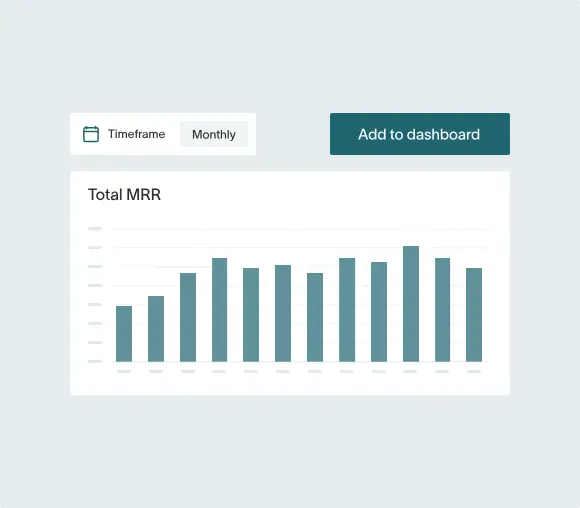
The per-seat fee that makes sense at 20 users looks very different at 200 users across multiple modules. Unlike on-premises, where you absorbed the major cost upfront, SaaS ERP scales with your headcount and transaction volume. Model out three years before signing.
Data held by a third party
Your financial data lives on the vendor’s servers. For most SMBs, this is a manageable risk as long as the contract terms actually protect you. For regulated industries with data residency requirements or specific audit obligations, you need real answers: where exactly is the data stored, who can access it and under what circumstances, and what happens to it if the vendor is acquired or shuts down.
Internet dependency
No connectivity, no access. For most companies operating in major markets, this is a low-probability risk. For operations in areas with unreliable infrastructure, pressure-test it before committing.
For businesses without extreme customisation requirements or strict data sovereignty rules, the tradeoffs favour SaaS ERP. The question is which platform, not whether SaaS ERP is the right model.
What Features Should You Look for in a SaaS ERP?
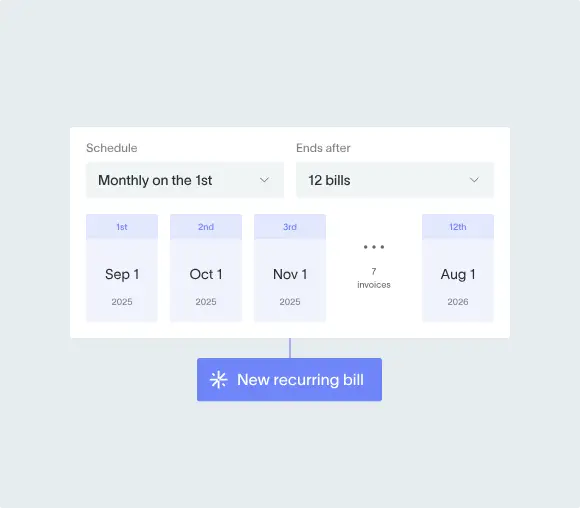
Build a requirements list before you sit through a single vendor demo. Buying modules you won’t use for two years inflates your subscription, your implementation scope, and your training burden, and it happens because most selection processes start with demos instead of requirements.
Core financial management
General ledger (GL), accounts payable (AP), accounts receivable (AR), budgeting, and reporting. If a SaaS ERP can’t do these well and accurately, nothing else matters. Confirm that reporting is real-time and not dependent on a nightly batch job, it’s a more common limitation than vendors volunteer in initial conversations.
Multi-entity and multi-currency support
If you run more than one legal entity or book revenue in more than one currency, this is non-negotiable. Many platforms don’t support consolidated reporting natively. Make sure it’s built into the core product, not a workaround configured by an implementation partner.
Real-time reporting and accounting dashboards
Consolidated financials without exporting to a spreadsheet first. This sounds obvious. A surprising number of platforms still can’t deliver it without some form of manual assembly.
Mobile access
Finance teams increasingly need to review approvals, close exceptions, and run reports outside the office. Confirm that the mobile interface is a genuine product, not just the desktop UI squeezed into a phone browser.
API-first architecture
Native connectors to your CRM, HRMS, ecommerce platform, and payroll system. More importantly, ask how those integrations are maintained when the connected system pushes an API update. That’s where things break six months after go-live, when the implementation partner’s engagement has ended and nobody owns the problem.
AI and automation
Automated reconciliation, anomaly detection, demand forecasting. Ask vendors to be specific about what is AI-driven versus rule-based automation relabelled for the demo. The distinction matters for how reliable it is and whether it improves over time or just runs the same rules faster.
Compliance and audit tooling
SOX [7], ASC 606 [8], GDPR [9]. Documented answers supported by audit logs, not verbal assurances from a sales conversation.
Modular architecture
Can you add HR, CRM, or ecommerce as you grow without migrating platforms entirely? Understand the long-term product architecture before you commit to a day-one scope, what you can grow into matters as much as what you need on launch day.
Separate must-have now from nice-to-have in three years. A weighted requirements matrix sounds tedious. It surfaces the gaps that polished demos reliably hide.
What Are the Top SaaS ERP Systems in 2026?
The SaaS ERP market has a handful of large platforms that dominate the conversation, and a few newer ones that quietly filled the mid-market gap those legacy vendors left behind. Brand recognition matters less than fit. The vendor who runs the best demo isn’t always the one covering 90% of your actual workflows.
What are the top SaaS ERP systems?
The top five in 2026: DualEntry, Oracle NetSuite, SAP S/4HANA Cloud, Microsoft Dynamics 365, and Sage Intacct.
1. DualEntry
DualEntry is an AI ERP built for mid-market and SaaS companies that have outgrown QuickBooks but don’t want to pay Oracle or SAP prices to get there. Multi-entity consolidation, multi-currency accounting, automated reconciliation, ASC 606 revenue recognition, and AI-driven financial close are built into the core product, not sold as add-ons. Connects to 13,000+ banks. Typical go-live is measured in weeks, not months. Built for companies between $5M and $150M that want to close faster and handle more volume without adding headcount or hiring SuiteScript developers. See how DualEntry works as a dedicated ERP for SaaS companies.
2. Oracle NetSuite
NetSuiteis the most widely deployed cloud ERP for mid-market companies, and it’s widely deployed for good reasons, it works, it scales, and it has deep module coverage. The issue is Oracle’s ownership of the product: contract terms, pricing structure, and annual escalators require careful review. Mid-market companies frequently end up paying for more system than they ever use. For $10M to $200M businesses with the budget and bandwidth for a longer deployment, it’s a proven option.
3. SAP S/4HANA Cloud
SAP S/4HANA Cloudis large enterprise software. The manufacturing, supply chain, and regulated-industry depth are real and mature. So is the implementation complexity, budget real IT resources and a six-figure implementation if you’re going this route. For companies with 500+ employees and complex global operations, it belongs on the shortlist. For most companies reading this guide, it’s more system than the situation calls for.
4. Microsoft Dynamics 365
Microsoft Dynamics 365 is the natural pick if you’re already deep in the Microsoft infrastructure stack: Teams, Azure, Power BI, and Office 365 all connect cleanly, and that integration has genuine value. The catch is that finance and operations are separate modules, which means separate licensing conversations. Strong fit for 100 to 1,000+ employee companies already committed to the Microsoft ecosystem.
5. Sage Intacct
Sage Intacctis the AICPA-preferred cloud accounting solution, with strong financial reporting and native support for SaaS metrics, nonprofit billing, healthcare, and professional services. Operational modules like manufacturing and inventory are thinner. For finance-led companies between $5M and $75M where accounting depth and compliance reporting matter more than operational breadth, it belongs on the shortlist.
6. Acumatica
Acumaticacharges by transaction volume rather than per user, which changes the cost model meaningfully for businesses with high user counts or variable staffing. Strong in distribution, manufacturing, and retail. Worth evaluating if you’re in a product-heavy industry and per-seat fees are a genuine constraint.
7. Odoo
Odoo is open-source at its foundation with a SaaS delivery option. Highly modular and cheaper than the platforms above. The tradeoff is implementation complexity; it requires more technical work to configure well. Best for tech-savvy teams who want flexibility and have the internal capacity to manage a more involved setup.
8. Epicor Kinetic
Epicor Kinetic is built specifically for manufacturing and distribution. Not a generalist platform. If you’re a mid-market manufacturer evaluating ERP, it belongs on your shortlist. If you’re not, it probably isn’t relevant.
How Do You Choose the Right SaaS ERP?
Most ERP selection processes go wrong not because the company picked the wrong platform, but because they started talking to vendors before they knew what they needed. The vendor conversation should come after the internal conversation, not instead of it.
Define your required modules first. Finance comes first. Be specific about what you need now versus what you think you’ll need in three years. Buying ahead of your requirements inflates everything: the subscription cost, the implementation scope, the training burden.
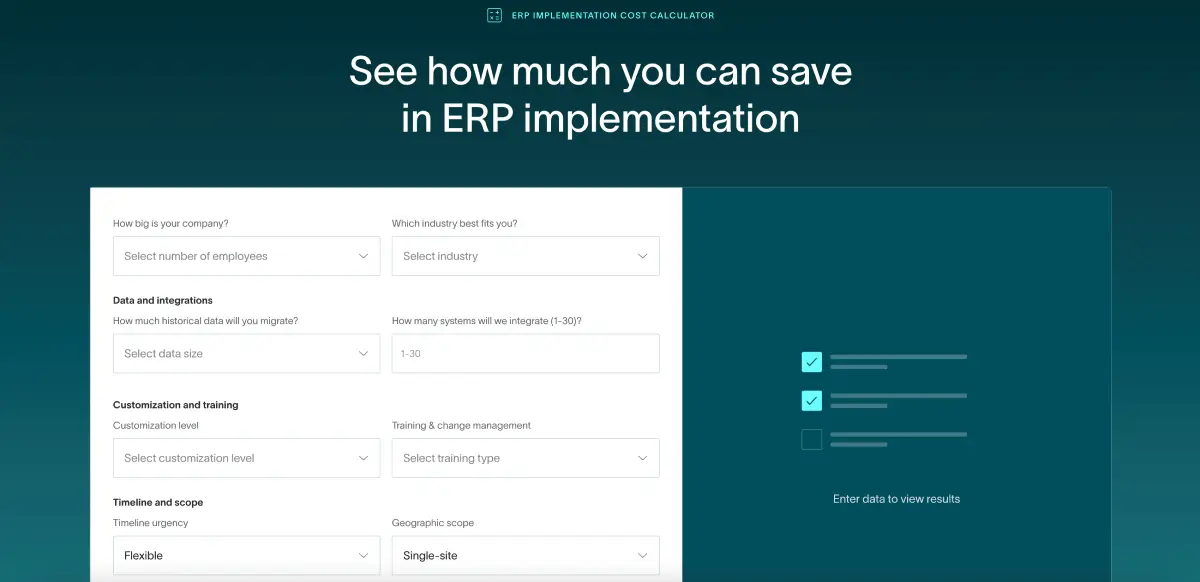
Set the total budget, not just the software line. The subscription fee is the floor. Implementation typically runs one to two times the first-year software cost for mid-market companies. Add data migration, integration work, training, and internal team time. The real number is usually two to three times what gets discussed in early vendor conversations, and most companies are surprised not because the costs are hidden, but because they didn’t ask the right questions early enough.
Know your IT capacity. SaaS ERP reduces the infrastructure burden but doesn’t eliminate it. Configuration, integration management, and user administration still need an owner. Know whether that’s someone on your team before you choose a platform.
Map your integrations before any demo. List every tool your business runs: CRM, HRMS, ecommerce, payroll, expense management. Confirm API support for each one. Then ask how those integrations are maintained when the connected system pushes an API update. This is where implementations quietly break months after go-live, when the implementation team has moved on.
Get compliance answers in writing before the contract stage. ASC 606, GDPR, SOX, industry certifications. A verbal assurance that the implementation team will handle it is not an answer.
Demo your actual workflows, not theirs. Give vendors your real scenarios: multi-entity consolidation at month-end, a specific AP approval workflow, a revenue recognition edge case from an actual customer contract. If they can’t show it live, that’s data. Don’t let them defer it to a follow-up call.
Calculate three years of cost, not one. Year-one subscription versus year-three after user growth and contract escalators. Implementation. Ongoing admin and partner costs. The lowest year-one price is frequently not the lowest year-three price. Do the math before signing. For startup-specific guidance, read our guide on how to choose the best ERP for your startup stage.
What Does SaaS ERP Implementation Look Like?
The SaaS ERP advantage over on-premises implementation is real -- on-premises enterprise deployments run twelve to twenty-four months, while SaaS ERP mid-market implementations typically run one to six months. A real implementation with data migration, integration setup, and user training takes real time, just considerably less of it.
What makes SaaS ERP faster: no server procurement, no data centre setup, pre-built connectors for most major third-party systems, and onboarding paths built from hundreds of actual deployments. The heavy lifting is in configuration and data, not infrastructure.
The phases typically look like this:
- Requirements gathering and configuration planning: 2–4 weeks
- System configuration and integration setup: 4–12 weeks
- Data migration (runs in parallel — often the longest phase)
- User acceptance testing: 2–4 weeks
- End-user training: 1–2 weeks
- Go-live and hypercare period: 2–4 weeks post-launch
Data migration is where implementations stall. Your existing data is messier than anyone admits before the process starts, duplicate vendor records, incomplete transaction histories, inconsistent chart of accounts coding across entities. Budget more time for cleanup than your implementation partner estimates. This is the most consistent reason implementations run over time and over budget. The software is rarely the problem.
What tends to go wrong most often: underestimating the data migration work, under-investing in end-user training (adoption is where implementations succeed or fail, and it’s consistently underfunded), picking an implementation partner on price rather than relevant experience with your industry and company size, and skipping real-workflow testing before go-live.
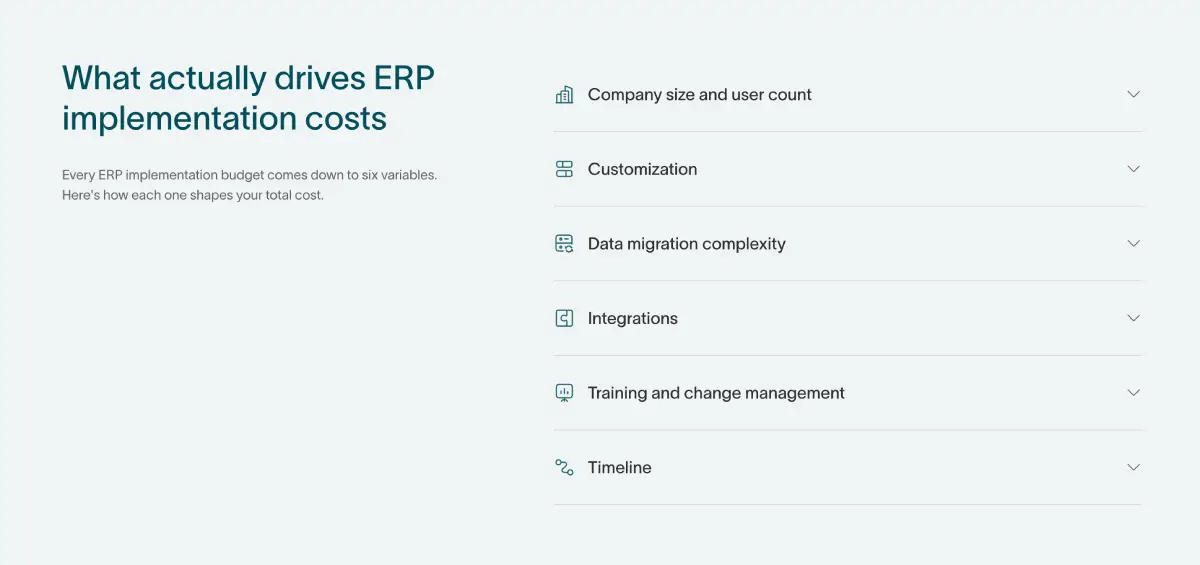
Before signing, get clear answers to: what is included in the standard implementation package, whether data migration support is included or billed separately, the average time-to-go-live for companies at your scale, and who owns the implementation; your team, the vendor’s team, or a third-party partner. To see an exact estimation of the costs you can check our free ERP implementation cost calculator.
What Is the Future of SaaS ERP?
Three shifts are reshaping what ERP does, not just where it runs.
AI is becoming infrastructure, not a feature. Automated reconciliation, anomaly detection, natural-language queries against financial data, demand forecasting, these are built into leading platforms now as core functionality, not premium upsells. Finance teams that get fluent with these tools will close faster, forecast better, and handle more volume with the same headcount. The honest caveat: marketing tends to run well ahead of what the AI actually does reliably today. Ask vendors to demonstrate the AI functionality on your data, not their demo environment.
IoT is changing supply chain ERP. Real-time data from warehouse sensors, GPS on shipments, and smart manufacturing equipment is feeding directly into inventory and procurement modules. The manual update cycle is being replaced by continuous data streams. For manufacturers and distributors, this changes the economics of inventory management in ways that are still playing out at scale.
Composable architecture is gaining traction. The monolithic suite model, one vendor, every module, is being challenged by businesses that want to pull best-of-breed components from multiple vendors and connect them via API. Gartner has tracked this since at least 2021 under the term “composable ERP.” [10] It’s early, and building a composable stack requires more internal integration competence than most mid-market finance teams have. But it’s showing up in how sophisticated buyers write their evaluation criteria, and vendors are responding.
The next generation of SaaS ERP won’t look like SaaS accounting software with a cleaner interface. It will function more like an operating system for the business, AI-driven insights embedded in workflows rather than sitting in a separate analytics layer, with finance data informing decisions in real time rather than after a close process. The vendors that get there first will define the category.
SaaS ERP FAQ
What is a SaaS ERP?
SaaS ERP is cloud-hosted enterprise resource planning software delivered on a subscription model. The vendor manages all infrastructure, security, and updates. Users access finance, procurement, inventory, and HR through a browser, with no hardware, no internal IT overhead, and no manual upgrade projects required.
What are the top 5 ERPs?
The top ERP systems in 2026 include Oracle NetSuite, SAP S/4HANA Cloud, Microsoft Dynamics 365, Sage Intacct, and Acumatica, with DualEntry emerging as a strong AI-native option for mid-market companies. The right fit depends on company size, industry complexity, and whether you prioritize operational modules or financial close capabilities.
What are the top 5 SaaS ERP systems?
In 2026, leading SaaS ERP systems include DualEntry (AI-native mid-market), Oracle NetSuite (multi-entity mid-market), SAP S/4HANA Cloud (large enterprise), Microsoft Dynamics 365 (Microsoft-integrated environments), and Sage Intacct (finance-led mid-market). The best choice depends on your size, industry, and immediate operational needs.
What are the top 5 SaaS companies?
In ERP, leading SaaS companies include Oracle (NetSuite), SAP (S/4HANA Cloud), Microsoft (Dynamics 365), Sage (Intacct), and Acumatica, with DualEntry as a fast-growing mid-market entrant. Outside ERP, major SaaS companies include Salesforce, Workday, Shopify, and ServiceNow.
Is SaaS the same as SAP?
No. SAP is a company, while SaaS is a delivery model. SAP offers both on-premises and SaaS products, but many other vendors do as well. Confusing the two can lead to misunderstandings during vendor evaluation.
What is the difference between SaaS ERP and cloud ERP?
SaaS ERP is a subset of cloud ERP. All SaaS ERP is cloud-based, but not all cloud ERP is SaaS. Cloud ERP also includes single-tenant and hosted models. SaaS ERP is specifically multi-tenant, vendor-managed, and updated for all customers simultaneously.
What are the disadvantages of SaaS ERP?
Disadvantages include limited customization (no code access), switching costs once embedded, subscription fees that scale with headcount, reliance on third-party data hosting, and internet dependency. For most companies, the benefits outweigh these tradeoffs, but edge cases require careful evaluation.
References
-
 2024 ERP Report — Panorama Consulting Group
-
A Vision of the Next-Generation MRP II (Scenario S-300-339) — Wylie, L. / Gartner Group (1990)
-
The NIST Definition of Cloud Computing (SP 800-145) — Mell, P. & Grance, T. / NIST (2011)
-
2017 Trust Services Criteria (With Revised Points of Focus — 2022) — AICPA & CIMA
-
2024 ERP Report: Implementation Timelines & Cloud Adoption — Panorama Consulting Group
-
Magic Quadrant for Cloud ERP for Service-Centric & Product-Centric Enterprises — Gartner (2024)
-
Sarbanes–Oxley Act of 2002 (Pub. L. 107-204) — U.S. Securities and Exchange Commission
-
ASU 2014-09: Revenue from Contracts with Customers (Topic 606) — FASB
-
General Data Protection Regulation (EU) 2016/679 — European Parliament & Council of the EU
-
The Future of ERP Is Composable (Doc ID 3991664) — Schenck, P., Faith, T. & Torii, D. / Gartner (2021)
See the full power of DualEntry in 30 minutes
Woosung Chun is the CFO of DualEntry with experience in corporate finance, accounting, strategy, and acquisitions. He previously grew from scratch and led the M&A and Finance teams at Benitago, where he completed more than 12 acquisitions in 2 years. He graduated with a BS from NYU Stern. At DualEntry, Woosung writes about AI in accounting, revenue recognition, foreign currency accounting, hedge accounting, and ERP modernization for finance teams navigating complex, multi-entity environments.