Don't worry! The contents here will appear on the published page.
ERP Migration: A Finance Leader's Playbook (2026)

Woosung Chun
CFO, DualEntry
Woosung Chun
CFO, DualEntry
Woosung Chun is the CFO of DualEntry with experience in corporate finance, accounting, strategy, and acquisitions. He previously grew from scratch and led the M&A and Finance teams at Benitago, where he completed more than 12 acquisitions in 2 years. He graduated with a BS from NYU Stern. At DualEntry, Woosung writes about AI in accounting, revenue recognition, foreign currency accounting, hedge accounting, and ERP modernization for finance teams navigating complex, multi-entity environments.
Learn about our editorial policies.
Last updated
September 25, 2026
Reviewed by
Do San (Justin) Myung

Do San (Justin) Myung
Expert Accountant & Former Consulting CFO | DualEntry
Justin (Do San Myung) is Expert Accountant at DualEntry with 20+ years of hands-on experience managing general ledgers, financial close processes, and ERP implementations for mid-market and enterprise companies. As a former Consulting CFO and Controller, he has personally overseen month-end closes, SOX compliance programs, and multi-entity consolidations across technology, manufacturing, and services industries. Justin specializes in transforming manual accounting workflows into automated, AI-driven processes.
Learn about our editorial policies.
Summarize this article
A lot of ERP migration advice – whether you're leaving QuickBooks or a legacy ERP like SAP – starts and ends with ERP data migration. Extract, map, cleanse, validate. However, IT data isn’t what finance teams worry about. They’re more concerned with opening balances that don't reconcile, a first close that won't tie out, and an audit trail that doesn’t survive the switch.
Balances, cutover, and the parallel close are the types of accounting topics that dictate whether a migration succeeds or not. In this guide, we’ll look at what data moves, how to handle the finance data, how to time cutover, and what a migration costs.
What is ERP migration?
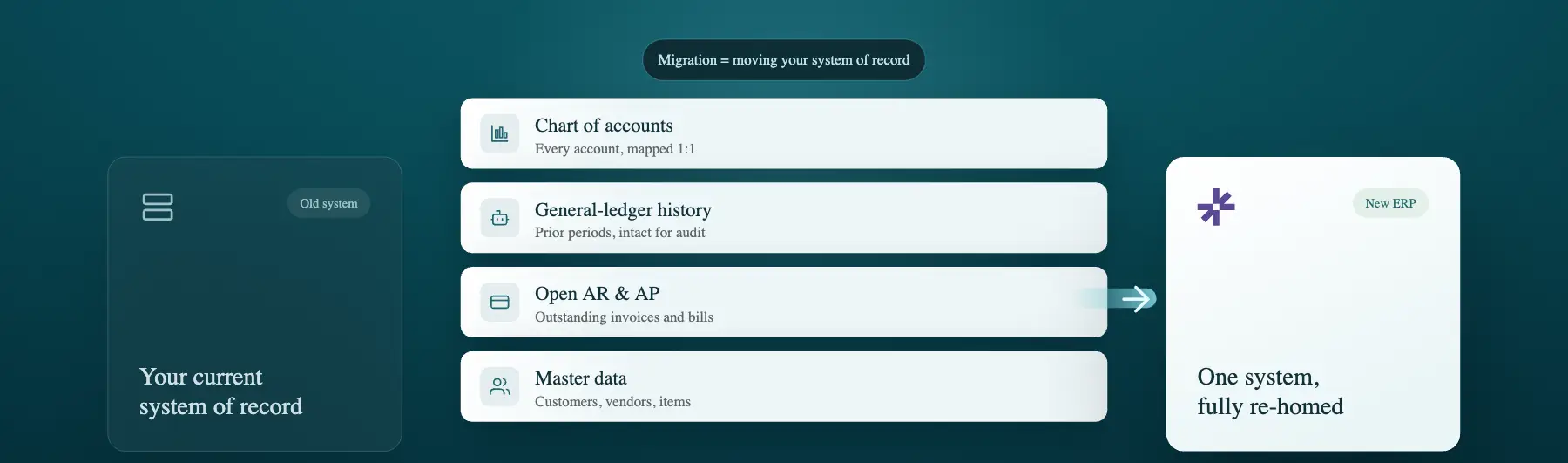
ERP migration moves data and processes from a legacy system to a new ERP. It covers people, workflows, and reporting, alongside the records. ERP data migration involves extracting, mapping, cleansing, and validating records. This is the subset most likely to go wrong for finance. Still weighing whether you need to move at all? Start with when to switch to an ERP, then come back here for the how
What data moves in an ERP migration
IT teams and implementation partners usually own the first three rows in the table above: master data, transactional data, and open items like accounts receivable (AR) and accounts payable (AP). The one they hand to finance, GL history and opening balances, is where audit and close risk becomes an issue.
Making the switch – step by step
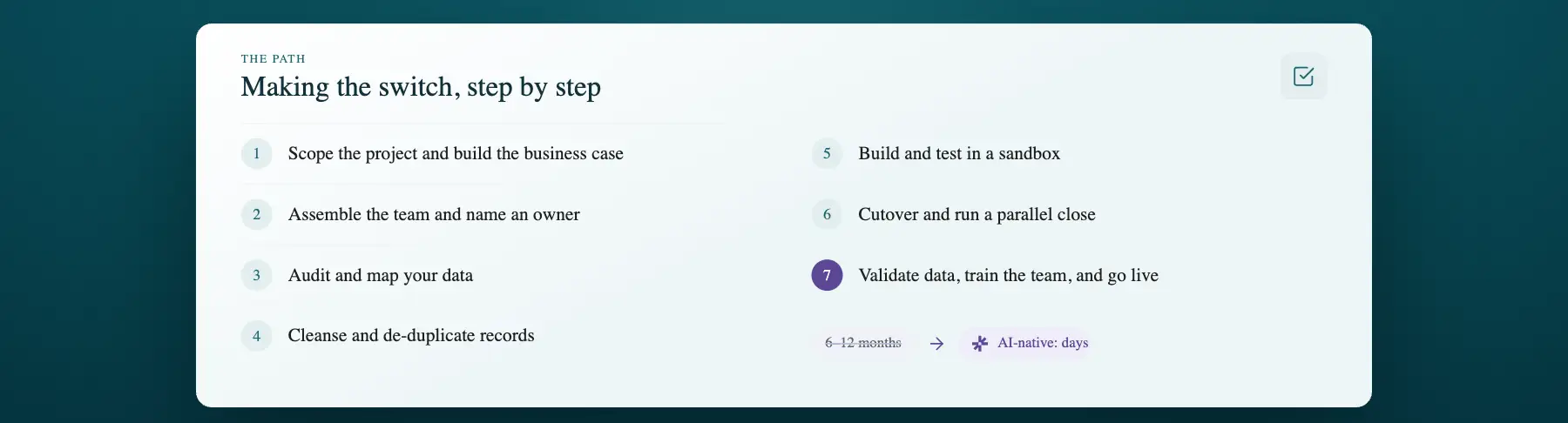
Whatever your timeline or ERP migration strategy, these seven steps apply:
- Scope the project and build the business case
- Assemble the team and name an owner
- Audit and map your data
- Cleanse and de-duplicate records
- Build and test in a sandbox
- Cutover and run a parallel close
- Validate data, train the team, and go live
A legacy, consultant-led ERP migration plan typically takes 6-12 months to work through these seven stages. An AI-native approach can compress the same stages into days. Step one assumes you've already picked a system, if you haven't, our guide on how to choose an ERP system covers vendor scoring and total cost of ownership, and our free ERP evaluation template gives you the scorecard to run it. If NetSuite is on your shortlist, see the best NetSuite alternatives first.
What to migrate, map, cleanse and validate
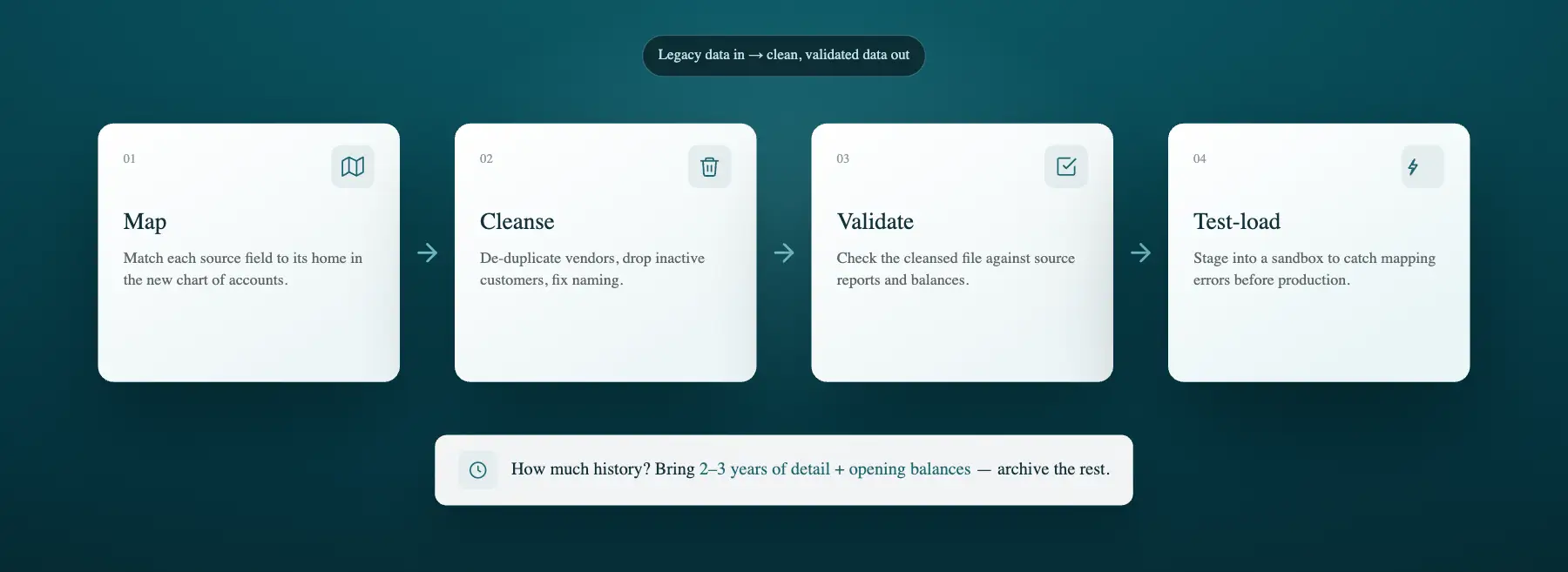
ERP data migration follows four steps: map each legacy field to its new ERP equivalent, cleanse and de-duplicate master data, validate the results against source records, and load a test batch into a sandbox before touching production. Skipping any one of these steps is where most data migration problems start.
Data mapping means matching each source field (e.g. customer ID, GL account, item code) to its home in the new chart of accounts. Data cleansing catches any duplicate vendors, inactive customers, and inconsistent naming before they can be carried over. Data validation checks the cleansed file against source reports. A staged test load into a sandbox flags up mapping errors before they hit production.
During the whole process, teams can get too caught up on transaction history. How much to migrate? Bringing over everything feels safer, but it leads to higher costs and a cluttered new system. A good rule of thumb is to bring the years your auditors and lenders actually reference (usually 2-3 years’ detail, plus opening balances – the IRS generally requires supporting records to be kept for at least three years[1]). Archive the rest.
Throughout the migration, proper governance is key. Assign an owner for each data type, get sign-off before loading production, and run a full reconciliation against the source[2] before you move on.
Why you shouldn’t skip opening balances, sub-ledgers or GL history

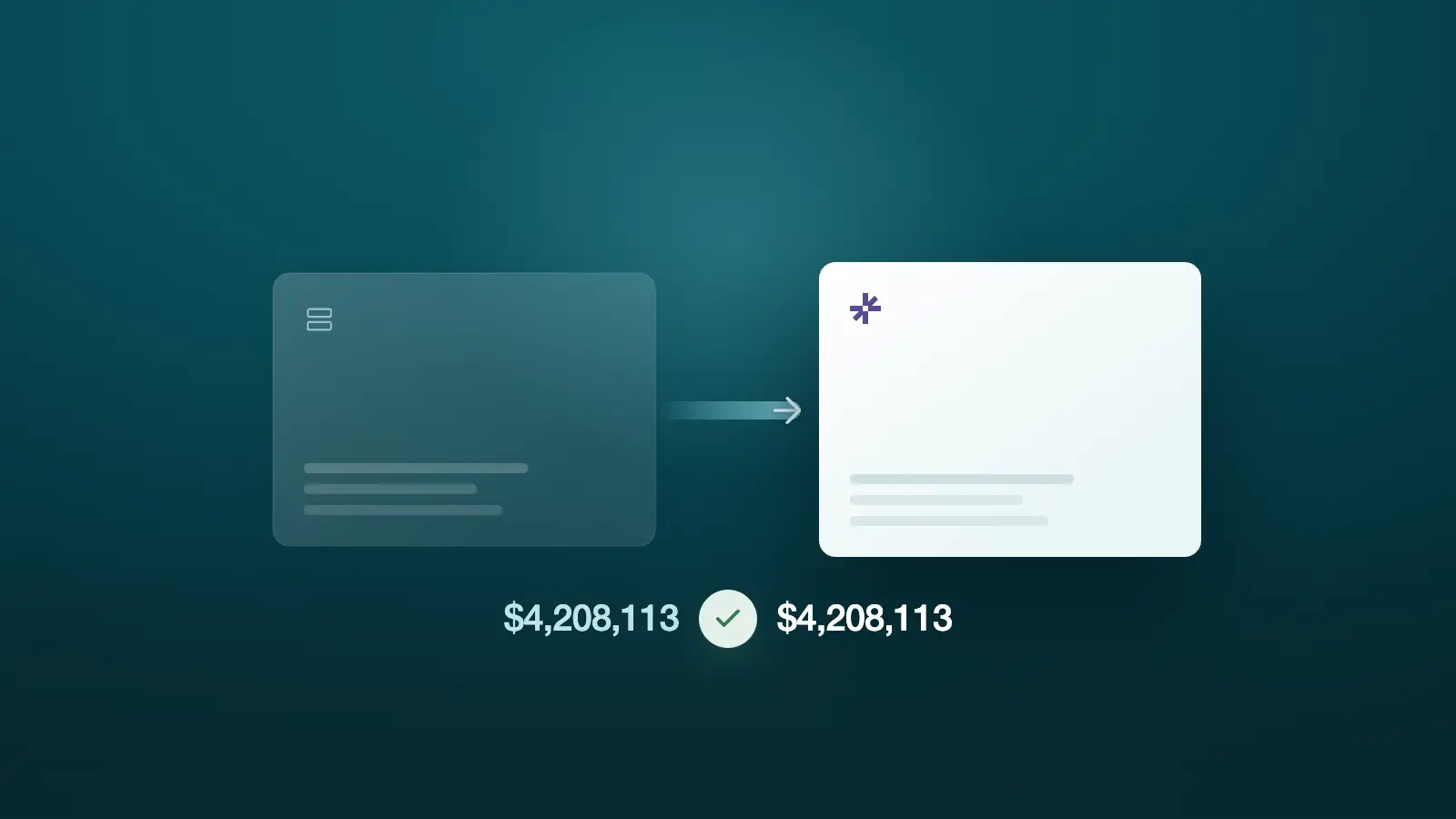
To migrate opening balances to a new ERP, load your closing trial balance from the legacy system into the new general ledger as of the cutover date. Opening balances must reconcile to the legacy trial balance at cutover. Make sure this step is complete before touching a single transaction in your new system.
Opening balances and sub-ledgers need to tie to the legacy trial balance, and how much transaction history you carry over decides what you can prove later. Many migrations stop at opening balances and call it done – which gives you enough to close on day one, but overlooks the individual invoices, journal entries, and adjustments an auditor might eventually ask about.
Transaction-level history preserves auditability and prior-period comparisons – so you can easily answer an auditor's question about last March's invoices, or track how a customer's spending changed year over year. Full-history migration costs more upfront than opening balances alone, and it's the approach DualEntry takes by default.
Cutover and the parallel close: migrating without breaking your month-end
Cutover should align with a period- or fiscal-year-end boundary. That keeps balances and comparatives clean on both sides of the switch. Most finance teams also run a parallel close, closing one period in the old and new systems side by side. A parallel close validates the new ERP against the old system before go-live.
Your audit trail depends on prior-period numbers lining up cleanly across the cutover. Auditors and lenders need continuity between old and new systems[2]. Some teams call this a parallel run rather than a parallel close, but the idea’s still the same: keep the legacy ERP live until both closes reconcile and the CFO or controller signs off. Our accounting software implementation playbook sets the exit criteria.
ERP cutover checklist
How long does ERP migration take, and what does it cost?
Migrating off a legacy ERP the traditional way takes 6-12 months and costs anywhere from $5,000 to as much as $75,000[3], depending on how much transaction history there is and how many systems are involved. Data-migration costs are easy to underestimate: in Panorama Consulting’s 2026 ERP Report, the most common cause of budget overruns was technology needs nobody had planned for, and the median timeline for a full ERP project was 9 months[4]. An AI-native ERP can compress migration from months to days.
ERP migration cost and timeline
History depth, system integrations, and how messy your current data is are what can pull the total cost up or down. If you want a figure specific to your business, DualEntry's ERP implementation cost calculator estimates it based on your own data instead of an industry average.
Big-bang vs. phased vs. parallel… which migration approach to choose?
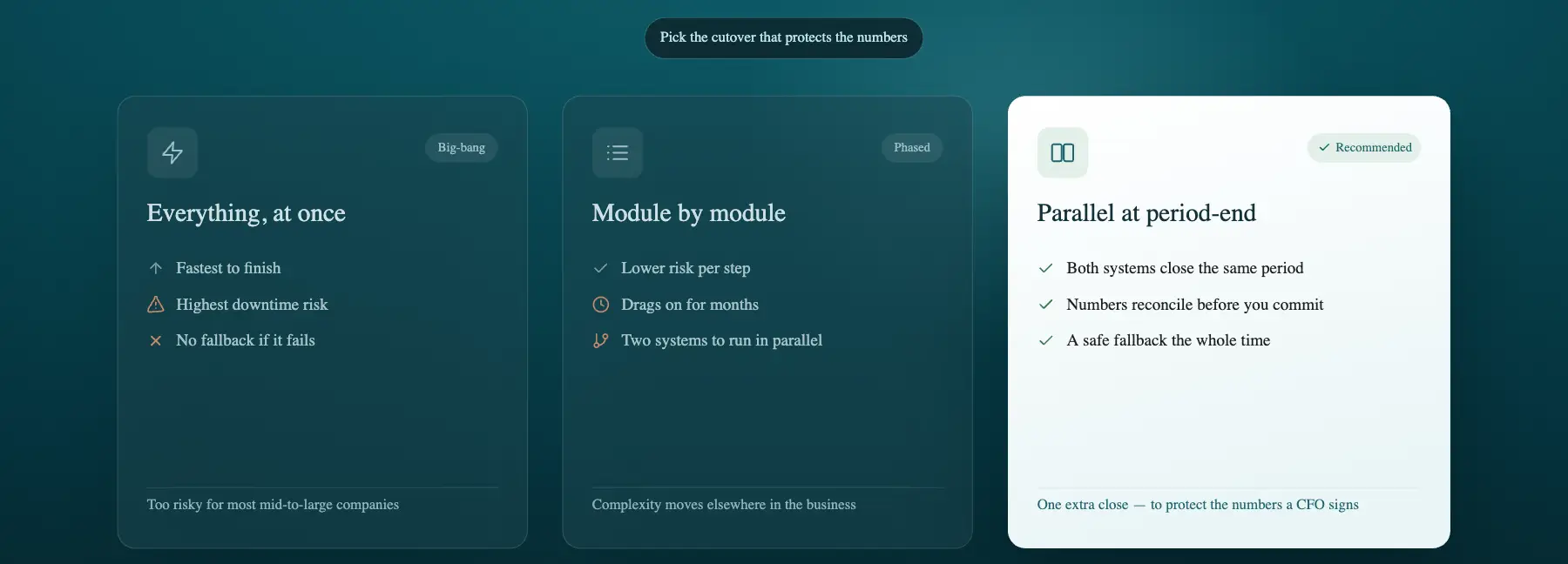
Whether it's an on-premise move or a SaaS ERP migration between two platforms, most mid-market finance teams should choose a parallel cutover timed to period-end. Yes, it adds work for one close, but it ultimately protects the numbers a CFO signs off on. Big-bang and phased migrations trade speed for downtime, or for complexity elsewhere in the business. In Panorama Consulting’s 2024 ERP Report, fewer than a quarter of organizations went big bang[5] – an approach the firm calls too risky for most mid- to large-sized companies.
Migration methods compared
Parallel reduces close risk for finance, which is why it's the default recommendation here. Phased makes more sense if you're rolling out across multiple entities or multiple modules over time, where a single big-bang cutover just isn't realistic.
Common ERP migration mistakes
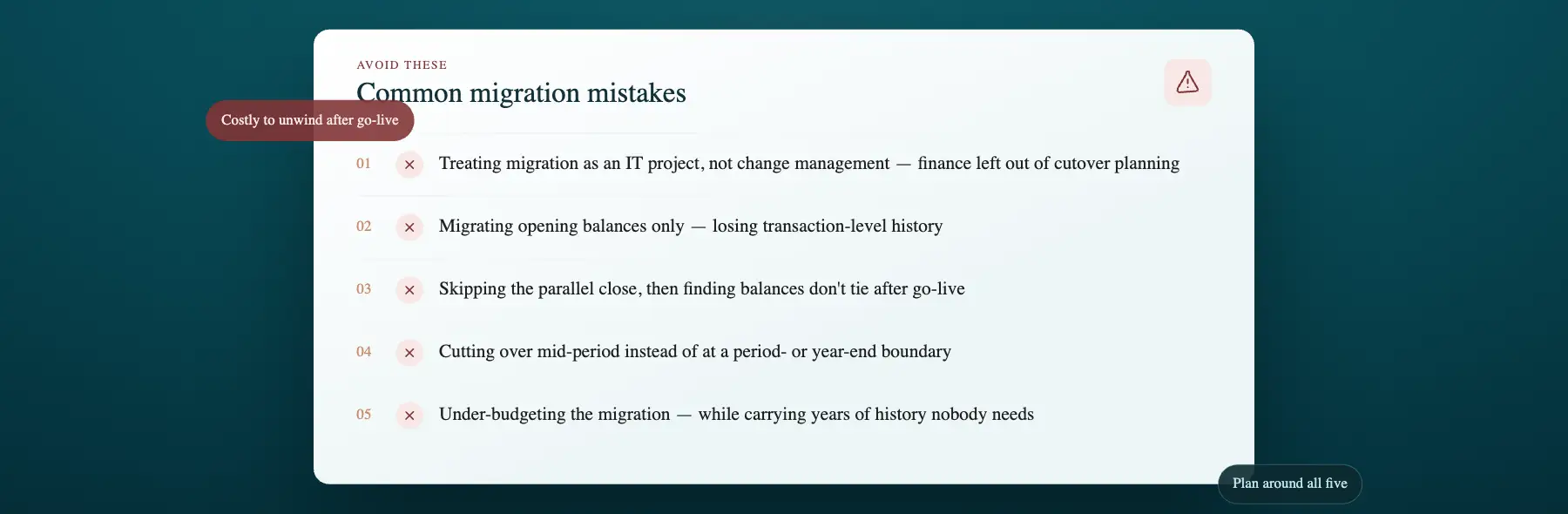
Five shortfalls come up again and again…
- Treating migration as an IT project instead of a change-management one, with finance left out of cutover planning until it's too late to fix anything[2]
- Migrating opening balances only and losing transaction-level history
- Skipping the parallel close, then finding out after go-live that balances don't tie
- Cutting over mid-period instead of at a period- or year-end boundary
- Under-budgeting the data migration itself – while migrating years of history that nobody needs
Closing thoughts
An ERP migration succeeds or fails on the finance work: opening balances that reconcile to the dollar, the right depth of history, and a parallel close that ties out before you retire the old system.
Moving the data over is the easy part. Preserving the audit trail and making that first close tie out is what ends up protecting the business – so it deserves a proper plan from day one.
DualEntry migrates full transaction history in 24 hours, with go-live in a matter of weeks. A free sandbox of your real data lets you see it tied out before you commit to anything. Schedule a demo to see how it could work for your business – or compare DualEntry vs. NetSuite.
ERP Migration FAQs
See the full power of DualEntry in 30 minutes
Woosung Chun is the CFO of DualEntry with experience in corporate finance, accounting, strategy, and acquisitions. He previously grew from scratch and led the M&A and Finance teams at Benitago, where he completed more than 12 acquisitions in 2 years. He graduated with a BS from NYU Stern. At DualEntry, Woosung writes about AI in accounting, revenue recognition, foreign currency accounting, hedge accounting, and ERP modernization for finance teams navigating complex, multi-entity environments.