Don't worry! The contents here will appear on the published page.
Bank Reconciliation: Formula, Example & Troubleshooting

Do San (Justin) Myung
Expert Accountant & Former Consulting CFO | DualEntry
Do San (Justin) Myung
Expert Accountant & Former Consulting CFO | DualEntry
Justin (Do San Myung) is Expert Accountant at DualEntry with 20+ years of hands-on experience managing general ledgers, financial close processes, and ERP implementations for mid-market and enterprise companies. As a former Consulting CFO and Controller, he has personally overseen month-end closes, SOX compliance programs, and multi-entity consolidations across technology, manufacturing, and services industries. Justin specializes in transforming manual accounting workflows into automated, AI-driven processes.
Learn about our editorial policies.
Last updated
September 23, 2026
Reviewed by
Woosung Chun

Woosung Chun
CFO, DualEntry
Woosung Chun is the CFO of DualEntry with experience in corporate finance, accounting, strategy, and acquisitions. He previously grew from scratch and led the M&A and Finance teams at Benitago, where he completed more than 12 acquisitions in 2 years. He graduated with a BS from NYU Stern. At DualEntry, Woosung writes about AI in accounting, revenue recognition, foreign currency accounting, hedge accounting, and ERP modernization for finance teams navigating complex, multi-entity environments.
Learn about our editorial policies.
Summarize this article
Your bank statement shows 18,000. Your books say 15,200. Before you close, you need to explain every dollar of that 2,800 gap.
Most of the time, it's timing; a deposit made after the bank's cut-off, or checks your vendors haven't cashed yet. Sometimes it's a bank service fee you never booked, or an NSF check from a customer. And occasionally it's a duplicate payment or check fraud, which is the reason this control exists in the first place.
Below you'll find the formula and a worked example with journal entries. If your reconciliation won't balance, jump to the troubleshooting section; the size of the difference usually tells you where to look.
What is a bank reconciliation?
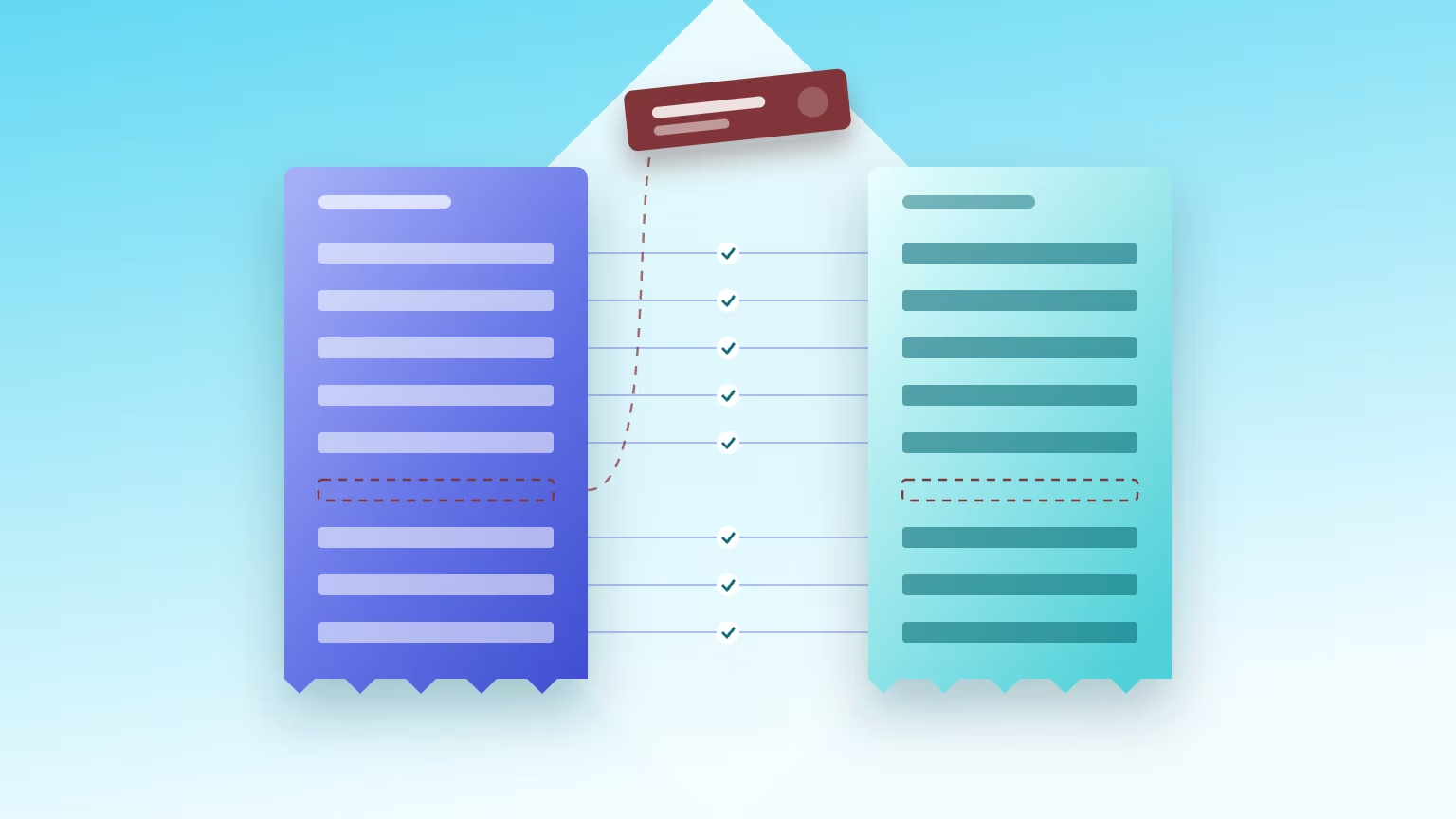
Bank reconciliation compares the general-ledger cash balance to the bank statement. It explains every difference and proves your true cash position. Most differences simply come down to timing – when items are recorded on one side, but not yet on the other. These are normal. Other differences are due to errors or fraud, and these should be fixed before you close.
It’s an important cash control that proves the balance in your GL against an independent source: the bank's own record. Often, it’s the first place cases of check fraud or duplicate payments show up in your accounting workflows. Checks remain the payment method most targeted by fraud: 58% of organizations told AFP’s 2026 Payments Fraud and Control Survey that their checks are subject to fraud, and 76% experienced attempted or actual payments fraud of some kind during 2025. [1]
Bank reconciliation hinges on two balances: the balance per bank, and the balance per books. Each needs adjusting before they can agree.
It’s one piece of account reconciliation, the general case: comparing a general-ledger balance to an independent source of the same data – a bank statement, a subledger, or another system. The bank version is the strongest of the family, because that independent source is a third party’s records. AR and AP reconciliations usually tie the GL to a subledger, so they test posting accuracy rather than external existence.
The bank reconciliation formula
Common reconciling items
Reconciling items are the differences you can name and explain – mostly timing or recording differences, plus any errors on either side – grouped by the side they adjust. The four most common adjustments are deposits in transit and outstanding checks (on the bank side), and bank fees and NSF checks (on the book side).
Two of these come up in every reconciliation. A deposit in transit is cash recorded in the books but not yet credited by the bank. An outstanding check is a check recorded in the books but not yet cleared by the bank.
Neither of these is an error. Deposits in transit come from cut-off timing: you record the deposit when you hand it over, while the bank treats deposits made after its cut-off hour, or on a day that isn’t a banking day, as received the next banking day (12 CFR 229.19(a)(5)). [2] A deposit dropped at 6 p.m. on the last day of the month is in transit at month-end. Regulation CC is a separate matter – it caps how long a bank may take to make funds available for withdrawal, generally the next business day for cash and the second business day for most checks – and says nothing about when the deposit lands on your statement. [3], [4] A short lag between recording a deposit and seeing it on the statement is a function of processing cycles, not a sign of a problem.
Reconciling items and how to handle them
As the last column in the table shows, only book-side reconciling items require an adjusting journal entry. [6] The logic is straightforward: book-side items are things your ledger doesn't yet reflect correctly – fees and NSF returns the bank has charged you, interest it has credited, notes or lockbox receipts it has collected for you, and your own recording errors that the statement exposes. Bank-side items are things you've already recorded and the bank hasn't caught up on, so they need no entry. Deposits in transit usually clear within a business day or two; an outstanding check, though, can sit uncashed for months.
How to do a bank reconciliation, step by step
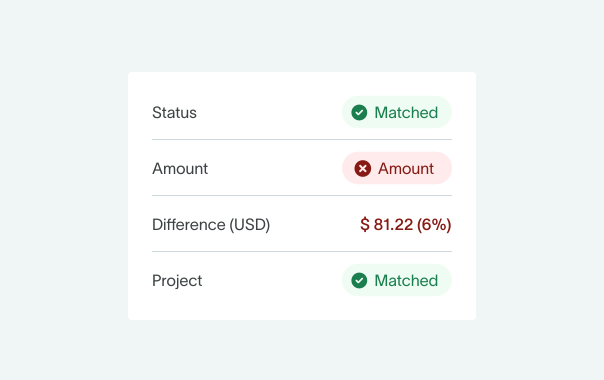
There are 7 steps to a bank reconciliation: gather, match, adjust the bank side, adjust the book side, confirm the two adjusted balances agree, post the book-side journal entries, then document and get a review.
- Gather the bank statement and the GL cash detail. Pull both for the same period and check the cut-off dates line up. A mismatched cut-off will cost you an hour later.
- Match the cleared items between bank and books. Tick off every transaction that appears on both sides. What's left unmarked is your reconciling item list.
- Adjust the bank side. Add deposits in transit, subtract outstanding checks, and correct anything that the bank posted wrong.
- Adjust the book side. Here, adjust for bank service fees, NSF checks, interest earned, anything the bank collected on your behalf, and any errors in your own ledger.
- Confirm that the adjusted balances agree. If they don't, stop here and work through the troubleshooting section below.
- Post journal entries for the book-side items only. This step is sometimes overlooked, but if you skip it your GL won’t be aligned with the reconciliation.
- Document, attach evidence, and get sign-off. Attach the statement, note the explanation for each open item, and get someone independent to review it. Proper segregation of duties is as important here as it is everywhere else. [7]
A worked example (with journal entries)
Here's a bank reconciliation example that ties. Both sides start apart – 18,000 per bank, 15,200 per books – and both end up with an adjusted balance of 16,000 once the reconciling items are applied. The journal entries follow, covering the three book-side items only.
The numbers below are for illustrative purposes only – the main thing to focus on is how they change as each reconciling item is applied. As you go down each column, you’ll see the two sides come together.
Bank reconciliation example: two-sided proof (illustrative)
Adjusting journal entries (book side only)
Cash moves three times here, once per book-side item, taking the GL cash balance from 15,200 to 16,000.
Deposits in transit and outstanding checks don’t appear anywhere in the entries. This is because they're already recorded in the books – the bank just hasn't caught up yet. [6]
Why won't my bank reconciliation balance?
If the two sides of a reconciliation don't agree, the gap itself usually names the cause. Its size and shape should point directly to the error: maybe it’s divisible by 9 – which narrows it to a transposition or a decimal slide – exactly double a figure, or a suspiciously round number. [8]
Before you start going through transactions one by one, run the difference through the decoder below.
Troubleshooting decoder: reading the difference
It’s smart to always check the opening balance first, because if last period's reconciliation was wrong, nothing in this period will clear. Then, tackle the largest unexplained amount before the small ones. A single misplaced item often ends up being the cause of the whole gap.
If the decoder doesn't find the issue, the next step is a proof of cash. A standard reconciliation only compares balances at a single point in time, so an error that overstates both your receipts and your payments by the same amount can still come out balanced. [7]
A proof of cash tests the total money in and total money out across the period, as well as the opening and closing balances. As you might have guessed, it does take longer to prepare – but it catches the errors that a balance-only reconciliation can easily cover up. One limit worth knowing: a proof of cash ties recorded activity to bank activity, so it won’t flag a disbursement that genuinely cleared and was recorded accurately but should never have been made.
Bank reconciliation at scale: multiple accounts and high volumes
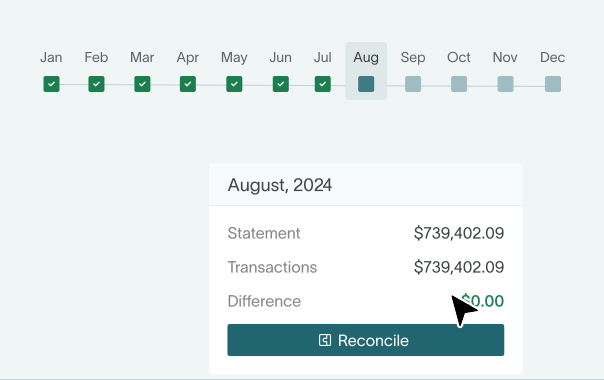
At volume, bank reconciliation becomes a matching problem you solve with rules, near-miss handling, and exception queues rather than manual tick-and-tie. That's how to automate bank reconciliation properly. But it’s important to be clear on one thing: a bank-feed match is not a completed bank reconciliation. In QuickBooks Online these are two separate steps – matching downloaded transactions marks them ‘C’ for cleared, while the ‘R’ for reconciled comes only from the Reconcile tool, which requires the statement’s ending balance and a $0.00 difference. [9], [10] The catch is what happens when it won’t reach zero: QuickBooks offers to post an adjusting entry for the remainder, straight to income or expense. Intuit’s own guidance calls that a last resort and warns it can cause accounting issues on large discrepancies. [11] So a period can be flagged reconciled with the difference plugged rather than explained.
Manual tie-outs break at predictable points and as you scale, these problems become a regular occurrence. Add a second and third bank account, a payment processor settling in batches, ACH runs, and a few thousand lines a month, and ticking off transactions by hand stops being viable.
Auto-matching does the heavy lifting. The software compares each bank line to your ledger using match keys (usually amount, date, and a reference) and clears anything that lines up. How near-misses are handled is a real design choice, and it is worth knowing which one your software makes. Some engines apply a tolerance band, so a processor settlement that arrives a few cents light after fees still clears. Others treat the amount as an exact gate and route any difference to a person instead – slower on those lines, but it will never quietly clear a pair that doesn’t actually agree.
Whatever the rules can't match goes into an exception queue, which is what finance teams actually need to dig into. As an illustration: a month generating 4,000 bank lines might surface a few dozen exceptions once the matching rules are well tuned – an afternoon's work for two people, with no time-sucking full tick-and-tie needed. Treat that as a mature steady state rather than a starting point. Published vendor auto-match rates span roughly 90% to 99%, and at the low end of that range the same 4,000 lines produce several hundred exceptions instead.
Good reconciliation software also keeps cleared / uncleared items separate and visible, because uncleared items shouldn't linger. Under UCC § 4-404, as adopted across the states, a bank has no obligation to pay a check presented more than six months after its date – though it may still choose to. [12] So a six-month-old outstanding check is worth investigating, but note that it can still clear, and going stale doesn't extinguish what you owe the payee. Reclassify aged checks back to accounts payable rather than writing them off, and check your state's unclaimed-property rules. [13]
Credit-card reconciliation runs on the same mechanics and gets forgotten more often than it should. Company cards generate a lot of small transactions, with merchant names that rarely match the ledger, so they need their own matching rules.
Matching a feed to your books tells you which transactions the bank has seen. It doesn't prove the balance ties, that the period's item set is complete, or that every difference has an explanation. A real reconciliation ties your ledger to the bank's own statement and accounts for every difference on it.
Reconciling at volume (and what 'reconciled' really means)
Free bank reconciliation template
Download our free reconciliation template, which mirrors the tables we’ve covered in this article. It gives you a two-sided layout, lines for each reconciling item, an adjusted-balance check that flags when the sides don't agree, and space for the book-side journal entries. If you’re running multiple accounts, you can easily customize it and tie your whole cash position in one place.
The role of AI-native ERP in bank reconciliation
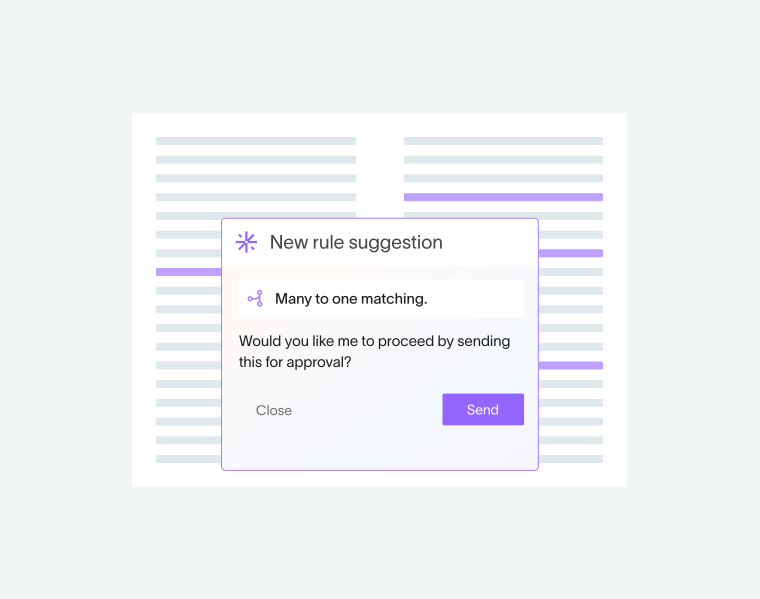
An AI-native ERP changes bank reconciliation from a monthly scramble into a continuous process. Feeds are ingested automatically, matching runs continuously in the background, and only genuine exceptions are surfaced for human review. Every reconciliation is evidenced against a statement balance and date, not just a set of ticked-off feed lines. DualEntry is one example built for finance teams working with a high transaction volume.
The volume case is where this earns its keep. Take a Series B to D SaaS company running several operating accounts, a couple of payment processors, company cards, and FX settlements – the conditions that turn a manual reconciliation into a multi-day job.
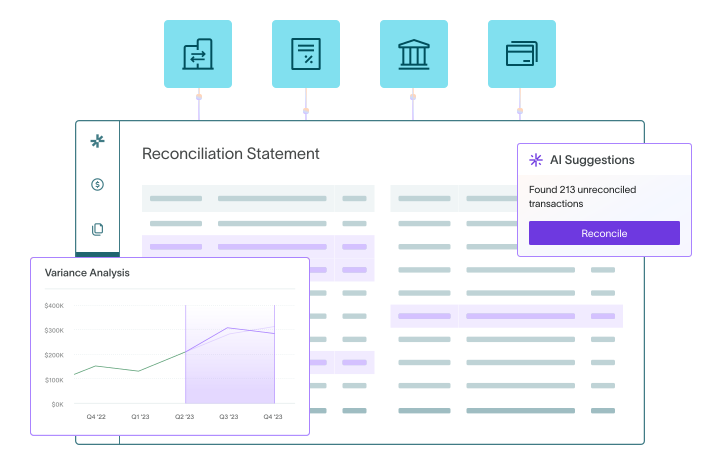
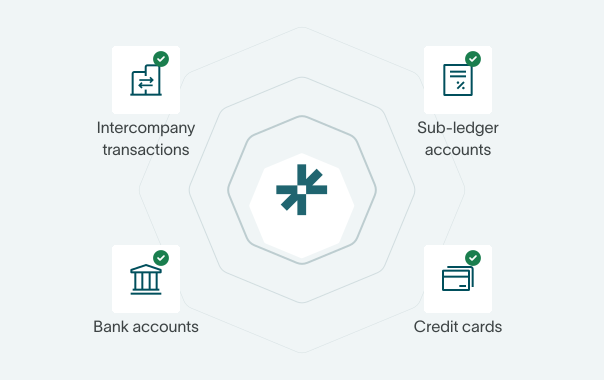
DualEntry connects to over 13,000 banks, so wherever a certified aggregator covers the institution, statements and transactions arrive without anyone downloading a file. Its AI mines your confirmed matches into reusable rules and drafts new ones from a plain-language description, previewing each for approval before it goes live. Nothing is applied on its own: every suggested match waits for someone to accept it, and amount is held as an exact match, so a settlement that lands a few cents light after fees is left for a human rather than quietly cleared. Bank accounts, credit cards, intercompany balances, and subledgers are handled in one place, with automatic roll-forwards between periods.
Because the evidence trail matters just as much, in DualEntry you can see who reconciled which account and when, review the supporting files, and lock the period once the close checklist task for it has been signed off by a preparer and a reviewer. Matching and reconciliation also stay separate steps: Bank Match proposes, and the reconciliation isn't complete until a statement balance and date drive the difference to zero. An auditor can follow the work later without a document hunt.
Conclusion
A bank reconciliation isn't done when the balances match. It's done when every difference is explained, the book-side entries are posted, and the whole thing is evidenced against the statement.
Getting there every month, across every account, comes down to how much of the work you're doing by hand. DualEntry was built for mid-market and pre-IPO teams running high transaction volumes across multiple entities and currencies. It handles the matching, flags anomalies, and keeps the audit trail intact. Your team spends time on the important exceptions instead of the humdrum routine.
See how DualEntry auto-reconciles at volume – book a demo.
Bank Reconciliation FAQs
See the full power of DualEntry in 30 minutes
Do San (Justin) Myung
Expert Accountant & Former Consulting CFO | DualEntry
Justin (Do San Myung) is Expert Accountant at DualEntry with 20+ years of hands-on experience managing general ledgers, financial close processes, and ERP implementations for mid-market and enterprise companies. As a former Consulting CFO and Controller, he has personally overseen month-end closes, SOX compliance programs, and multi-entity consolidations across technology, manufacturing, and services industries. Justin specializes in transforming manual accounting workflows into automated, AI-driven processes.
.webp)